Export Emergency Roll Reports for Better Drill Analysis
Tiago Penteado
•
October 25, 2025
After an emergency drill, you need to know how quickly everyone was accounted for and whether your alert systems worked as intended.
Schools have been asking for a way to export detailed reports from their emergency rolls, similar to what's available for broadcasts. The request made sense: if you're running regular drills to test your emergency response, you need concrete data to show what's working and what needs improvement.
What You Can Now Export
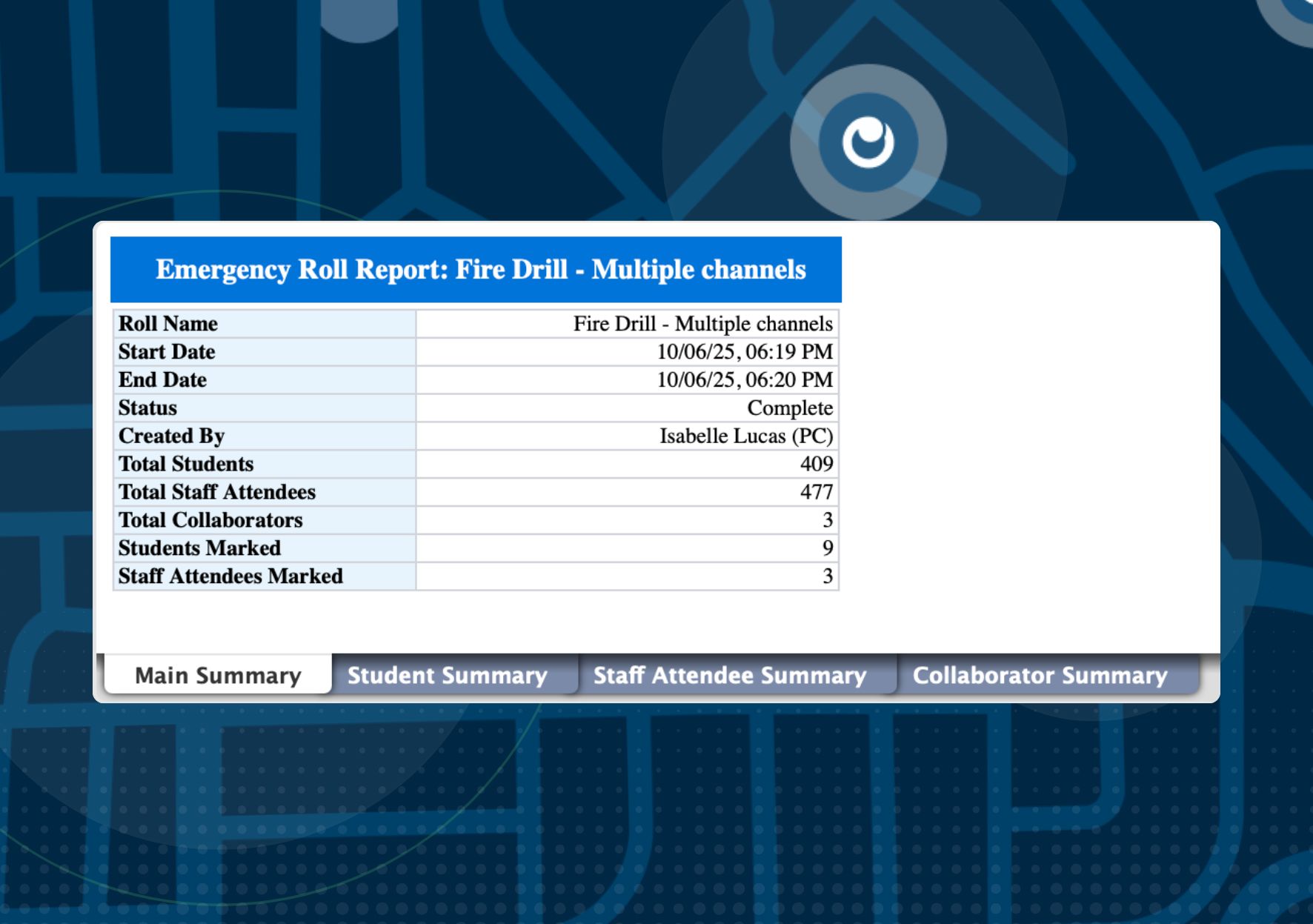
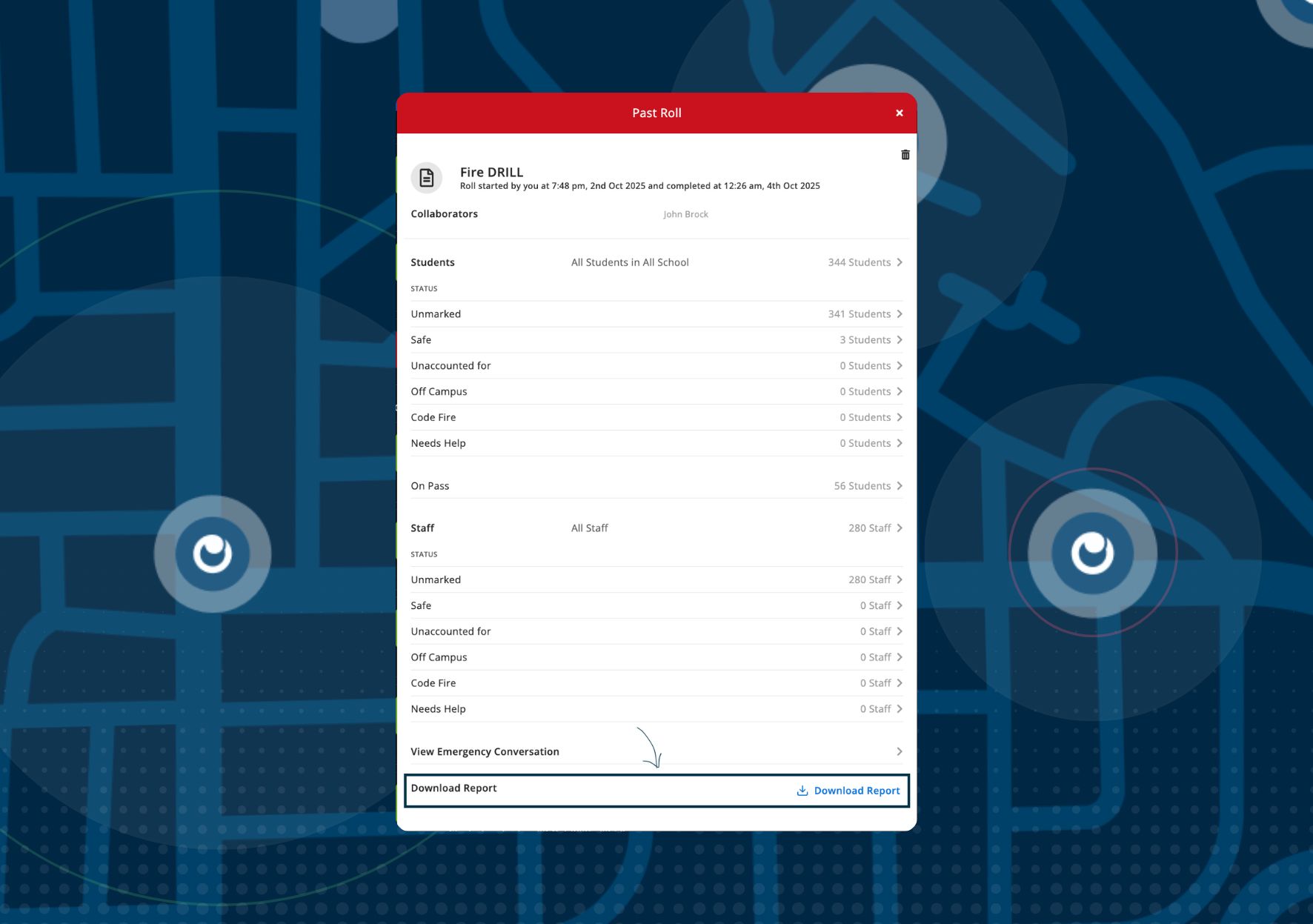
We've added a Download Report option to every past emergency roll. Here's what you get when you export:
General Summary
The overview of your emergency roll, including when it started, when it was completed, how many students and staff were involved, and how many were marked safe or needed assistance.
Student Summary
A complete breakdown of student status during the emergency roll. You can see which students were marked safe, who was off campus, who needed help, and any notes that were added during the roll.
Staff Attendee Summary
Details about which staff members participated in the emergency roll, their status, and their location during the event.
Collaborator Summary
Information about who was involved in managing the emergency roll, making it easy to track participation and accountability across your team.
How Schools Are Using This
This export gives you hard data for your post-drill debriefs. You can:
- Measure how long it took to account for all students and staff
- Identify bottlenecks in your emergency response process
- Share results with your board, safety committee, or regulatory bodies
- Track improvement over time as you refine your procedures
- Document compliance with safety drill requirements
Where to Find It
Open any past emergency roll from your Past Rolls view, and you'll see the Download Report button at the bottom. The report exports as a spreadsheet with separate tabs for each summary section, making it easy to analyze the data or share specific sections with different stakeholders.
Whether you're preparing for a board meeting, conducting a safety audit, or simply working to improve your emergency response times, this export gives you the documentation you need.
Download the 2026 State of Independent School Safety Report
In partnership with ATLIS and True North Research, we surveyed 85 independent schools across the US to create this 50-page report. Download your digital copy for free.

I write, cook & read to relax. At Orah, I'm very excited to contribute to a great mission making a meaningful difference in the lives of students and educators across the world.