Know where every student is before anyone asks

Students are checked in all day, so an emergency roll starts with a live headcount in an app your staff already knows.

Outcomes

Preparedness through familiarity

6.3min
Average time to account for every student
Independent schools take an average of 6.3 minutes to account for every student in a drill. 42% take more than six minutes. Source: State of Independent School Safety 2026
90sec
For Northwood School to account for every student
During an accreditation visit, NYSAIS evaluators pulled students out of a live drill without saying who. Within 90 seconds, Northwood School had accounted for every student and correctly identified the four who were missing.
One system
Attendance, passes, and dismissals
In an emergency, your roll's only as accurate as the data behind it. With Orah, period attendance, hall passes, early and late dismissals, and absences all write to the same student location record. That means rolls start from a live picture, not this morning's roster.
0 New Processes
Your team already knows the app
Under stress, there's no need to recall a separate procedure. Staff members mark students as safe the same way they mark them present several times a day, using the same app they use for the roll.

Trusted by 500+ top schools in 20 countries

Donna Klein Jewish AcademyBerkshire SchoolKent SchoolMilken Community SchoolThe Stony Brook SchoolRiverdale Country SchoolNew Roads SchoolMarin Catholic

Nothing new to learn. Nothing left to chance.

Familiar

The emergency roll is in the same app staff members use daily, so there's no new app or procedures to remember.

Accurate

Attendance, passes, and dismissals feed one location record, so you start the roll with real-time data.

Verified

Every roll, drill, and message is timestamped and reportable for your board, insurer, or accreditation body.

Everyday Use

The best emergency app is the one you know and feel comfortable with

One app for morning roll and emergency rolls

Use Orah for attendance, and you've seen what an emergency roll looks like. The students are the same, and so are the taps. Safe takes the place of present. No second login, no second app, no retraining.

Attendance Becomes Table Stakes

When your community recognises that attendance connects directly to emergency preparedness, attendance compliance follows suit.

No adoption push needed

Orah fits in seamlessly with your LMS like CANVAS, Google Classroom, Toddle, or the one provided by your SIS.
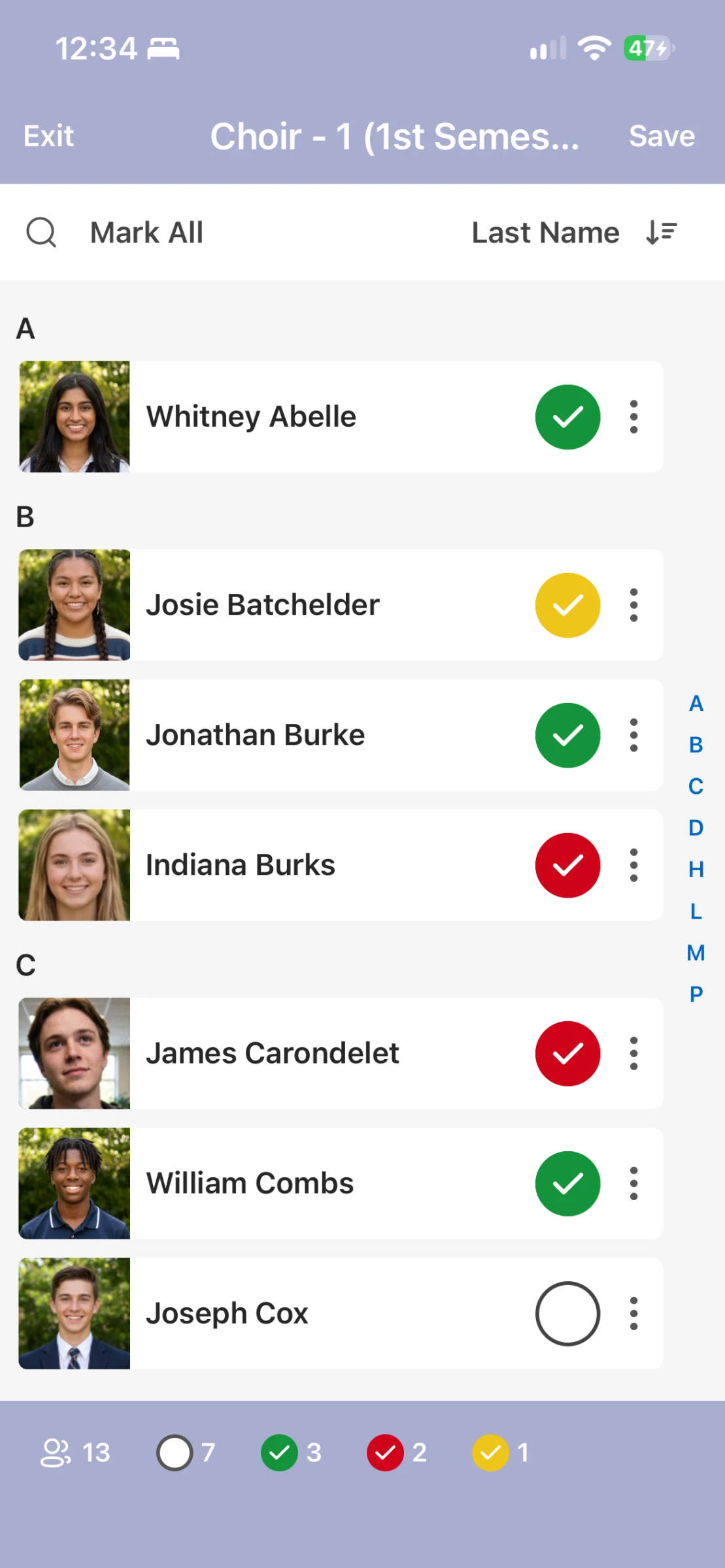
Orah mobile app taking the morning class roll for Choir
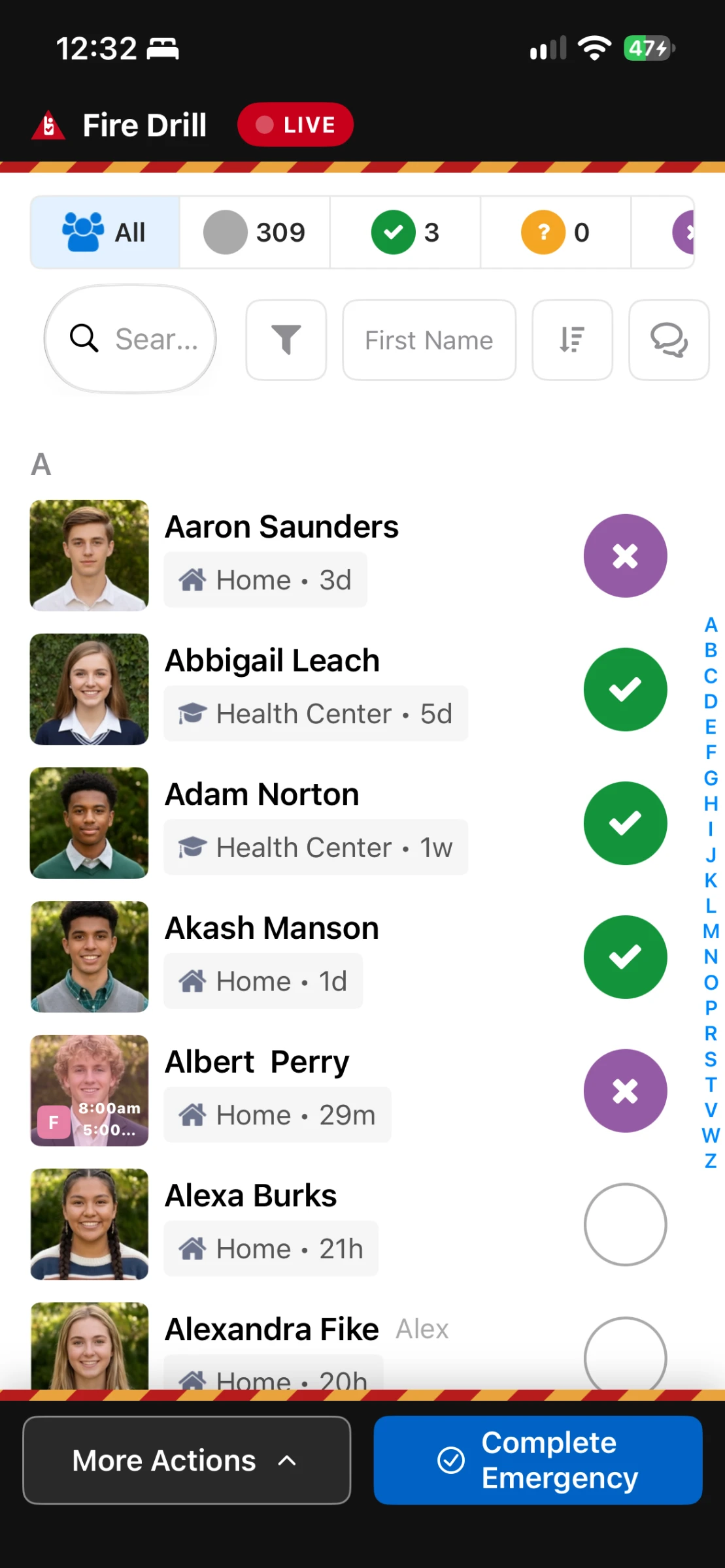
Orah mobile app running a live Fire Drill emergency roll
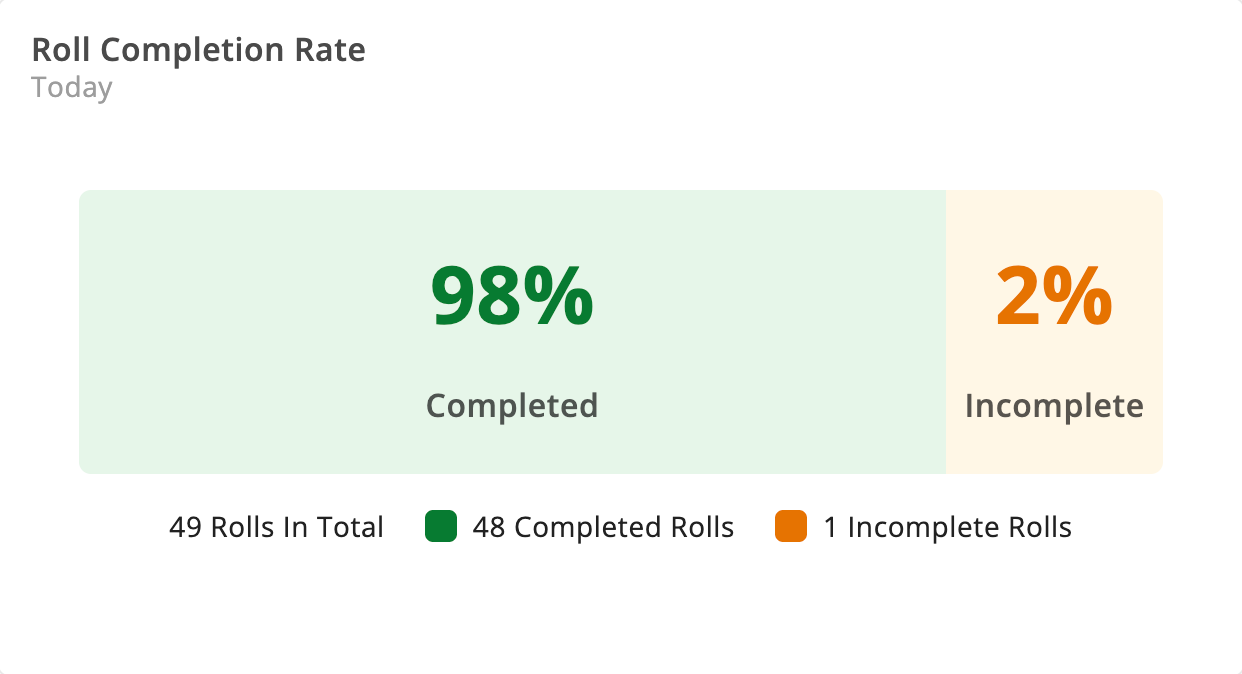
Roll Completion Rate today: 98% completed, 2% incomplete
Staff With Most Incomplete Rolls
Today
Rachel Moore1
Cody Fisher1
Robert Fox1
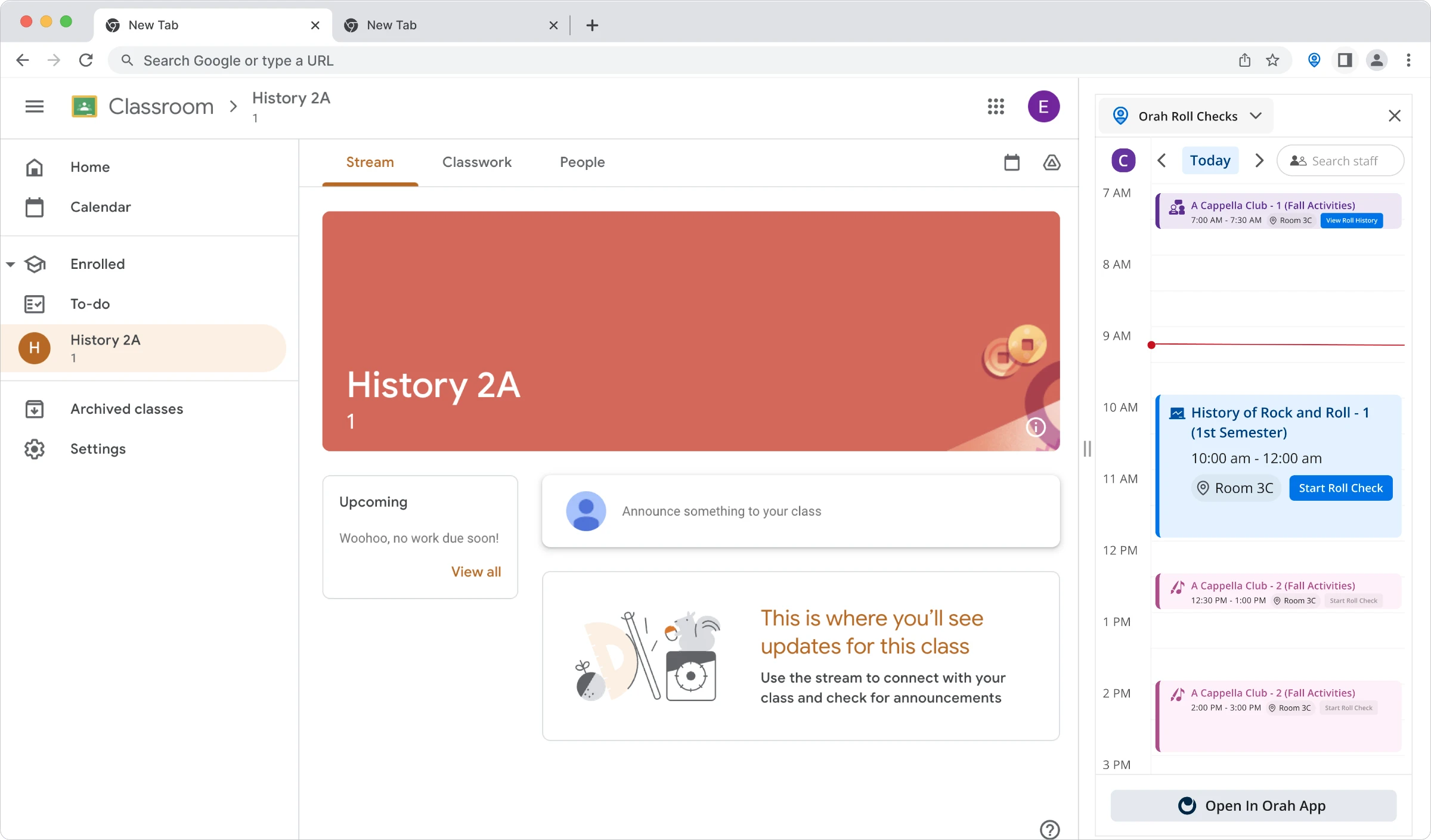
Orah Roll Checks panel open beside a Google Classroom class, showing today's schedule and a Start Roll Check button
Student Location

Most platforms start by trying to locate your students, Orah already knows

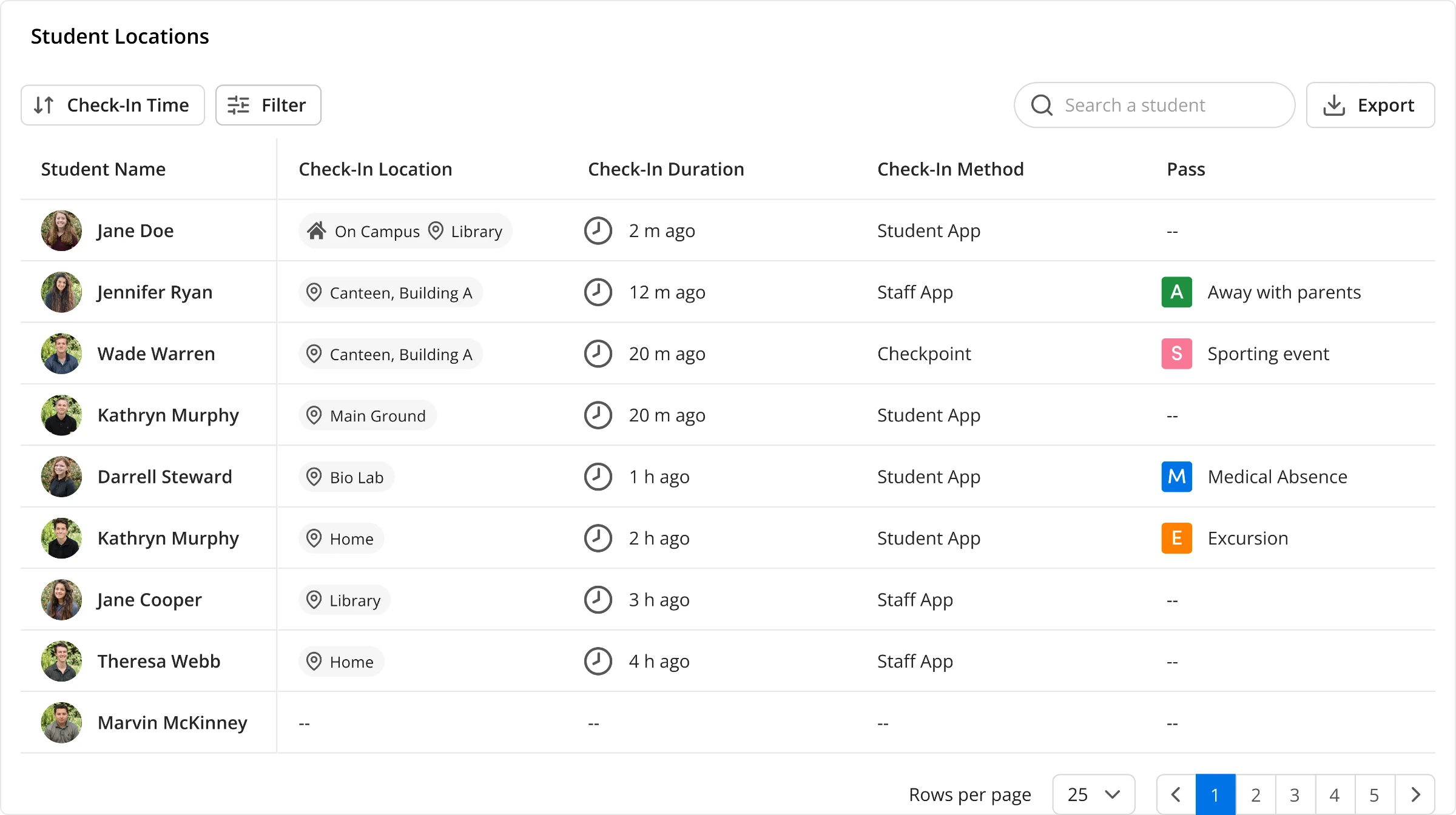
Audit log of student locations on campus
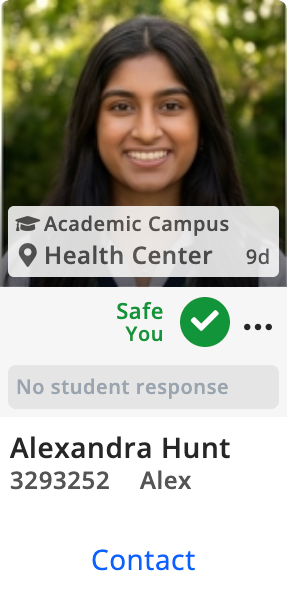
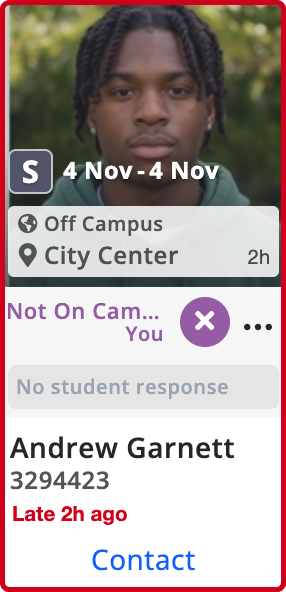
Student card marked Safe at the Health Center on the Academic CampusStudent card marked Not On Campus, signed out to City Center on a pass
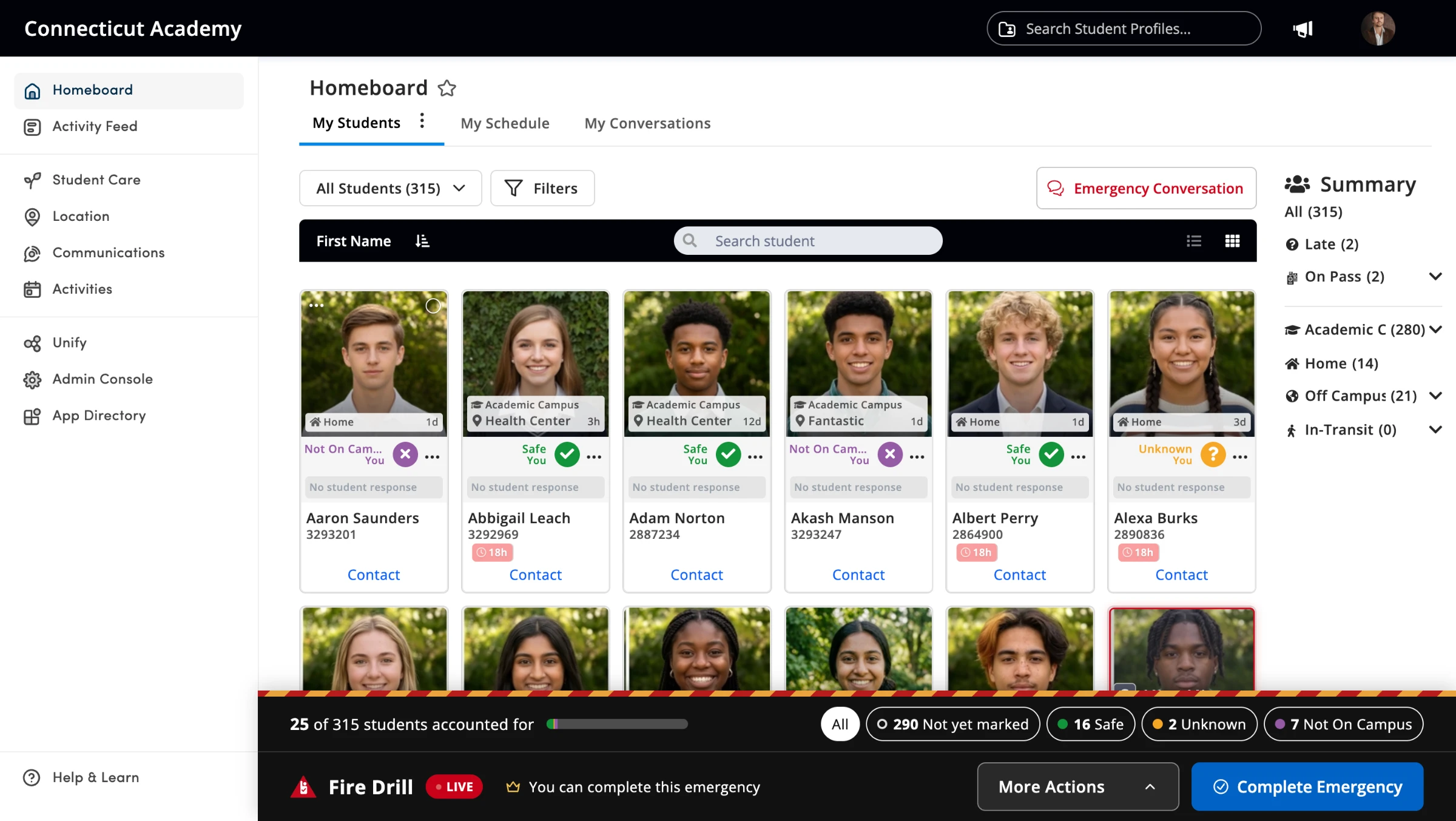
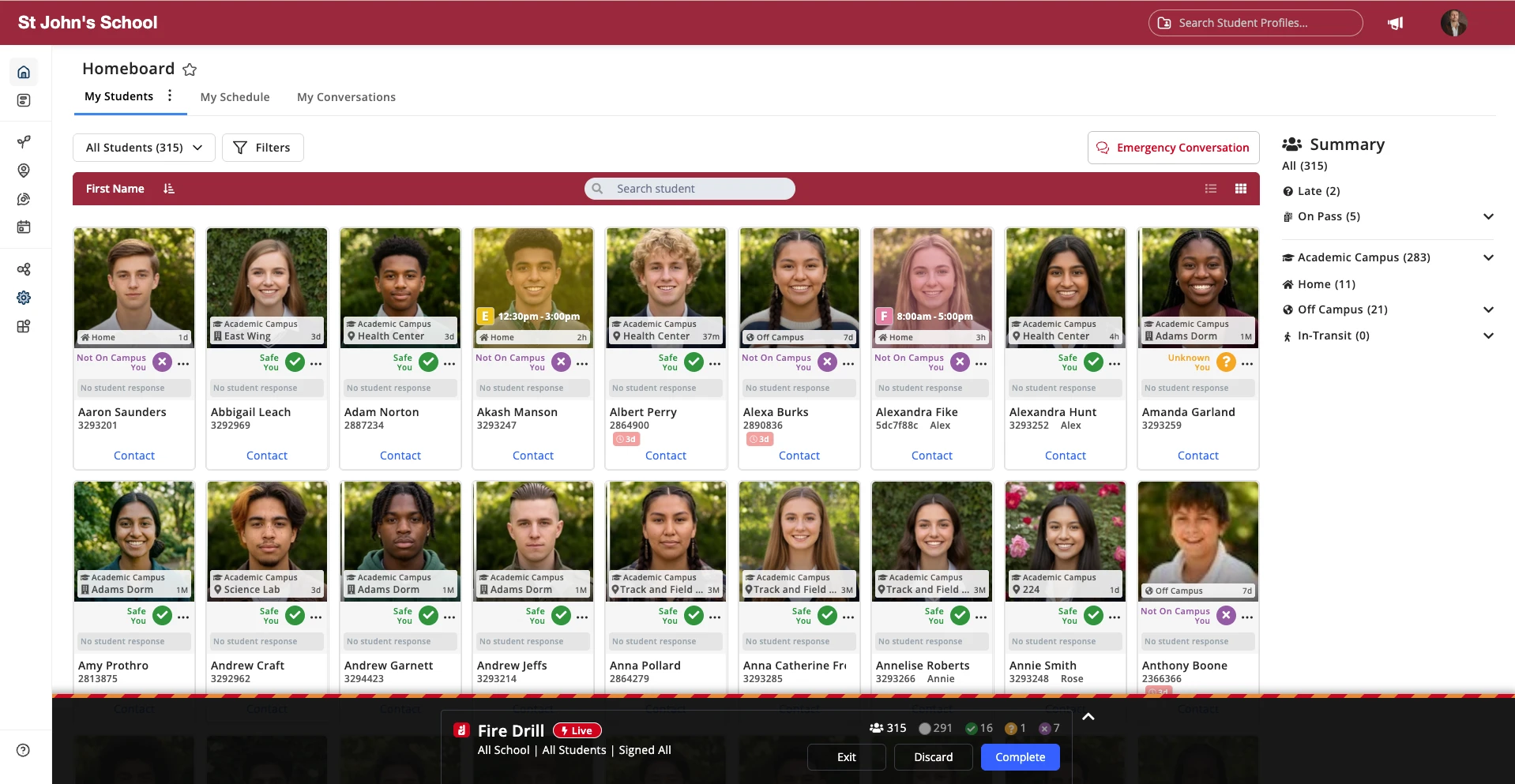
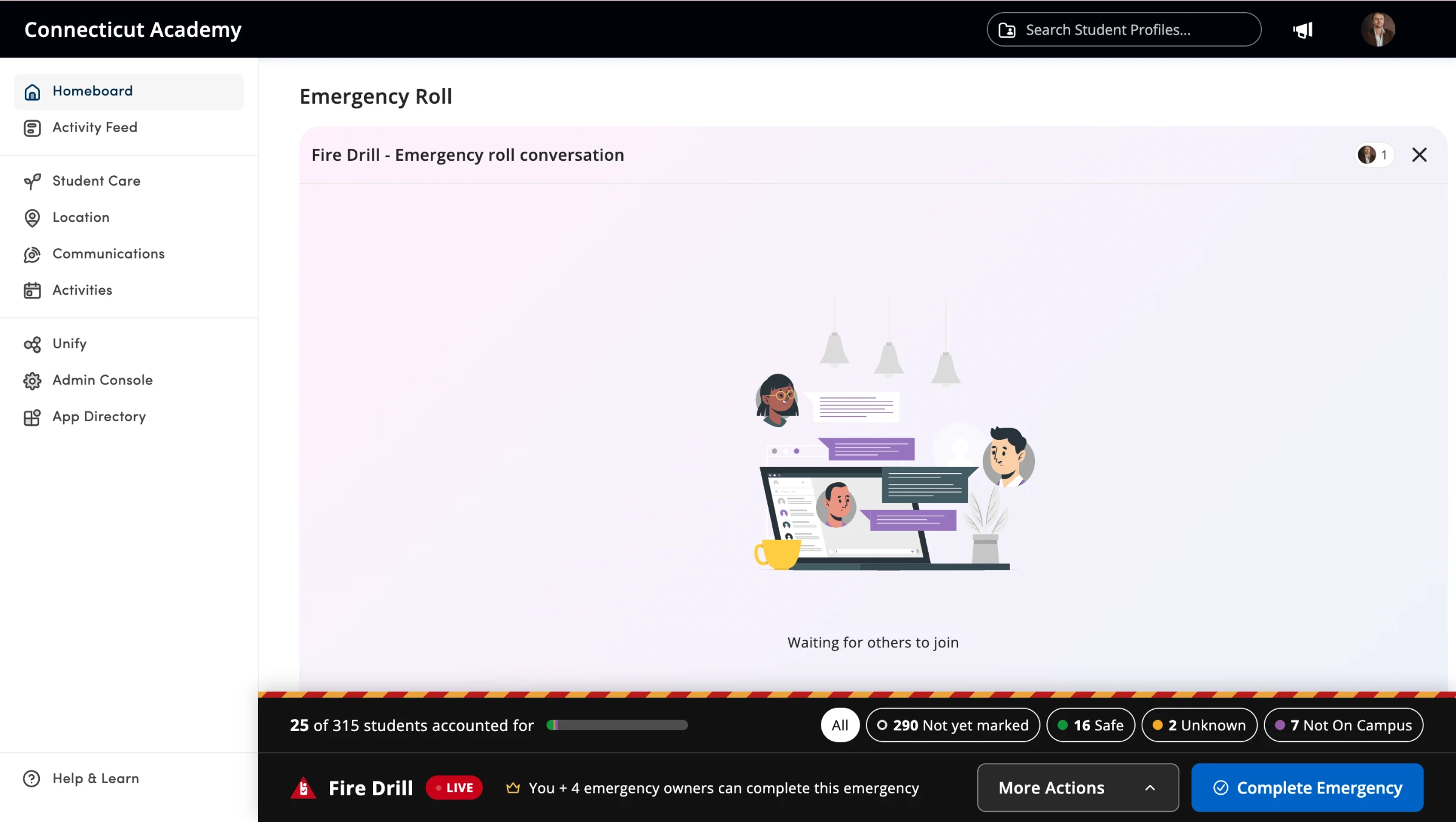
Homeboard during a live Fire Drill: 25 of 315 students accounted for, with Safe, Unknown and Not On Campus counts
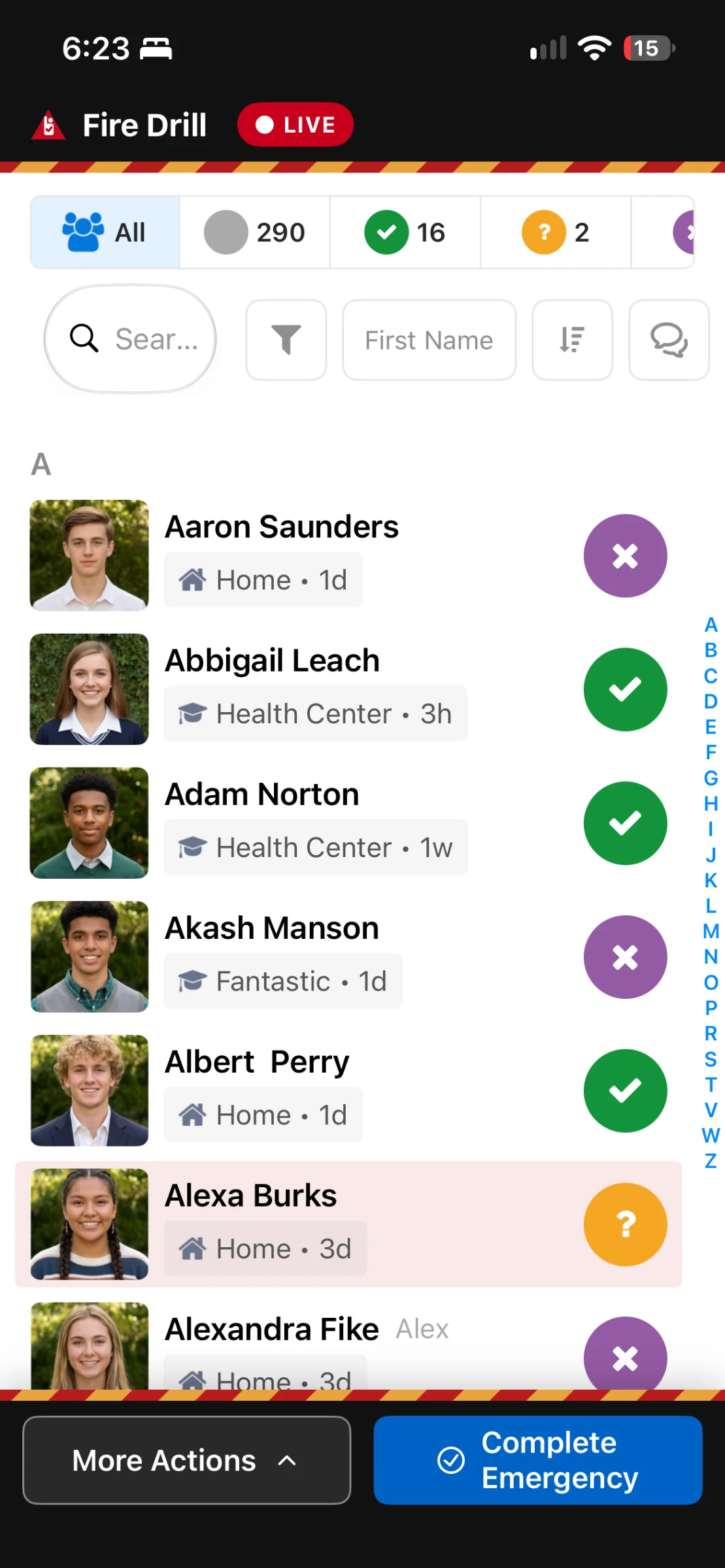
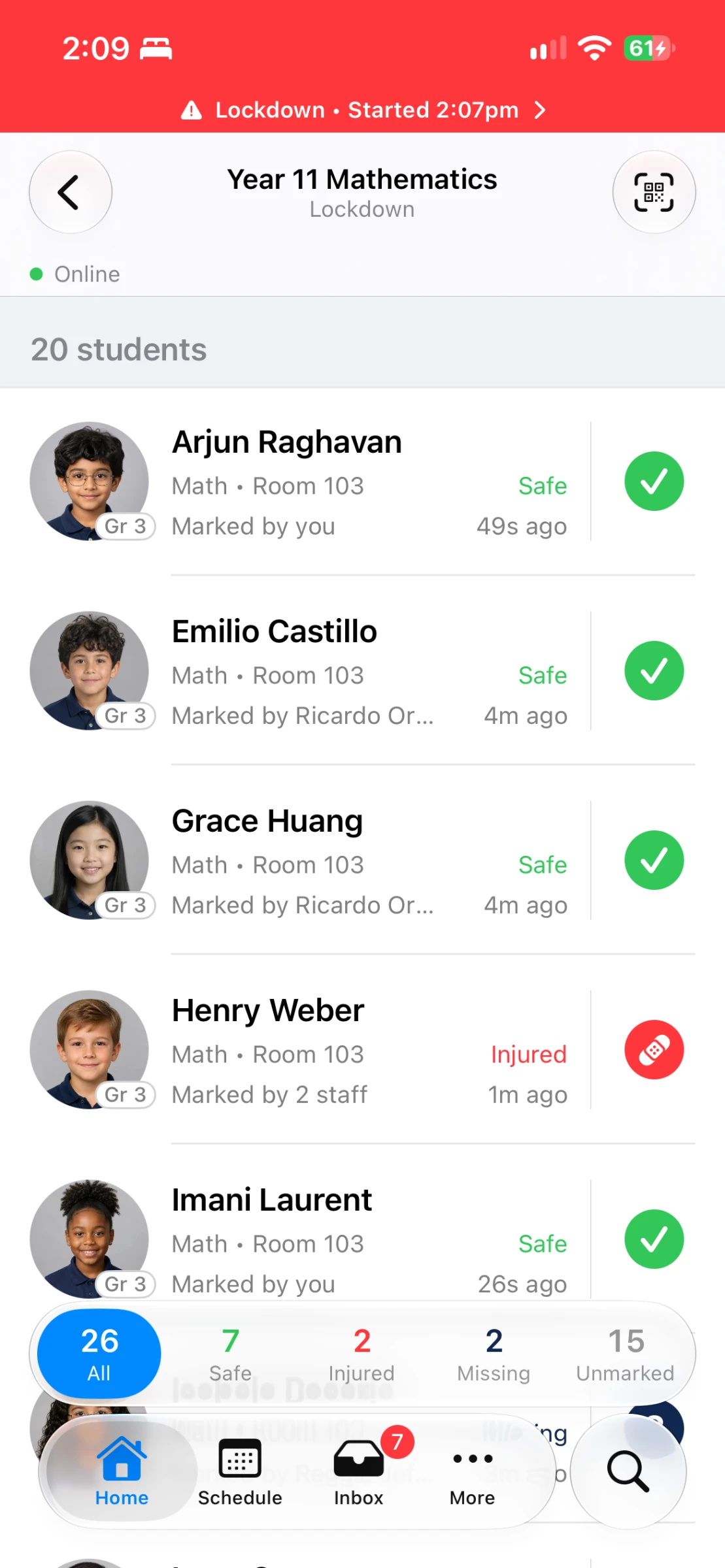
Orah mobile app showing the same Fire Drill roll with matching student statuses
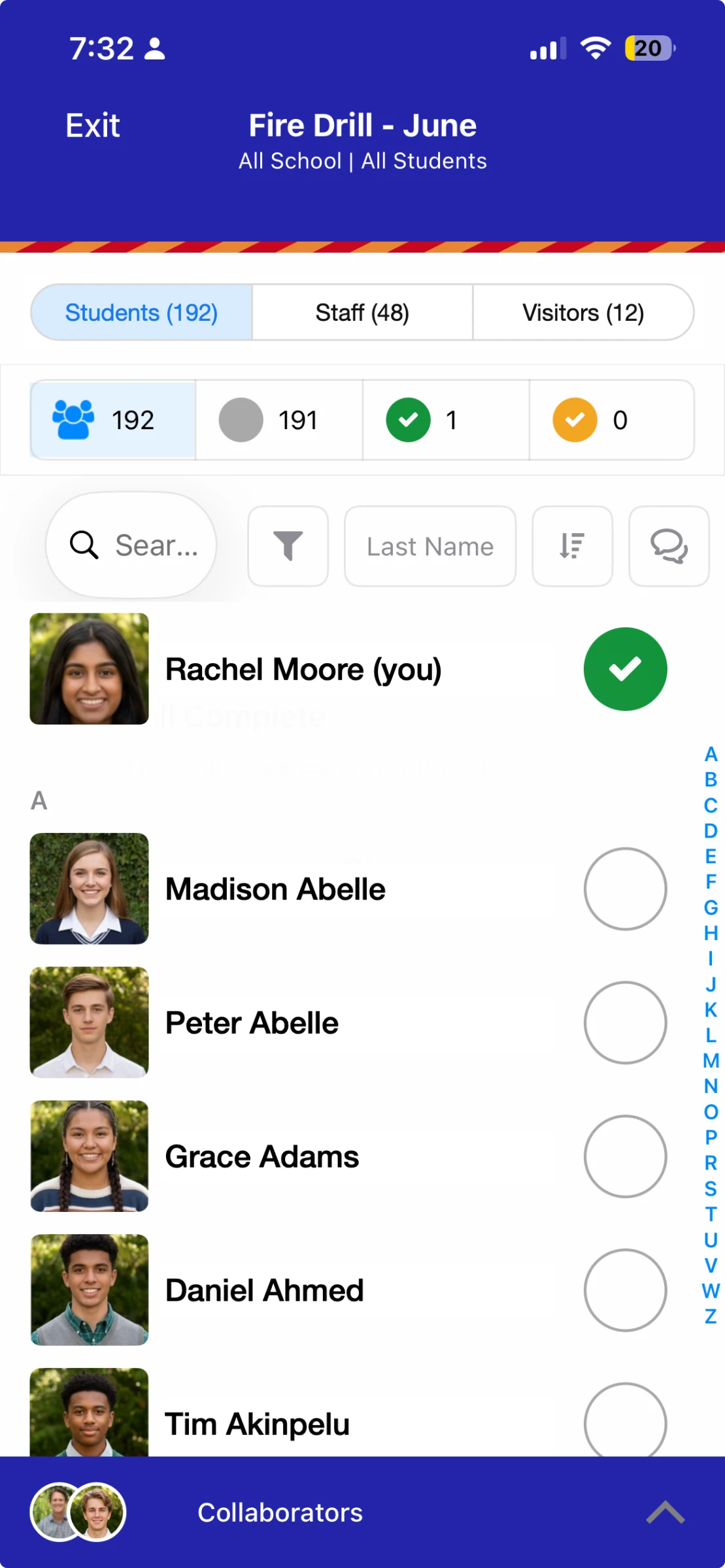
Fire Drill roll in the Orah mobile app with Students, Staff and Visitors tabs
Students (192)
Staff (48)
Visitors (12)

Real-time, accurate data of who's on campus right now

Your roll doesn't wait for a spreadsheet or for someone to reconcile lists. It's built from the record that period attendance, passes, and dismissals keep current, so you always start with an up-to-date emergency roll when you need it.

Know which students are off campus (and where)

A student who left at 2:00 for an away game shows as off campus, with an approved leave pass and their last known location. Nobody goes looking for them at the assembly area.

Real-time updates during emergency accountability

Using 'push architecture' your colleagues will see updates to students being accounted for in real-time. No 'sync for updates' or 'polling' it's there as soon as it's entered.

Account for everyone on campus

One roll covers students, staff, and visitors. A contractor who signed in through Visitor Management appears on the roster for that campus and is marked safe or unaccounted for, just like everyone else.

Running the emergency digitally

Most schools still run drills with clipboards, paper rosters, and red and green cards, with a runner sent to find whoever's missing. Orah is a much better way.
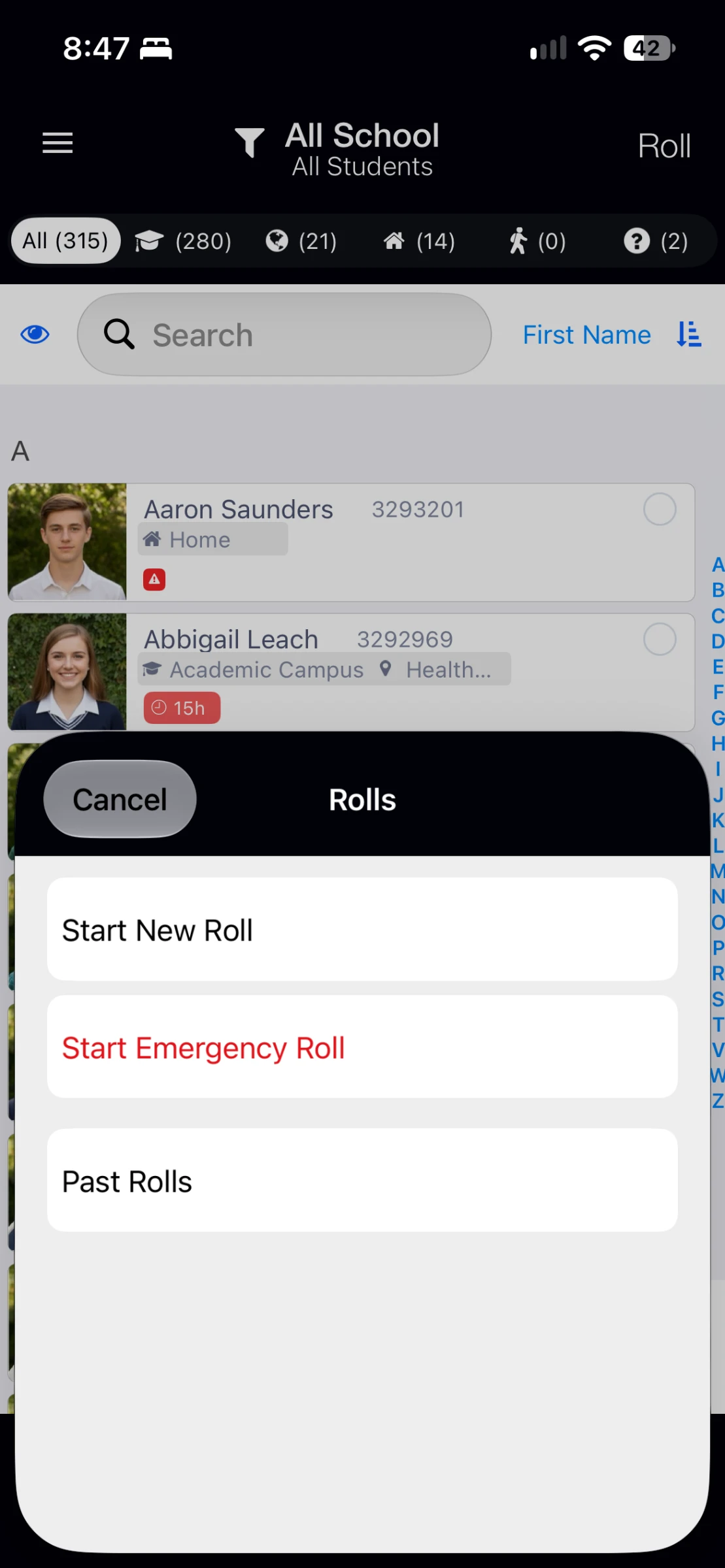
Orah mobile app Rolls menu with Start New Roll, Start Emergency Roll and Past Rolls

Launch from wherever you are

Designated staff can start an emergency roll from their phone. In a real emergency, they won't be sitting at a computer.

Fire Drill
LIVE
11 of 315 students accounted for
304 Not yet marked
9 Safe
1 Unknown
1 Not On Campus
Complete Emergency

Live view of all students, staff, and visitors

The person running the emergency sees the count update in real time as students are marked safe, with the last known location and activity shown for missing students. Staff on site collaborate with staff traveling off site with a team to update the same roll together.

Emergency Roll
Select Roll Type
Fire Drill
Lockdown
Evacuation
Shelter In Place

Configure custom roll types for every scenario

Set up custom roll types such as Fire Drill, Lockdown, Evacuation, or Shelter, each with its own default filters, default collaborators, response codes and alerts. Permissions control who can start, join and complete a roll.

Communications

One launch. Multiple channels. Everyone informed

Multi-channel alerts on launch

Alerts go out on launch to staff, students, parent contacts, and staff attendees over push notification, in-app banner, SMS, and email, using custom templates for each audience. Critical alerts override normal notification settings.

Students can report in from wherever they are

Students can respond "Safe" or "Need help" in the student app, which is especially useful when they're on campus but not with a teacher. At one school, around half of students checked themselves in during a lockdown drill.

Two way messaging inside the emergency

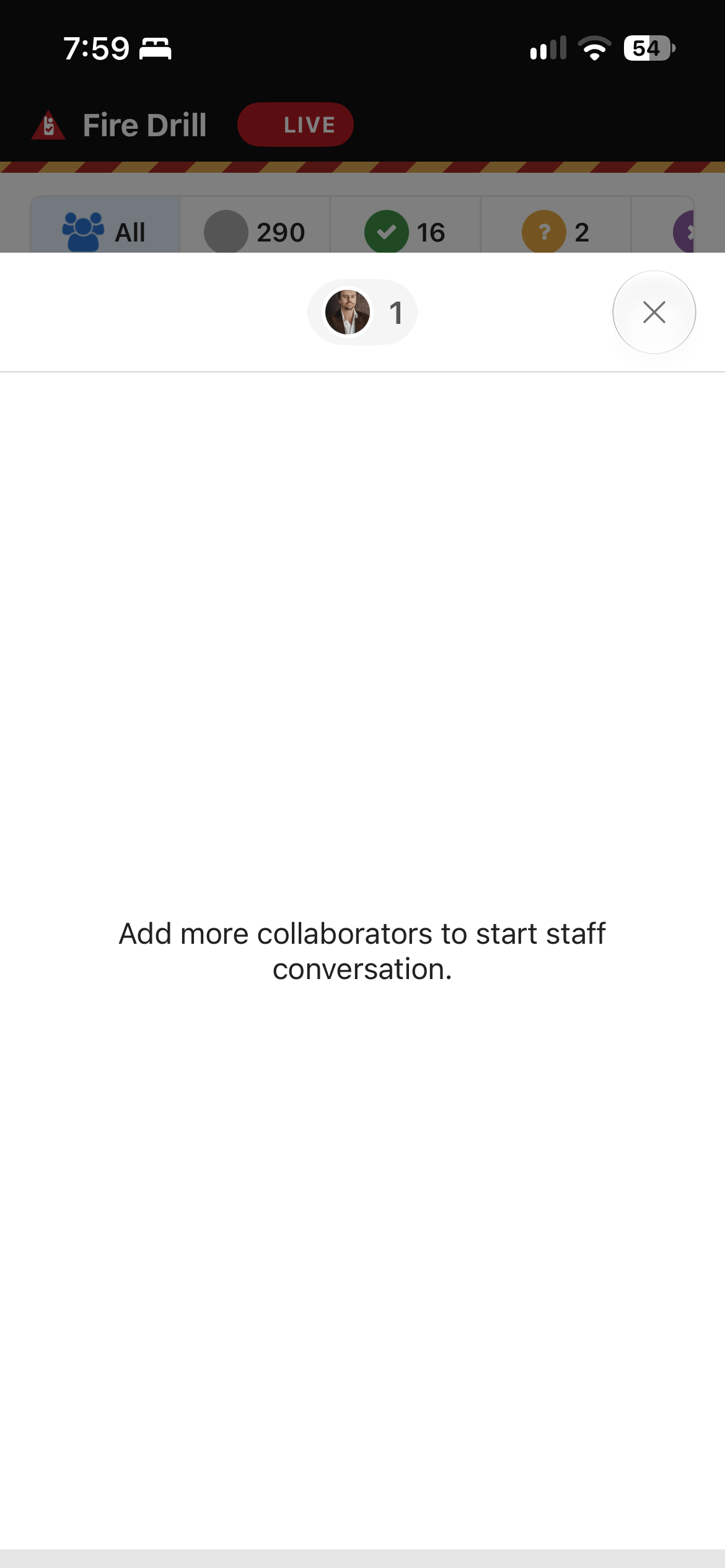
The person running the emergency and staff collaborators message each other in threads inside the roll. Nobody switches to a separate app to report in or seek clarification.

Automated "All-Clear" message

Staff, students, and parent contacts hear that the emergency is over at the same moment, in the same way they heard it began, via a customized template.
Thursday, November 12
10:42
Orah
now
CRITICAL ALERT
Fire Drill is LIVE at Connecticut Academy. Open Orah to start your emergency roll.
Messages
now
Connecticut Academy: A fire drill is under way. Students are safe and being accounted for.
Connecticut Academy
now
Fire Drill in progress. No action is needed from families. We will confirm when it ends.
Emergency Roll
EMERGENCY DETAILS
Emergency Roll
Fire Drill, if you are not at the regular muster points, you may respond to say you are safe below.
EMERGENCY Response
Are you safe?
Add a message...
NO
YES
Where are you?
On Grounds
Off Grounds
Home
SAVE
Emergency roll conversation between staff on the Orah Homeboard during a live Fire Drill
4
Cody Fisher • 10:42
Gym is clear. All 28 of mine are at Muster Point B.
Rachel Moore • 10:43
Missing Alexa Burks from Choir. Has anyone seen her?
She is with me at the Health Center. Marking her Safe now.
Rachel Moore • 10:43
Thanks, got it.
Robert Fox • 10:44
Science block swept. Two visitors with me, both marked Safe.
Great. Keep the rolls coming.
Message collaborators
Staff conversation inside a live Fire Drill in the Orah mobile app
4
Cody Fisher • 10:42
Gym is clear. All 28 of mine are at Muster Point B.
Rachel Moore • 10:43
Missing Alexa Burks from Choir. Has anyone seen her?
She is with me at the Health Center. Marking her Safe now.
Rachel Moore • 10:43
Thanks, got it.
Robert Fox • 10:44
Science block swept. Two visitors with me, both marked Safe.
Great. Keep the rolls coming.
Message collaborators
Thursday, November 12
10:58
Orah
now
ALL CLEAR
All Clear: the Fire Drill at Connecticut Academy has ended. All 315 students accounted for.
Messages
now
Connecticut Academy: All Clear. The fire drill has ended and classes have resumed.
Connecticut Academy
now
All Clear. The fire drill is complete and every student is safe. No action is needed.

Learn from each drill, don't just tick boxes.

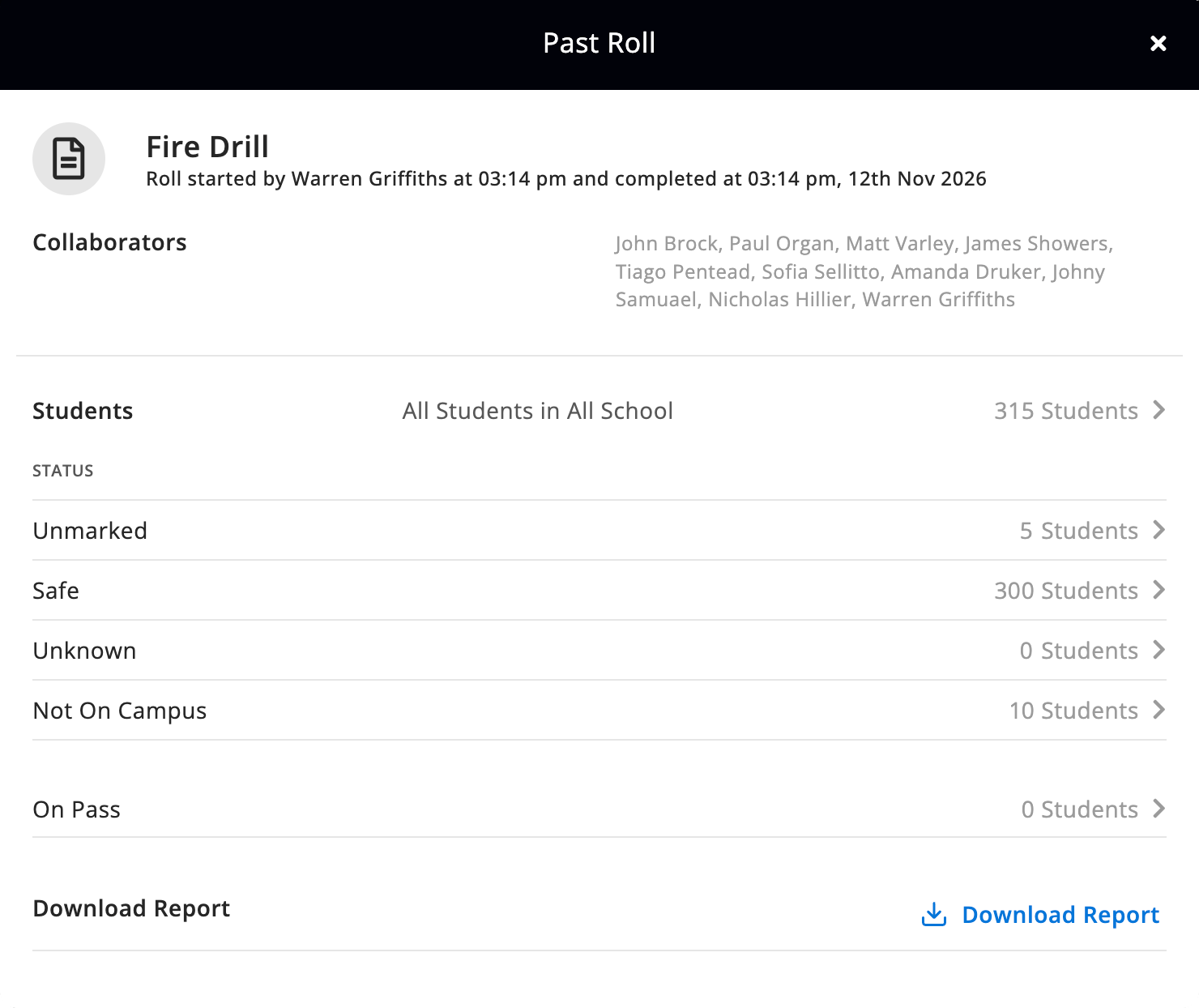
Past Roll report for a Fire Drill: who started it, collaborators, student counts by status and a Download Report link

Post-drill reporting on every roll

When a roll closes, Orah shows how long it took from the first tap to the last student marked safe, who was accounted for and when, who was unaccounted for, and how staff responded.

Emergency Roll
Select Roll Type
Fire Drill - August 1.0
Fire Drill - September 1.0
Fire Drill - October 1.0
Fire Drill - November 1.0

Practice isn't limited to drills

You run rolls routinely, not just during scheduled drills. One school ran seven emergency rolls in its first 90 days with Orah.
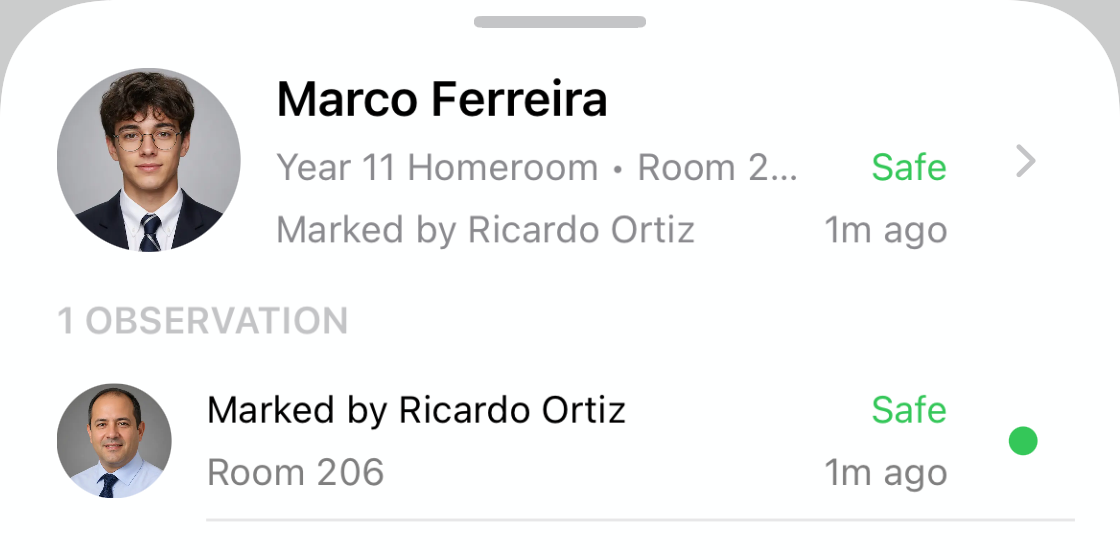
Student status sheet: Marco Ferreira marked Safe by Ricardo Ortiz in Room 206, 1m ago, with a timestamped observation

Proof via timestamped records

Every roll, response, and message is timestamped as it happens. When your board, insurer, or accreditation body asks, you produce the record instead of assembling it.

Connected to the systems you already use

One tap triggers your physical alert systems

Starting an emergency roll in Orah begins a mapped InformaCast scenario: IP and overhead speakers, desk phones, desktop screen takeover, digital signage, mobile, SMS, and email. Accountability and alerting happen with the same action.

Learn More About InformaCast

Your other systems can start the Orah roll

Your fire panel, building management system, lockdown system, or mass notification tool can start an Orah roll with one authenticated API call. Staff members see the same roll they would've seen if a person had started it.

Read the API Documentation

Everyone included in the roll, including visitors

Visitors checked in on site appear in the emergency roster for that campus and are accounted for alongside students and staff, with the roster snapshotted so mid-roll checkouts stay in the audit trail.

Case Study
"Within 90 seconds, everybody was accounted for, and we identified the kids who were missing. I went back to the committee, and I said, 'We're missing these four kids.' And he's like, 'And that's who we have. Good job. That's impressive.'"
 "In the old days, we literally had nine or 10 clipboards with everybody's name on it, which was just crazy."
John Spear
Assistant Head for School Life, Northwood School
Read the Case Study

FAQs

Who can start an emergency roll?

Permissions control who can start, join, and complete a roll. Designated staff can start one from their phone, while connected systems, such as a fire panel or lockdown system, can start it through the API.

Where does the emergency roster come from?

From the same student location record that period attendance, hall passes, early dismissals, late arrivals and absences write to throughout the day, rather than a static morning roster.

Are staff and visitors included, or only students?

Staff are accounted for in the same roll. Visitors checked in through Visitor Aware appear in the roster for the campus where the roll started and are marked safe or unaccounted alongside students.

Can we set up different workflows for a fire drill and a lockdown?

Yes. Set up roll types such as Fire Drill, Lockdown, Evacuation and Shelter, each with its own default filters, default collaborators, response codes and alerts.

What evidence do we have after a drill?

Every roll produces a report covering how long it took, who was accounted for and when, who was missing and how staff responded. Every response and message is time stamped for your board, insurer and accreditation body.

See an emergency roll run in the app your staff already use

A 30-minute walkthrough with someone who knows school emergency operations.