


Next-gen Attendance built for efficiency and real time student location.
Taking attendance is not just an academic record, it is the backbone of a school's understanding of where their students are.
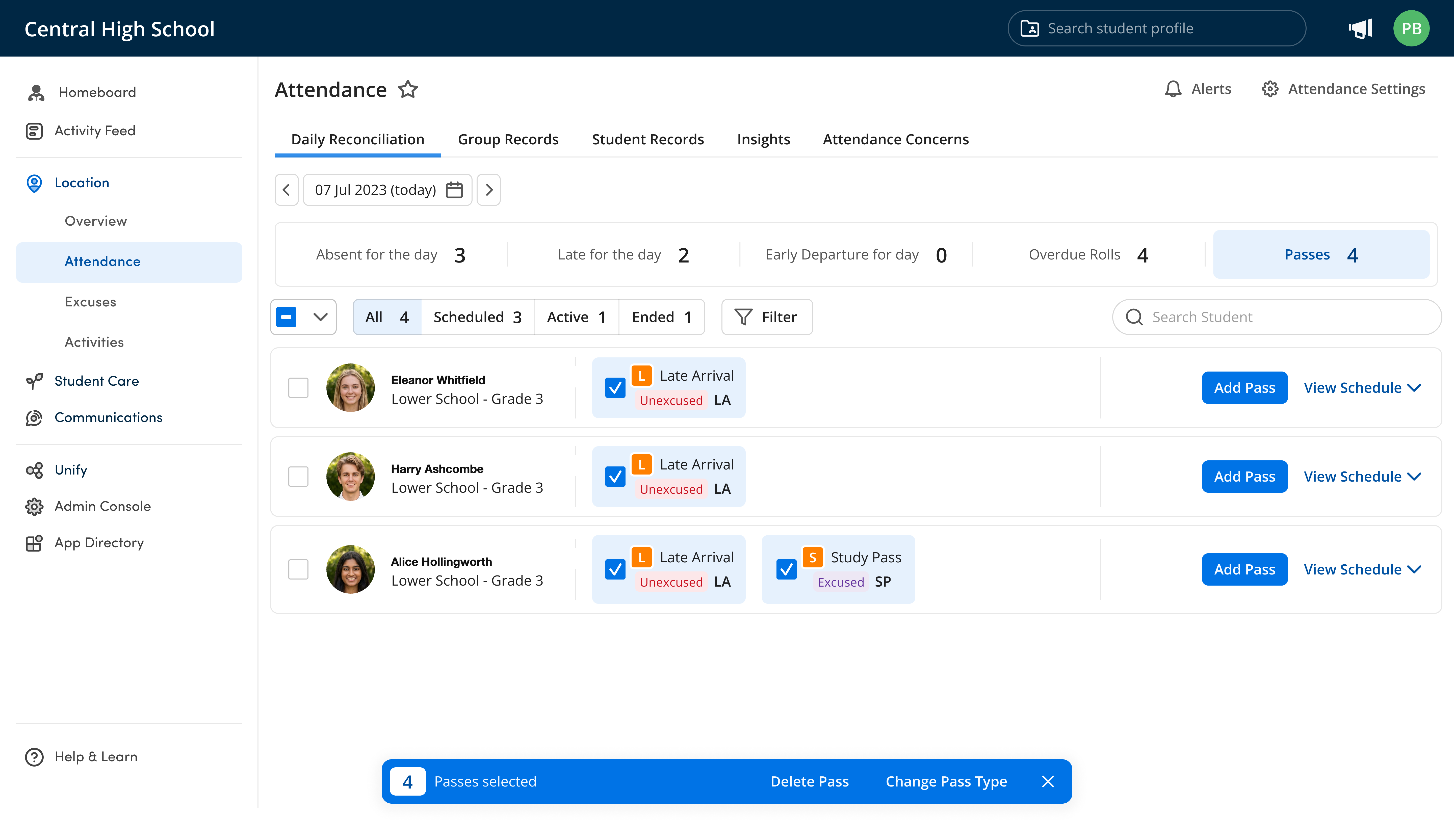
How Orah's Attendance enhances school safety and drives efficiency
Trusted by 500+ top schools in 20 countries








.png)


Simpler for teachers. Security for the school.
Time Savings
Teachers spend up to five hours a week marking rolls. Orah gives that time back to teaching.
Roll Completion
Automated reminders and unmarked-roll visibility mean every roll is marked, on time.
Emergency Readiness
More accurate academic records, and real-time student location awareness when it matters most.
Mark the roll from wherever you are
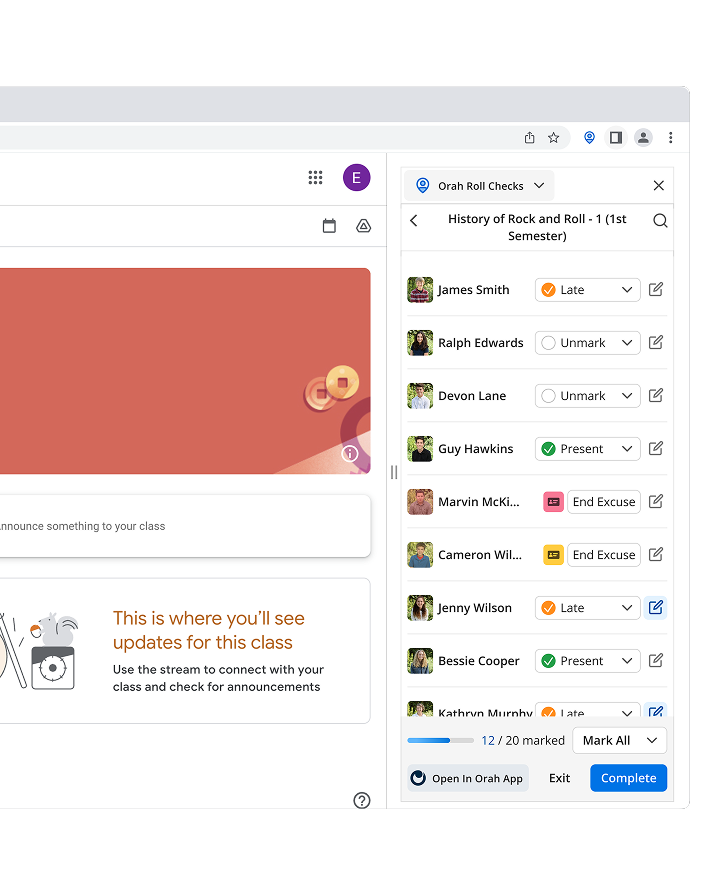
Chrome extension, mobile app, web, or student-led sign in on a tablet. Flexibility in how attendance is taken gives teachers the choice, and saves time.


Simpler for Teachers to Take the Roll
Stay on your LMS and keep attendance open and updated with the browser extension, or use the mobile app as you greet students at the door. No context switching, no separate window.
Coverage Made Easy
No assigning substitute teachers in the backend. An external sub or covering teacher simply selects the teacher they are covering and starts marking the roll instantly, so the attendance admin is not left with manual data entry.
Student-Led Attendance
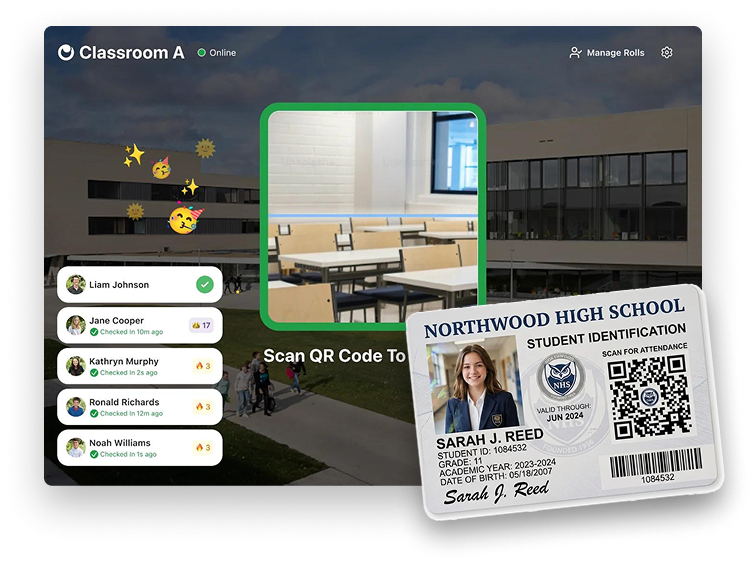
Students sign in with QR codes, RFID cards, or barcodes on a tablet. Teachers review the roll and submit, the burden comes off the teacher, and they still have the final say.
Learn More About Automated AttendanceAttendance From Anywhere
On the field for sport, on the bus to a field trip, or in an assembly. Mark attendance on mobile without a laptop.
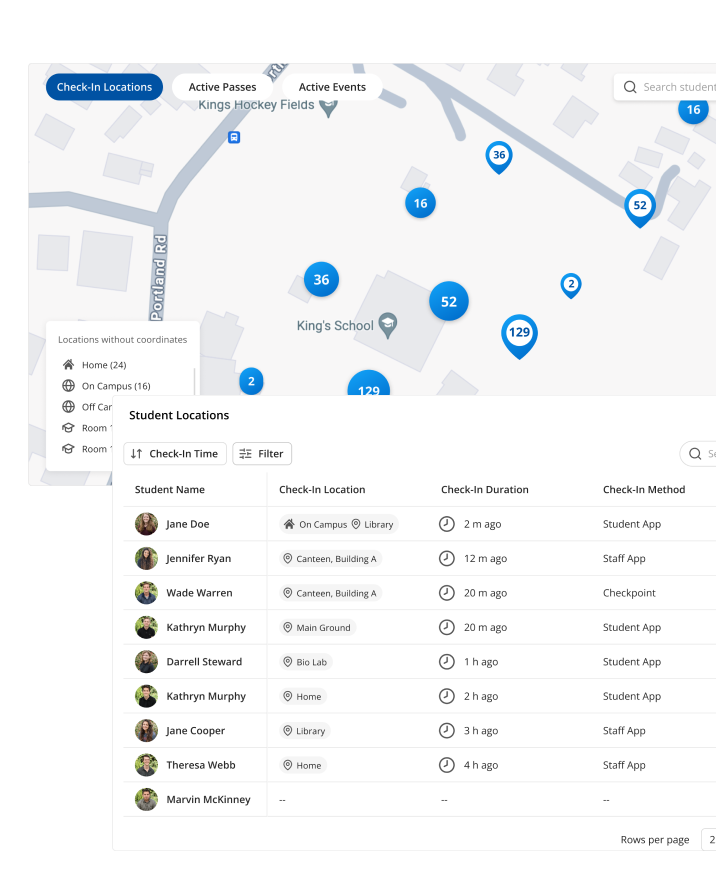
Full context on a student's location, in real time
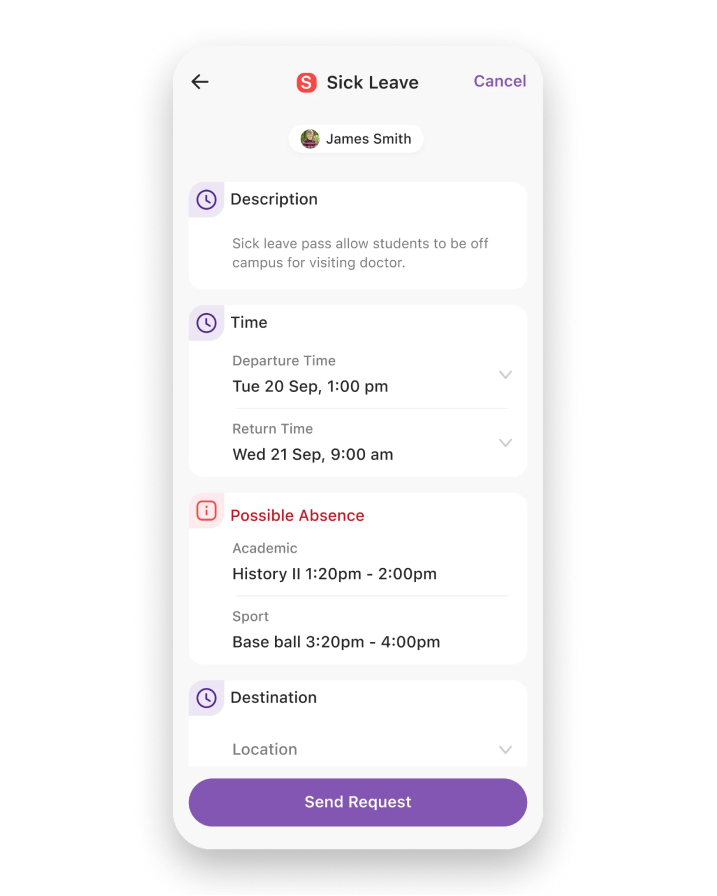
Absences, hall passes, early and late dismissals, and every other pass sit inside attendance taking and stay up to date. Teachers stop waiting and looking for students, and can start class.

Passes Flow Straight Through to Attendance
Manual entry of absences and passes leaves the teacher blind to where a student is. In Orah the roll shows the reason, the pass, and the expected return.
Learn More About PassesFlexible Time-Based Passes
Fixed period passes give an inaccurate picture of where a student is right now. Time-based passes track the actual window a student is out.
Parent-Logged Absences
Parents log absences in the Family app instead of emailing or phoning the front desk. Customise the absence form and permission flow to suit your school's processes.
Hall Passes
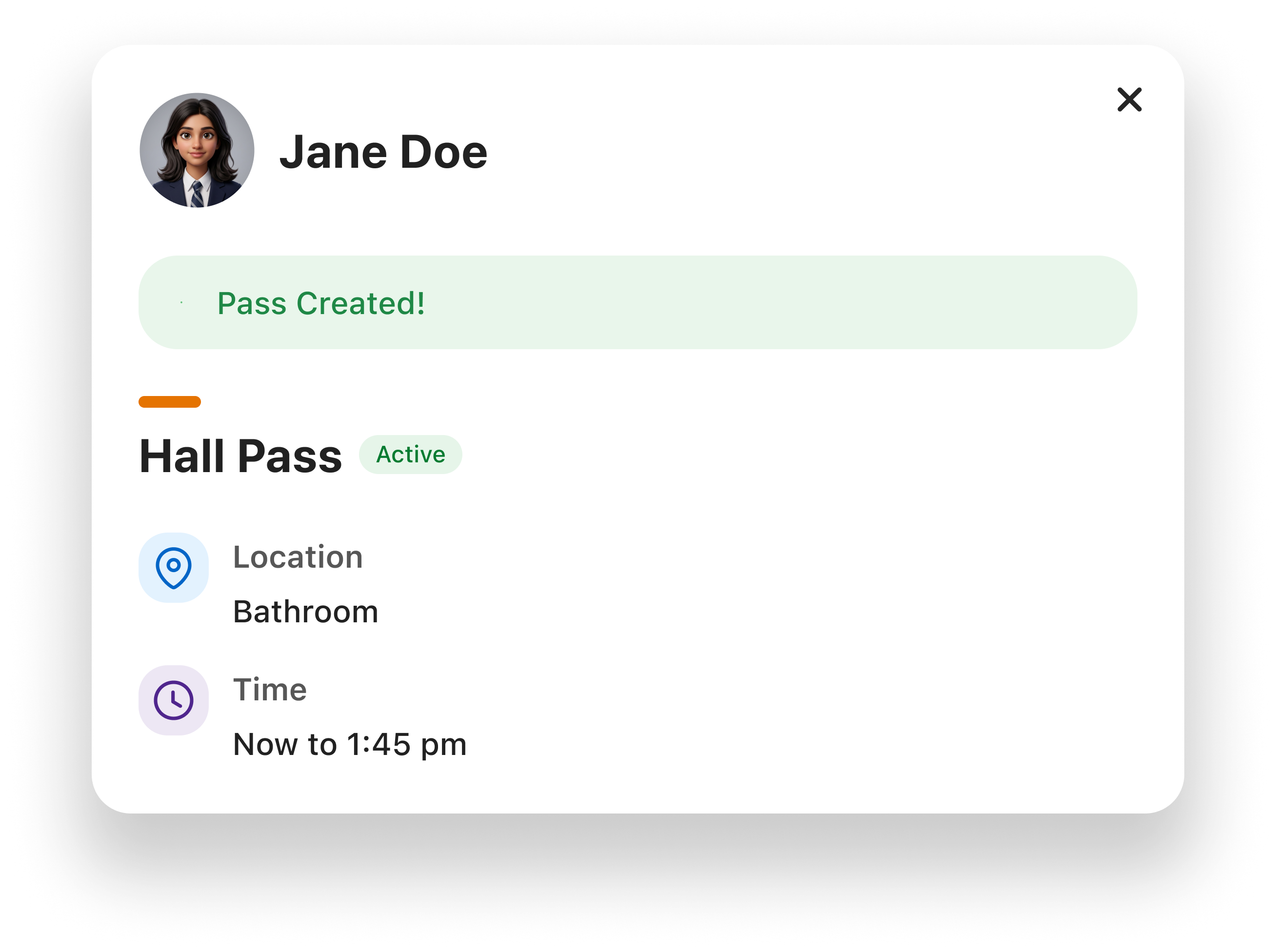
Students leave the room on a hall pass and their location updates for every teacher and the front office, so nobody has to guess who is out of class or for how long.
Learn More About Hall PassesLocations Update In Real Time
Every roll, pass, absence and late arrival writes to the same location record the moment it happens, so the front office and any teacher see the same answer to "where is this student right now".
Built around your attendance policy
Automated Roll Reminders
Reminders go out to teachers when a roll is not marked within your policy timeframe. See which rolls are outstanding and follow up manually in a click.
Daily Reconciliation
One screen to reconcile attendance records, no jumping between email, phone messages, the SIS, and spreadsheets.
Daily & Class Policies
Control your daily and class attendance policies, with your own thresholds and codes for late, tardy, and absent.
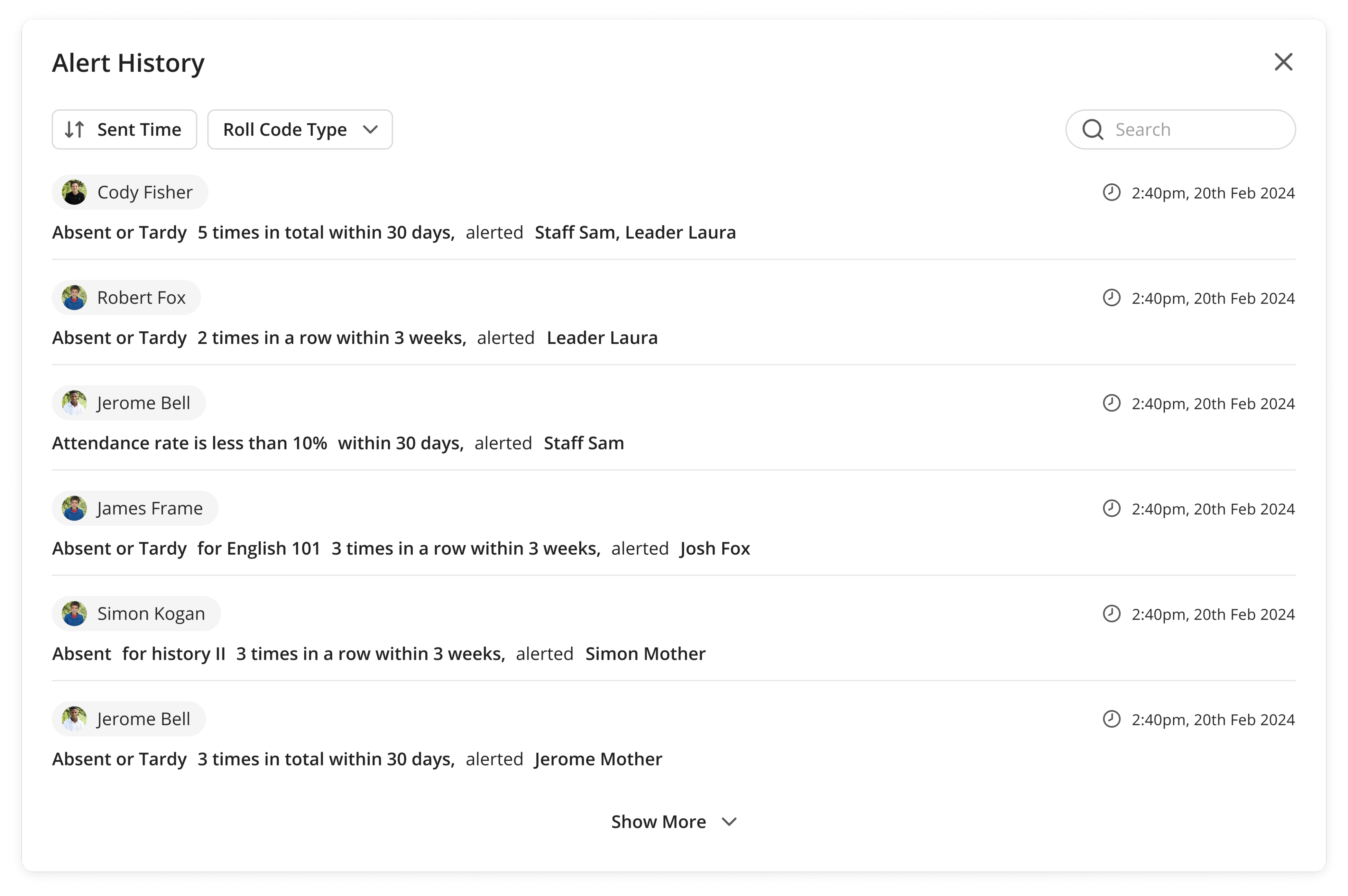
The alerts that matter, to the people who need them
Not blanket alerts. Set the criteria, the timing, and the channel, so a varsity coach, a head of house, or a counsellor hears only what is relevant to them.

Granular Alert Criteria
Customise alerts to be sent to anyone, based on the attendance criteria being met, including watch lists for high-risk students.
Learn More About Attendance AlertsReal-Time
Respond faster to trends and to what is happening right now, instead of finding out at the end of the week.
Email, SMS, and Push
Alerts go out over email, SMS, and app notification, so they are actually received.
Attendance Concerns
Every attendance issue that needs follow up is in one actionable list, not buried in reports.
Data leadership can act on, stored where it belongs
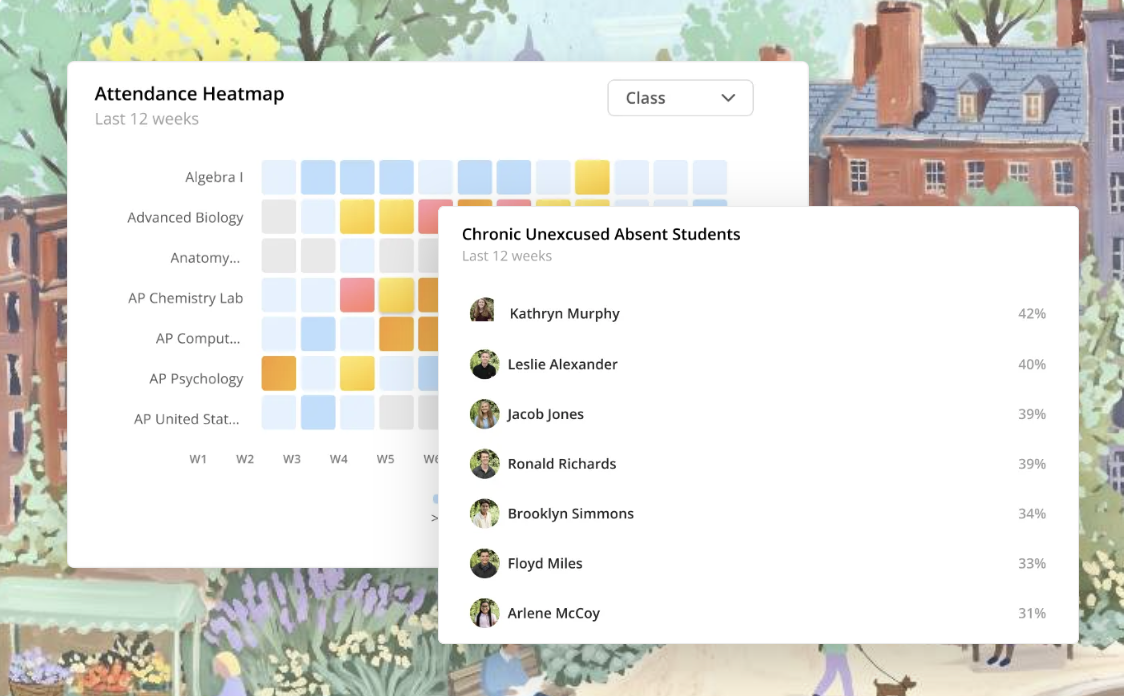
Attendance Insights
Trends stop being buried in spreadsheets and flat files. Self-serve dashboards, customisable per user, put attendance trends in front of leadership without anyone compiling a report.

Two-Way SIS Integration
Attendance stops being siloed across databases. Schedules pull through from your SIS, and all attendance taken in Orah writes directly back, so data stays central.

"The teachers have told me that it works so quickly when the students come in that the teacher's actually able to greet the children, as opposed to standing there and hovering and making sure the attendance is being taken," Katz says. "The teachers said they now have more time to greet the children and welcome them into the classroom, which is a big bonus."
FAQs
How do teachers take attendance in Orah?
Teachers can mark the roll from a browser extension, the web app, or the mobile app, or let students sign themselves in with QR codes, RFID cards, or barcodes and simply review and submit.
Does Orah write attendance back into our SIS?
Yes. The integration is two-way: schedules pull through from the SIS, and attendance taken in Orah writes directly back.
Can substitute teachers mark the roll?
Yes, with no backend setup. A substitute selects the teacher they are covering and marks the roll instantly.
Can we use our own attendance codes and policies?
Daily and class policies are configurable, including thresholds and reason codes for late, tardy, and absent.
How do parents report an absence?
Parents log absences in the Family app using a form and permission flow you configure, instead of emailing or phoning the front desk.
See the next generation of class attendance
A 30-minute walkthrough with someone who knows school attendance operations.


