


Spot patterns and notify the right people quickly, without manual reporting
Get ahead of trends, reduce absenteeism and enhance student outcomes with Orah's real-time Insights and Alerts.
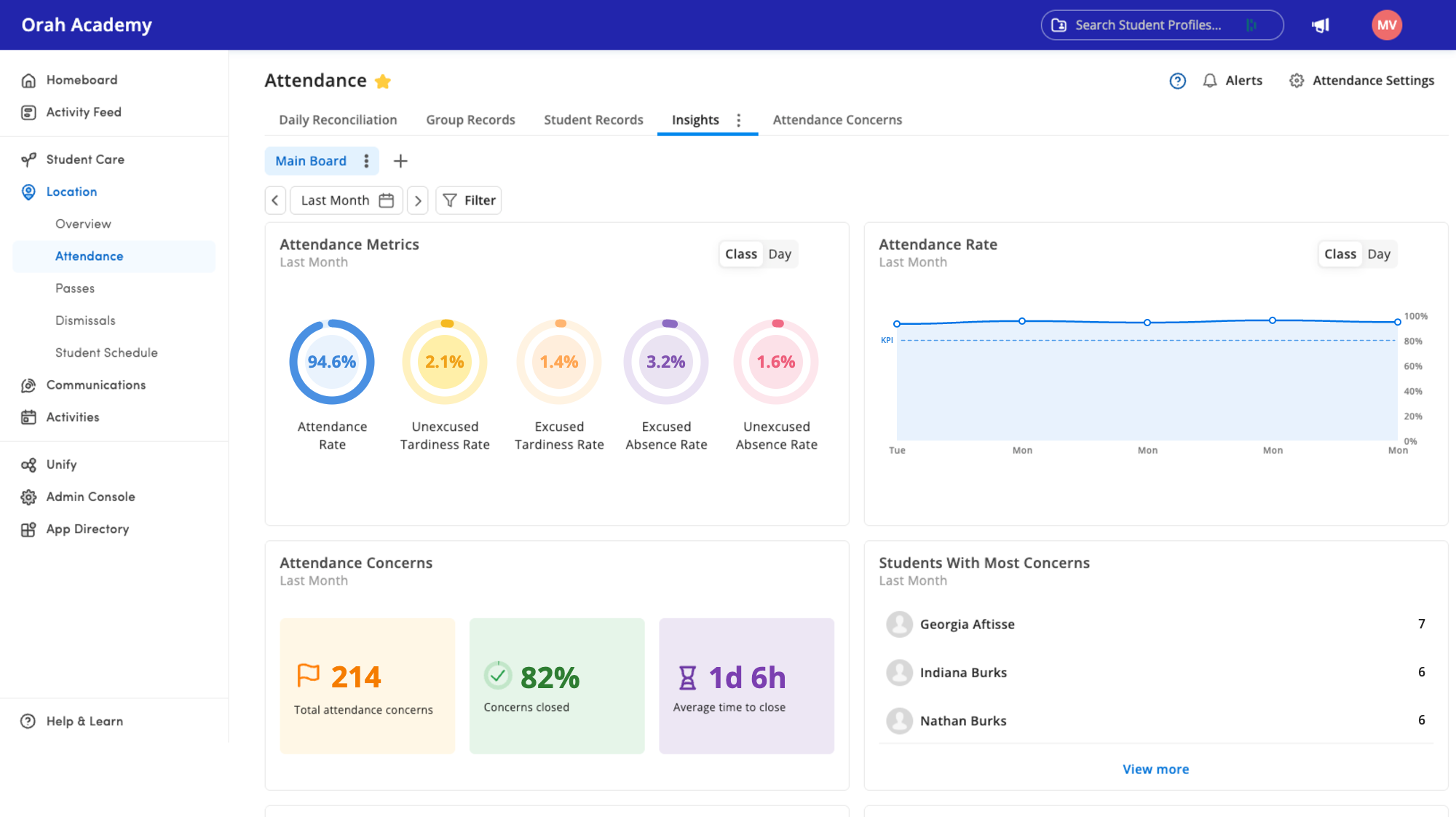
Discover what changes when the attendance your teachers already take drives dashboards, alerts, and actions
Trusted by 500+ top schools in 20 countries










Dashboards show attendance as it happens. Automatic alerts get sent when triggered.
Self-Serve, In Real-Time
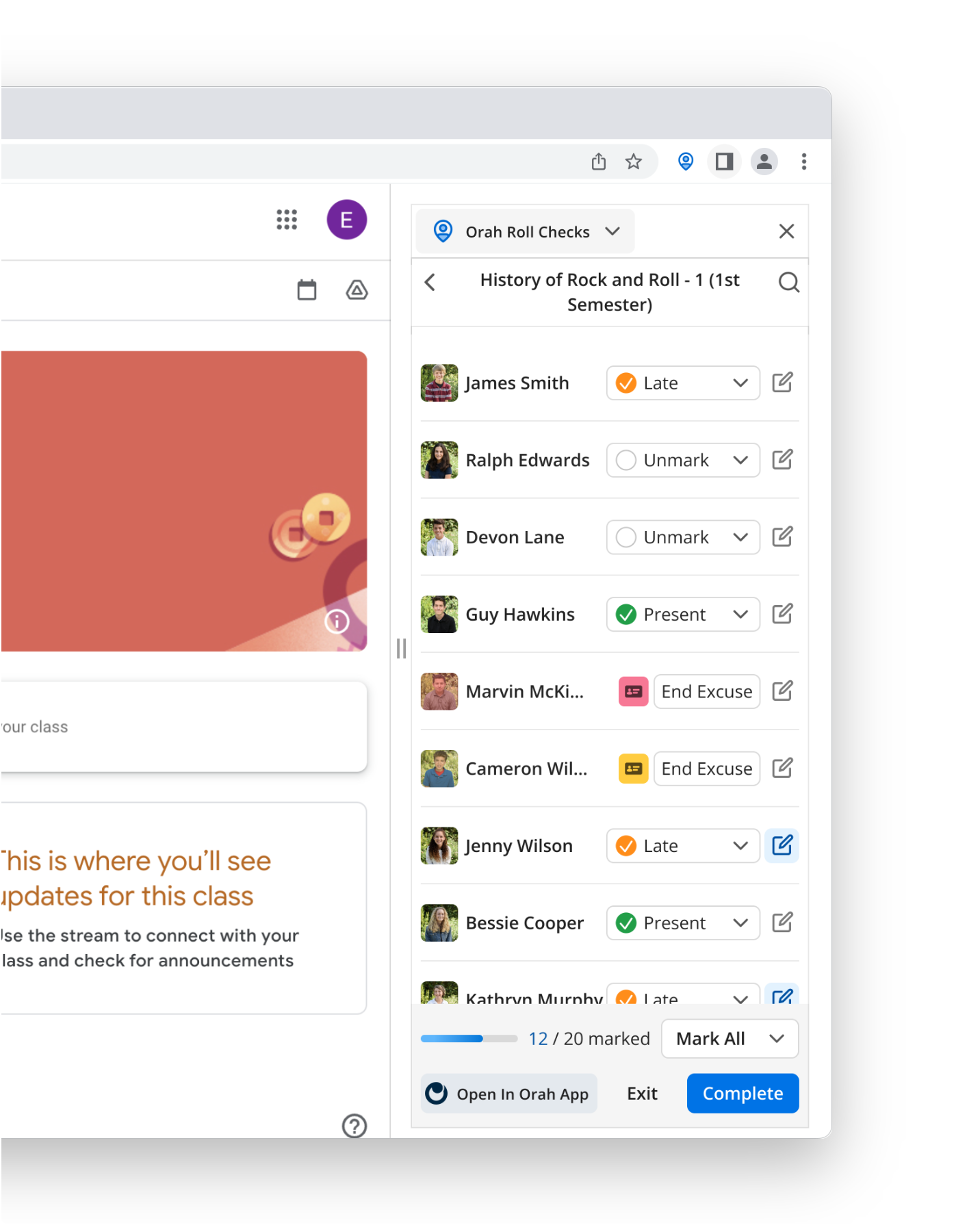
Our system works with your student ID cards, classroom iPad, or RFID reader plugged into a teacher's laptop or phone. Get started using your current hardware.
Tailored, Automatic Alerts (No Blanket Alerts)
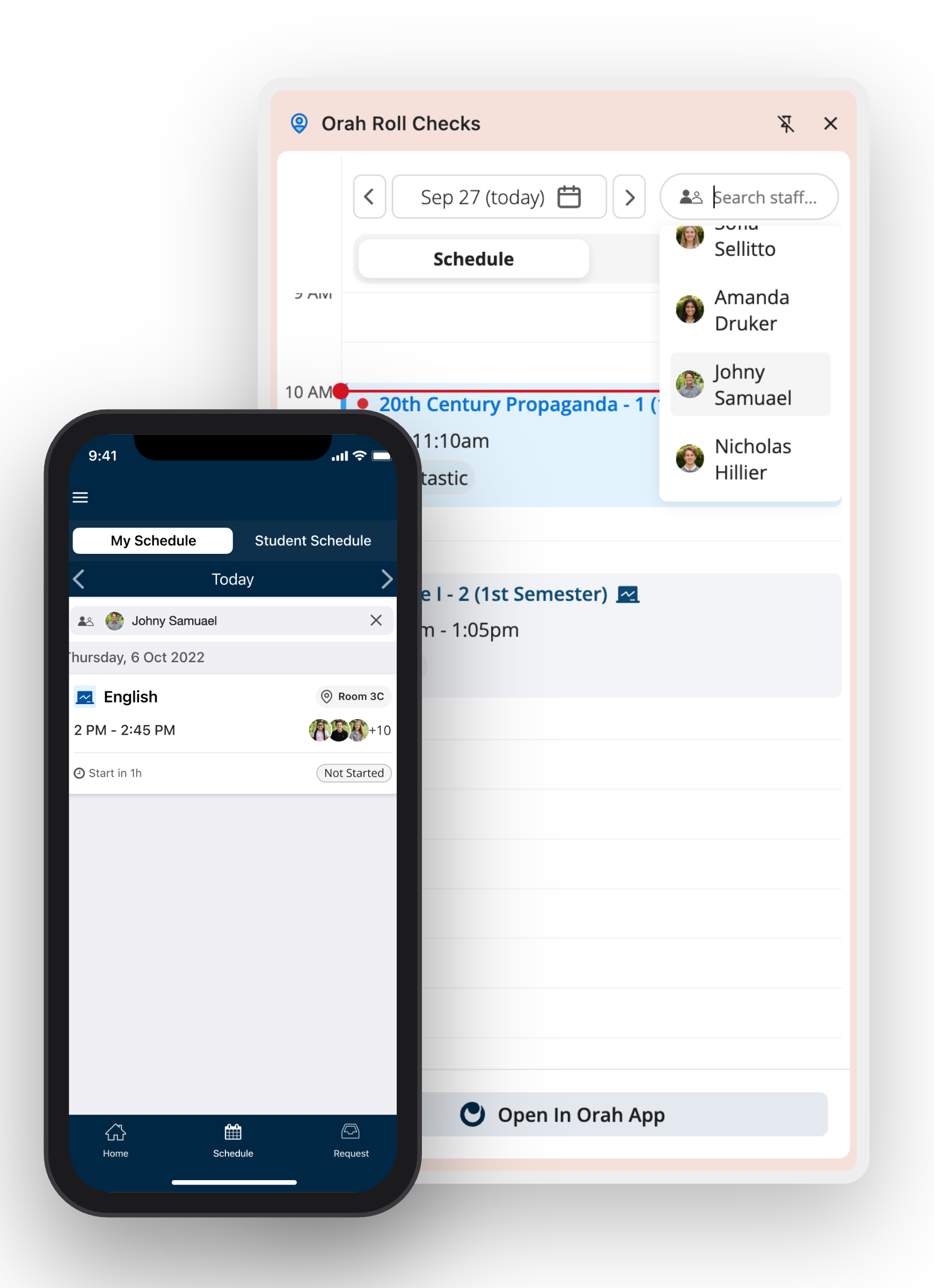
Avoid people ignoring blanket alerts that don't apply to them. Set up filters based on attendance codes, pass type, time window, or saved watchlist so the varsity coach, head of house, and counselor only get relevant alerts.
You Control Who Sees What
With Orah's Role-based permissions, it's easy to build the right dashboards for different people without involving IT.
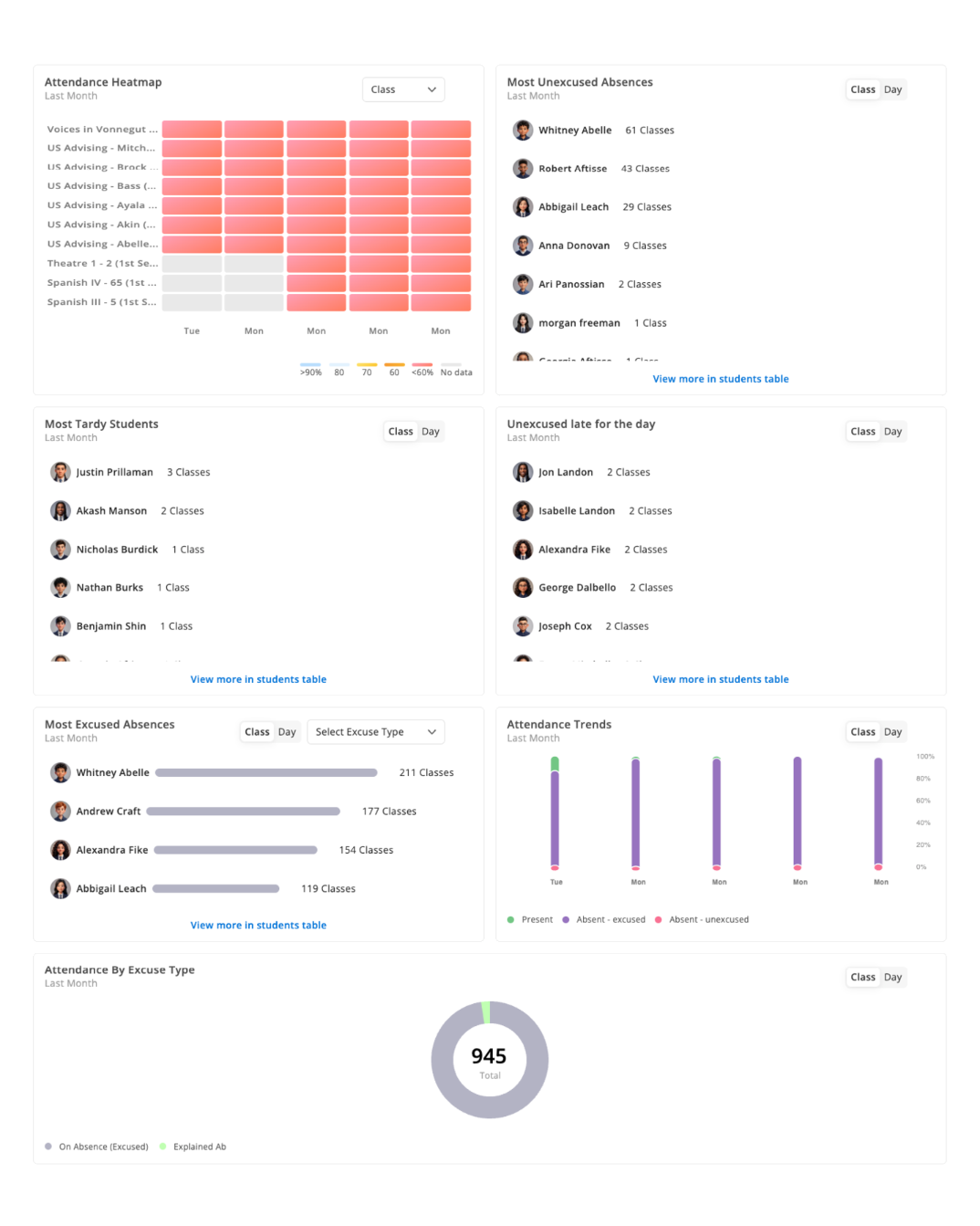
Customizable dashboards with the data you need. No reports to pull or spreadsheets to analyze.
One live record with different views for different roles.

Stop Sifting Through Reports for Buried Trends
Orah's self-serve dashboards put the data you need in front of the people who need it so that they can spot trends faster.
Filter by Group, Tag, House, or Dorm
Build a filter once, save it as a dashboard and share it. The athletic director opens student-athlete attendance, while the head of house opens their house.
Identify Issues Before They Become Problems
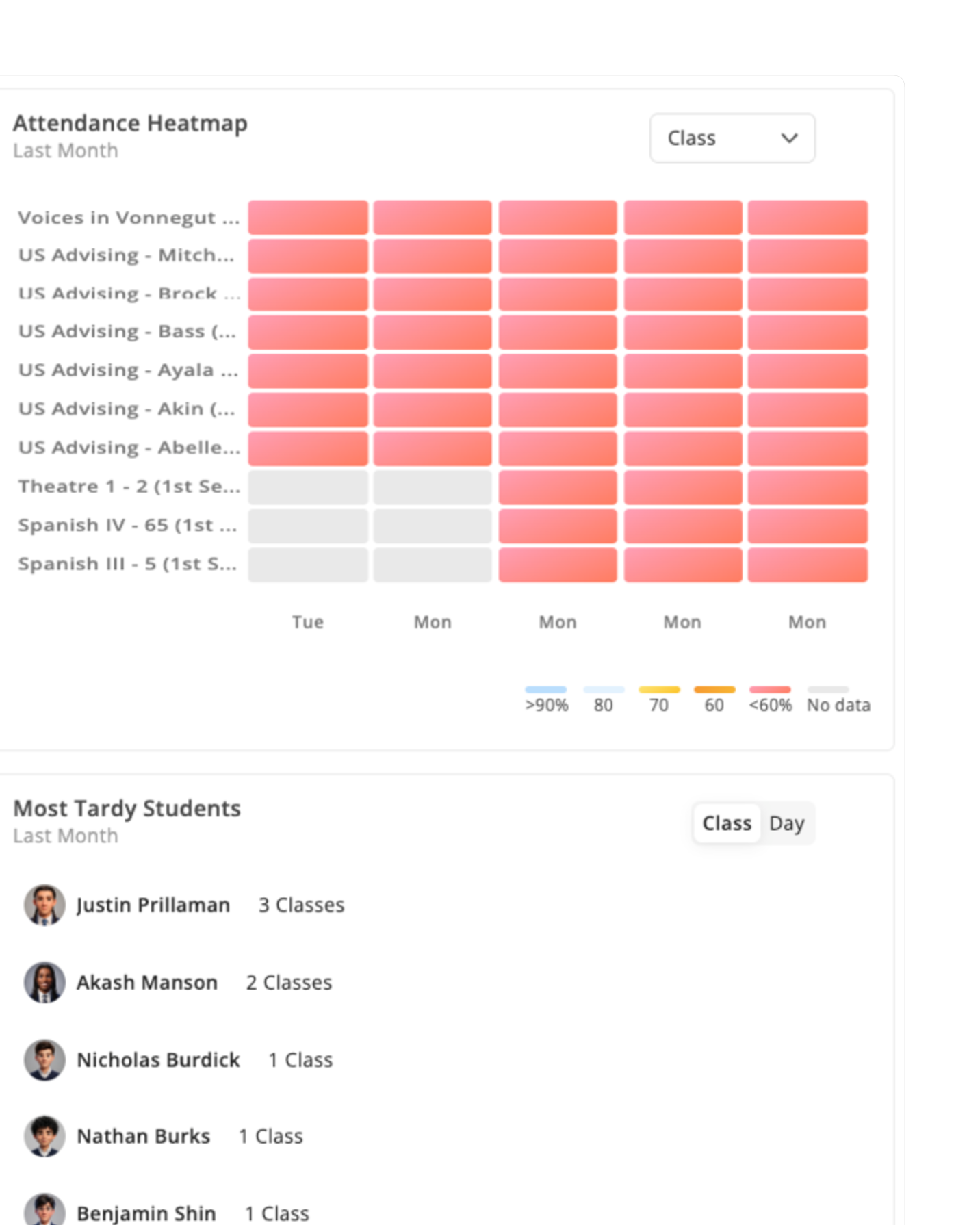
Tracking attendance at the period level rather than daily or weekly makes it easier to spot a student missing the same class repeatedly and address it before it becomes a chronic absence case.
See Which Way Attendance is Heading
Set the date range, and the dashboard shows how attendance moved across it by grade, group or class. Identify trends mid-session, before the term ends.
Alerts that reach the right people so they can act
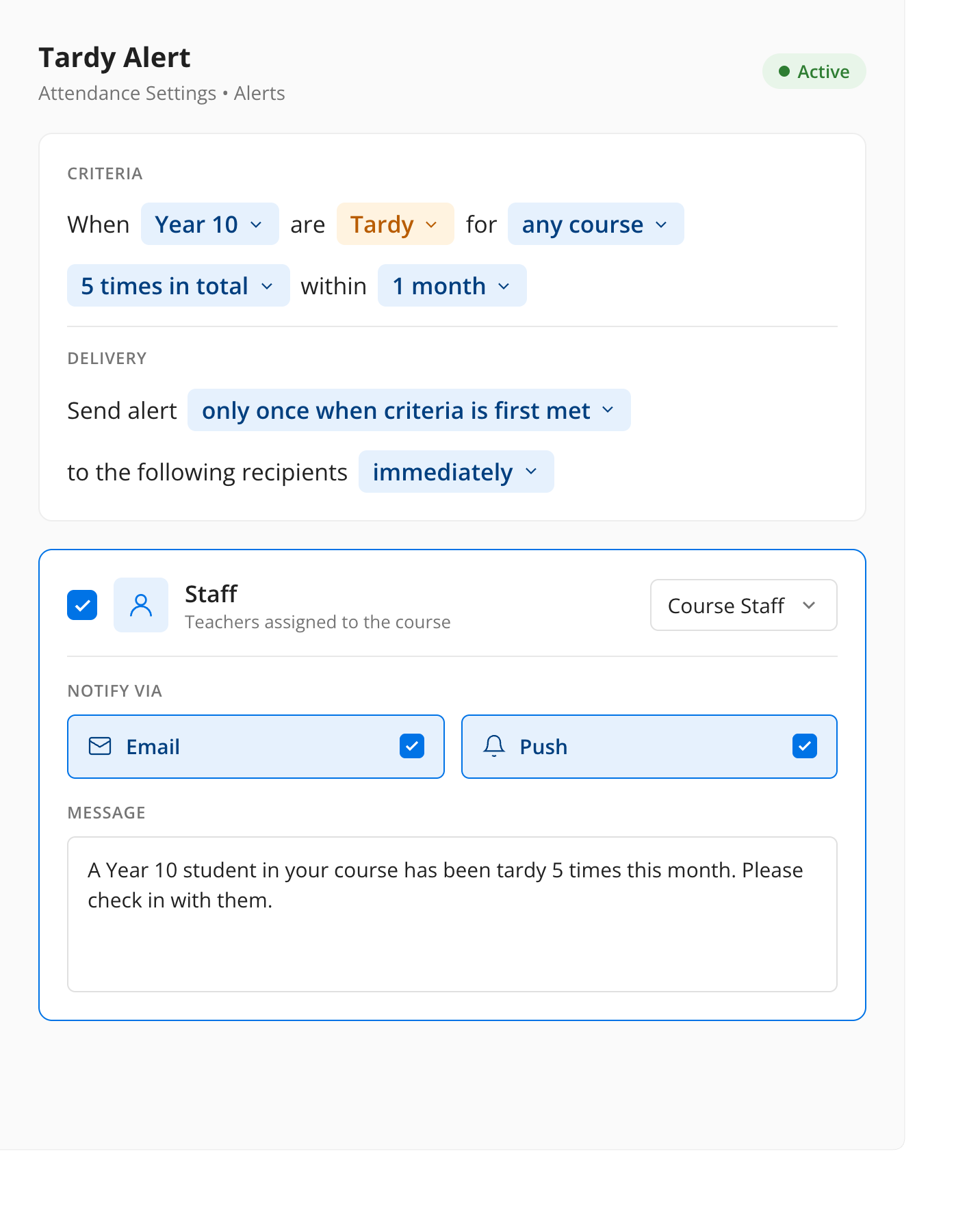
If you can filter for it, you can set an alert for it.

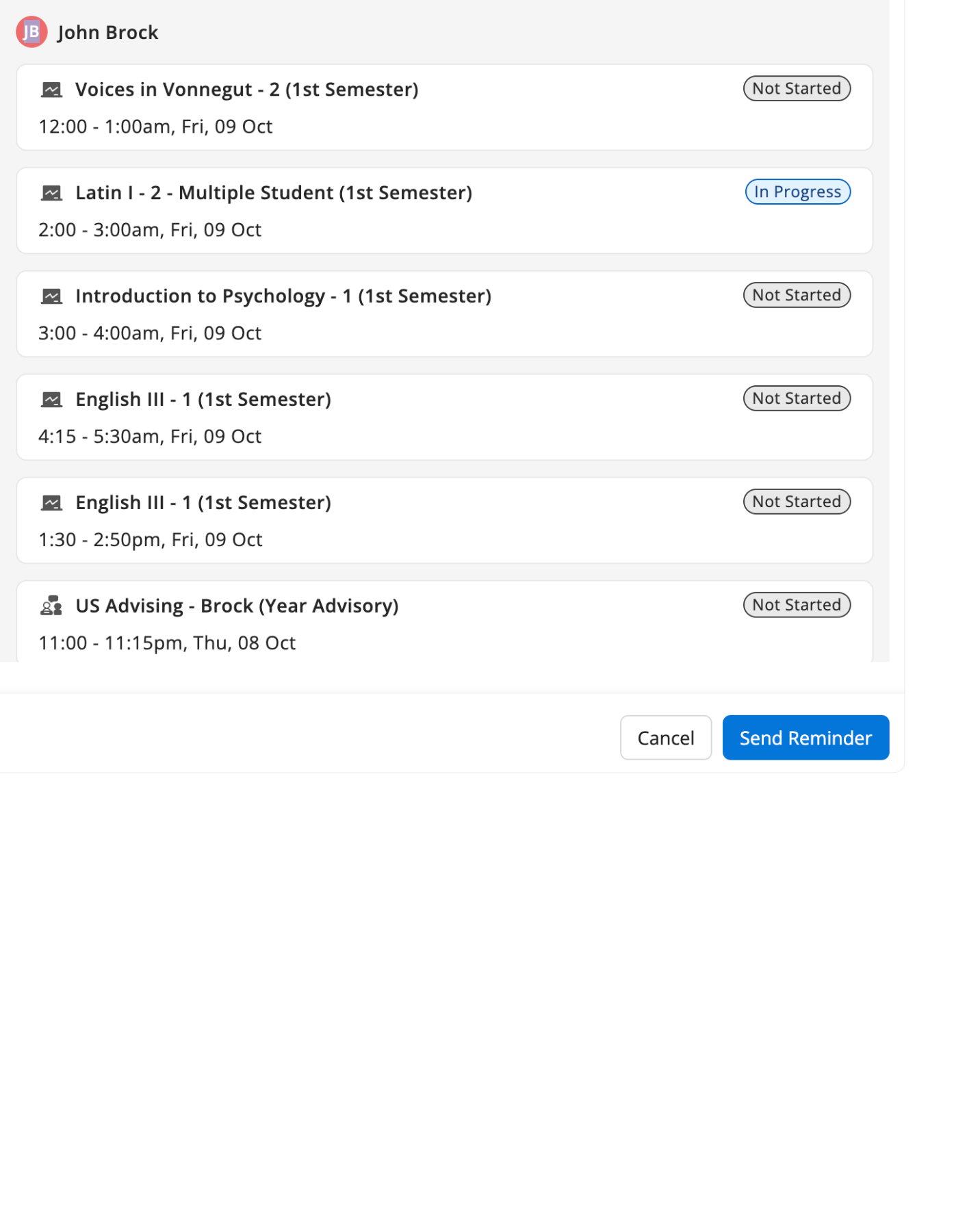
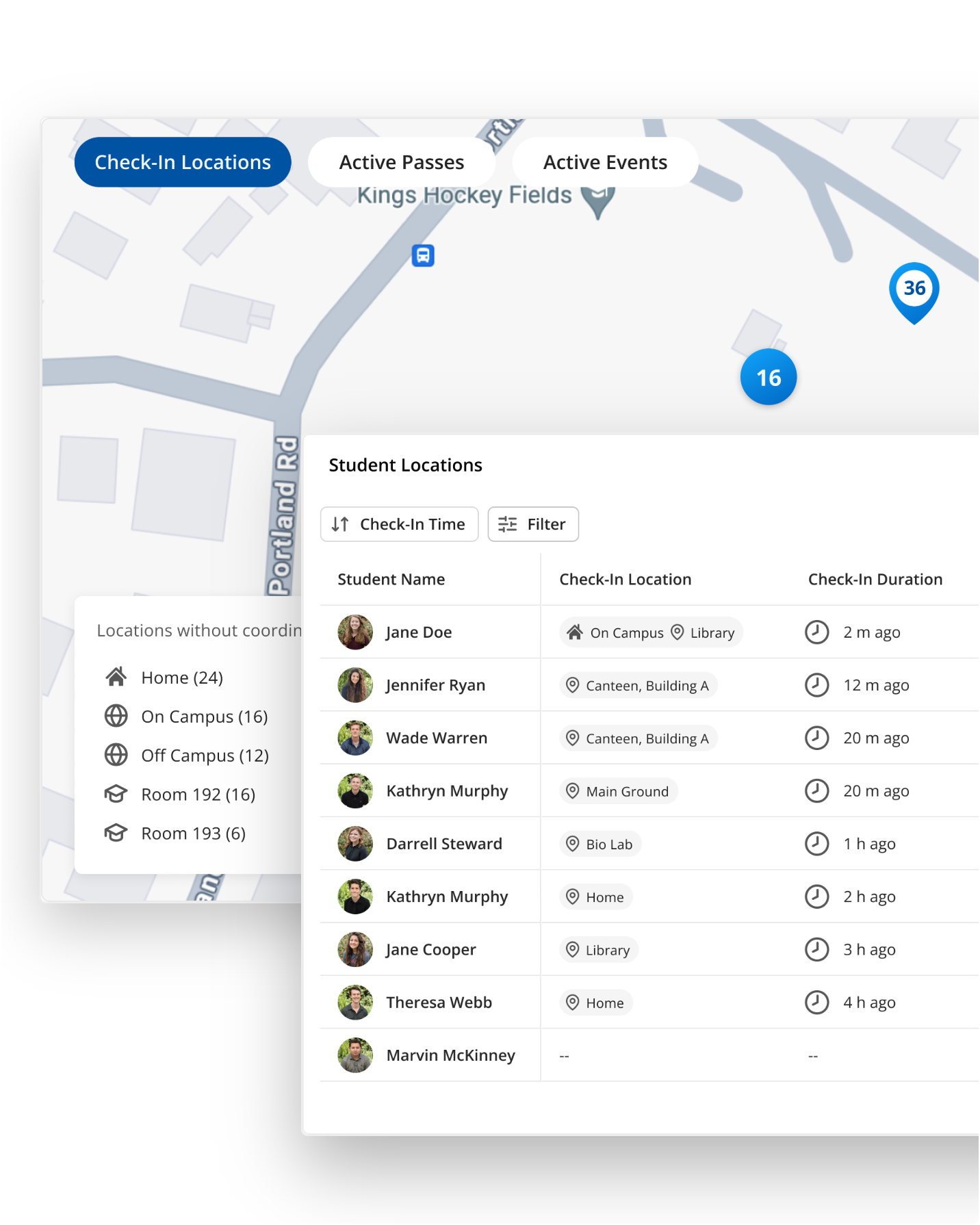
Automated Roll Reminders
Automated reminders go out to teachers when a roll isn't marked within your policy timeframe. Unmarked rolls are visible at a glance, and a quick click triggers a manual nudge for anything that hasn't been followed up on.
Build Rules From the Data You Already Track
Customize alerts by attendance code, pass type, time window, or a saved watchlist, including alerts for students flagged for chronic risk, so they only go out to the people who need to know via email, SMS, or push notification.
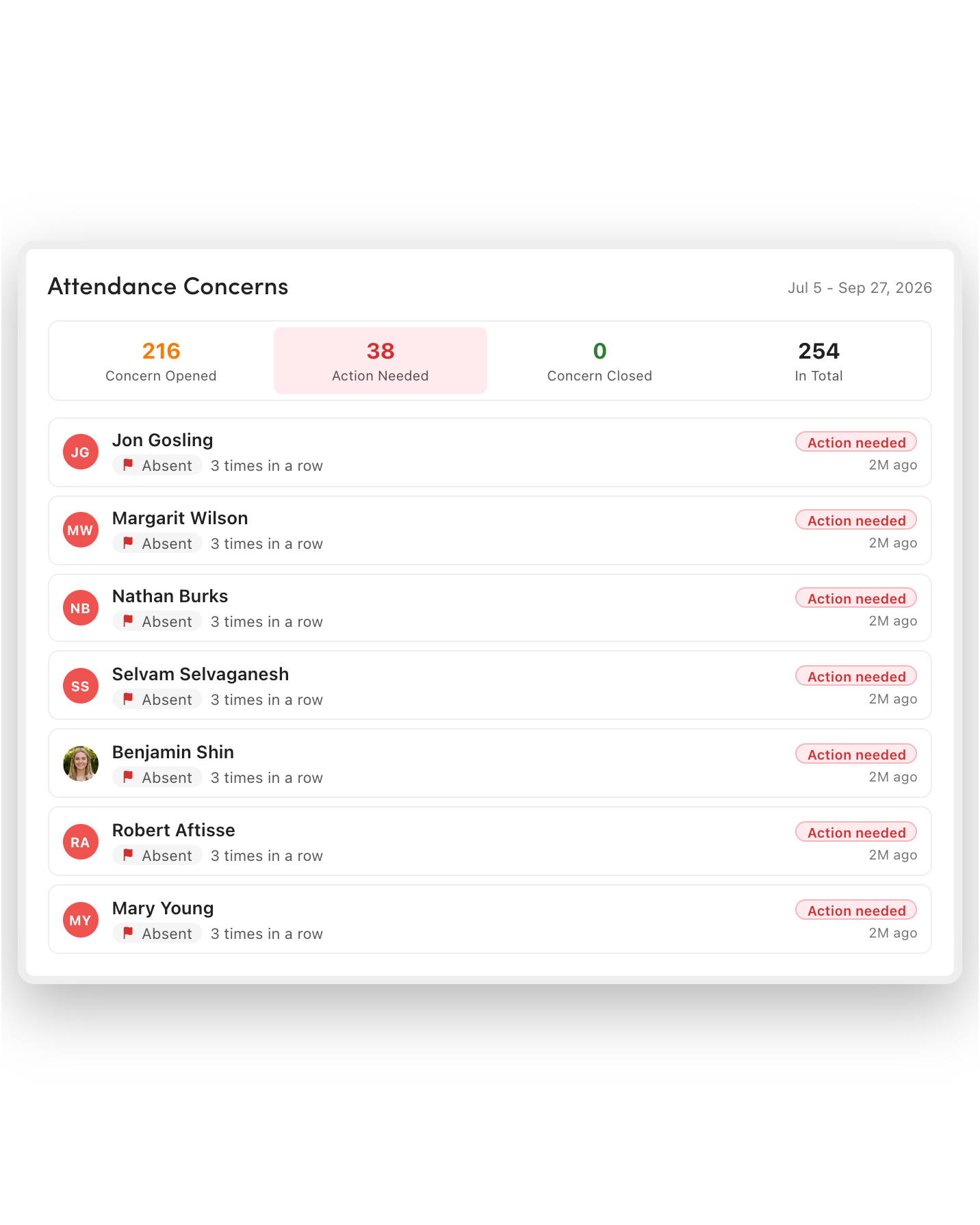
Easily Manage Attendance Concerns
Every attendance issue that needs follow-up sits in one actionable list, not buried in a report someone has to run and re-run.
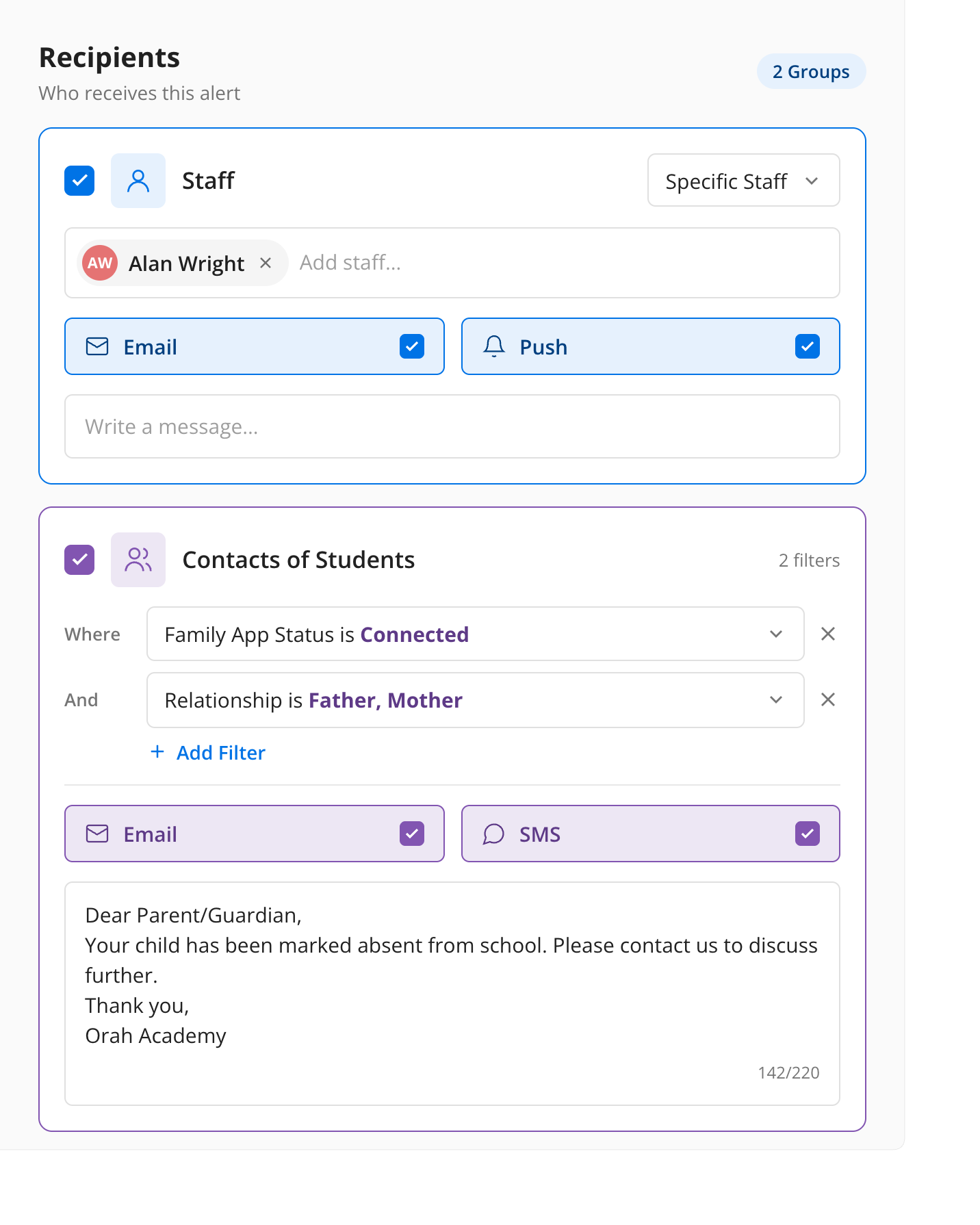
Omni-Channel Alerts
Choose the channel for each recipient so messages reach people where they already look. For example, send texts to parents, emails to students, and push notifications to staff.
One connection behind every dashboard and alert
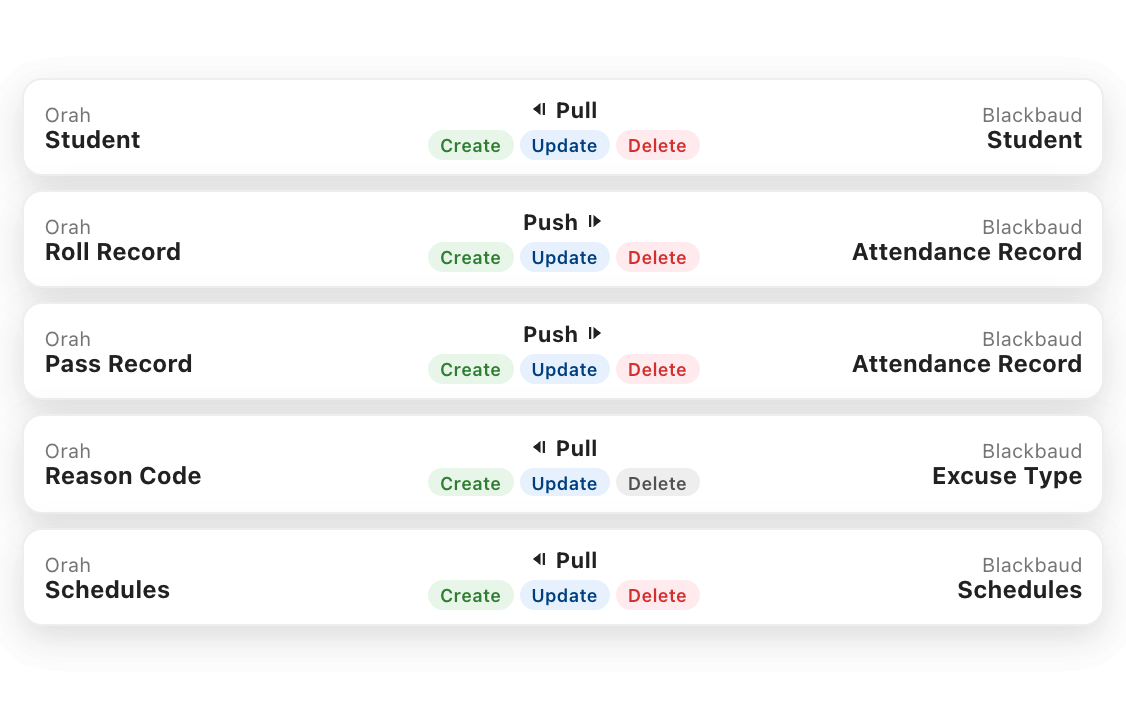

Connect Once, Sync Automatically
Once you link your Blackbaud or Veracross data through an API connection, both dashboards and alerts run automatically from the same live sync, with no manual imports to maintain.
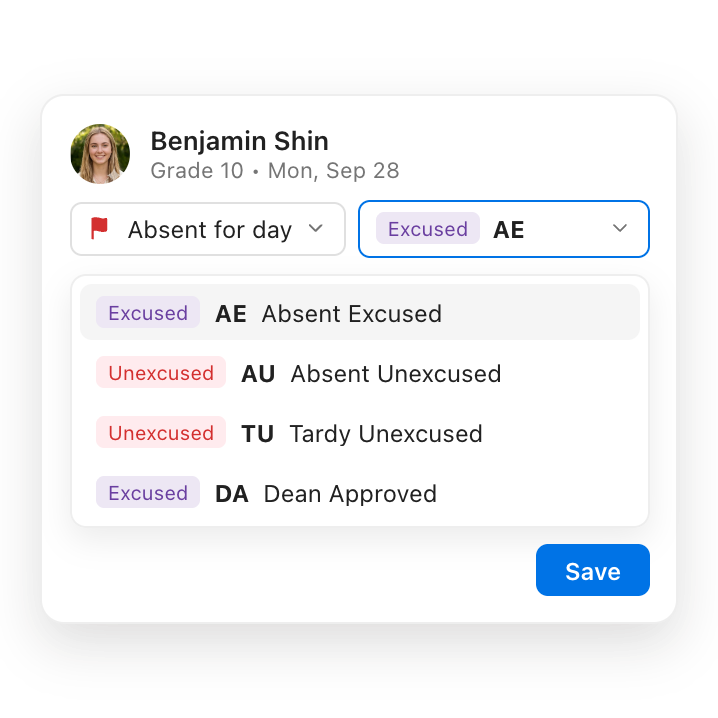
Alert Workflows in One Place
Orah consolidates alert workflow configuration directly in Attendance Alerts, rather than in a separate workflow module, so you can set up and manage every rule in one place.
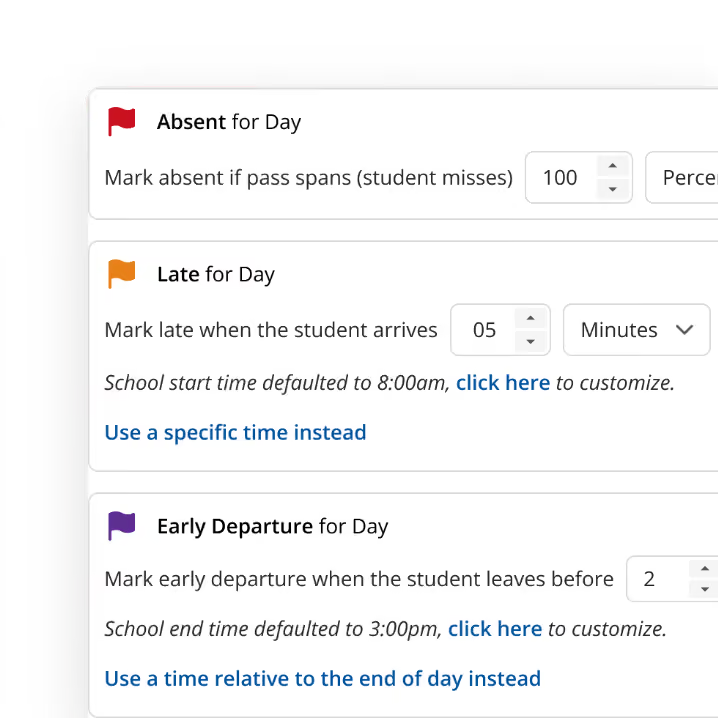
Grant Access Based on Your Roles
Access to both dashboards and alerts is provided through Orah's existing advanced user permissions and roles, so extending visibility to a new staff member doesn't mean a new access system to manage.
FAQs
Are Attendance Insights and Attendance Alerts separate products?
No, they're two views of the same live attendance record. Insights is the dashboard view for leadership, while Alerts is the notification layer for whoever needs to act.
How long does setup take?
The initial data connection only takes a few minutes, and a working dashboard typically builds within about an hour. You can configure alert rules the same day.
Which systems does Orah connect with?
Orah's Insights and Alerts connect through the same API integration as attendance sync and currently support Blackbaud and Veracross.
Can we set different rules or views for different groups?
Yes. You can filter dashboards by SIS group, tag, house, or dorm. You can set up alerts with criteria specific to each watchlist, team, or role.
What happens after an alert is sent?
Every issue that needs a follow-up lands in Attendance Concerns, a single actionable list, rather than a separate report someone has to compile.
See automated attendance running in a real school day
A 30-minute walkthrough with someone who knows school attendance operations.


