Know where every student is, from first bell to final pickup.
Attendance, passes, dismissals and emergency rolls all update one live student location record, so every staff member works from the same picture of who is where.
What changes when every part of the day updates one student location record
Trusted by 500+ top schools in 20 countries
























One live record of where every student is
One Record
Attendance, passes and dismissals all write to the same student location record, so nobody reconciles a separate pass log or pickup sheet against the roster.
Real Time
Every roll, pass and handoff updates the record as it happens, so staff can see who is in class, out on a pass, or already home.
Emergency Ready
Emergency rolls start from that same live record, so you begin with an accurate count instead of the morning's static roster.
Every roll tells you where a student should be
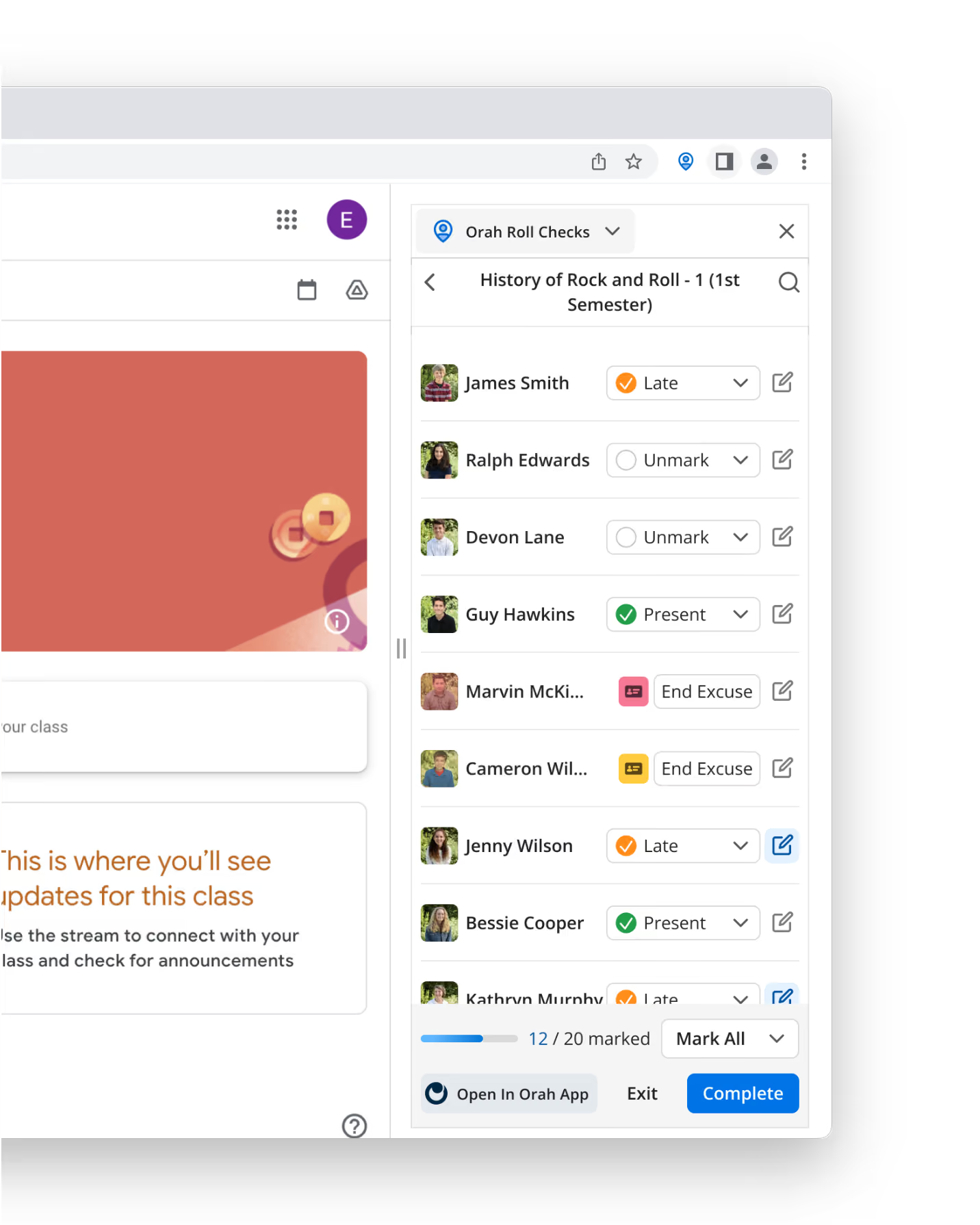
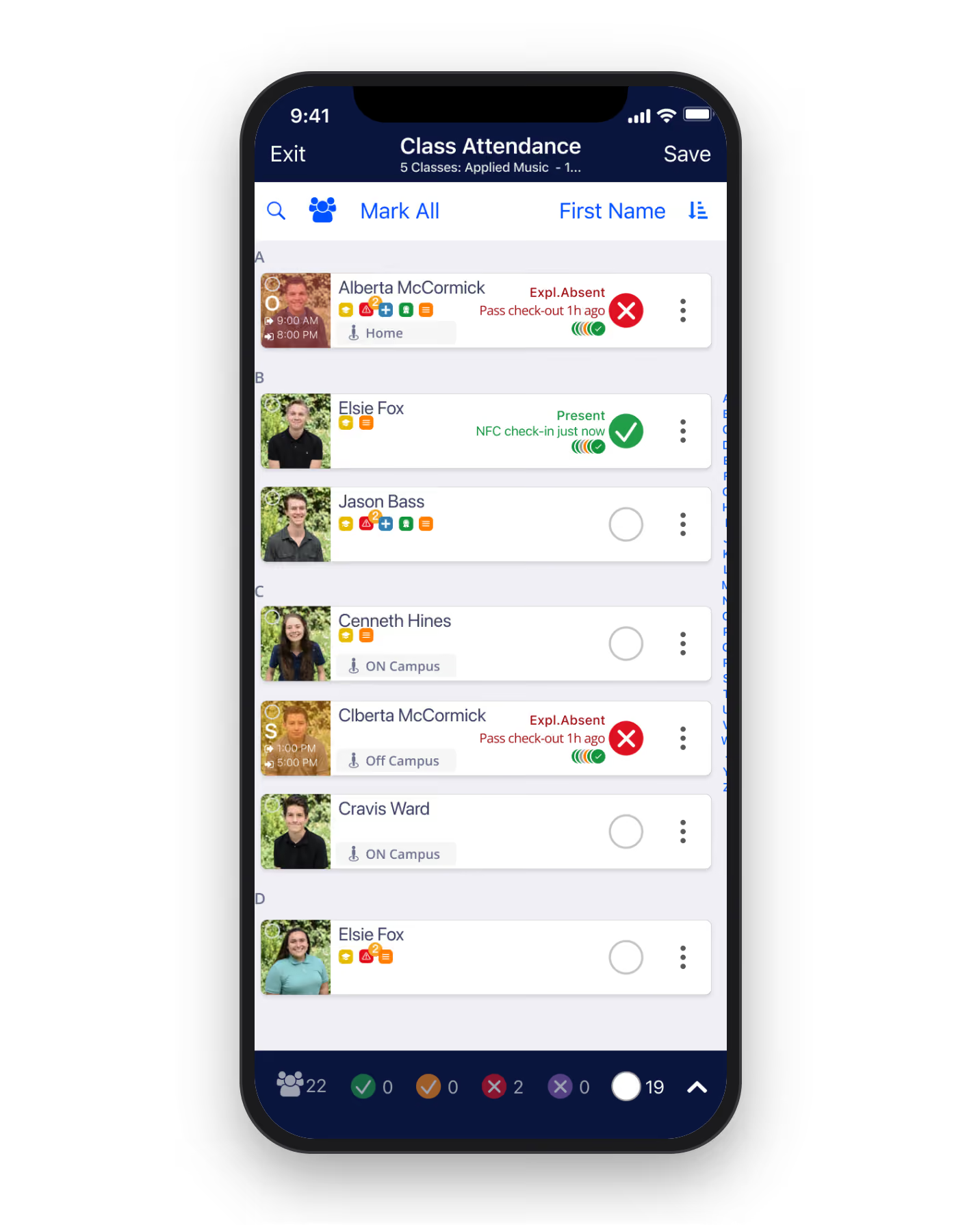
Teachers mark period-by-period attendance from the browser extension, mobile app or web platform, or students check in automatically. Each roll updates the student location record and writes back to your SIS.
Explore Attendance
Roll Taking Made Easy
Attendance runs on the tools teachers already have open, along with your LMS, eliminating extra open windows.
No Setup for Substitutes
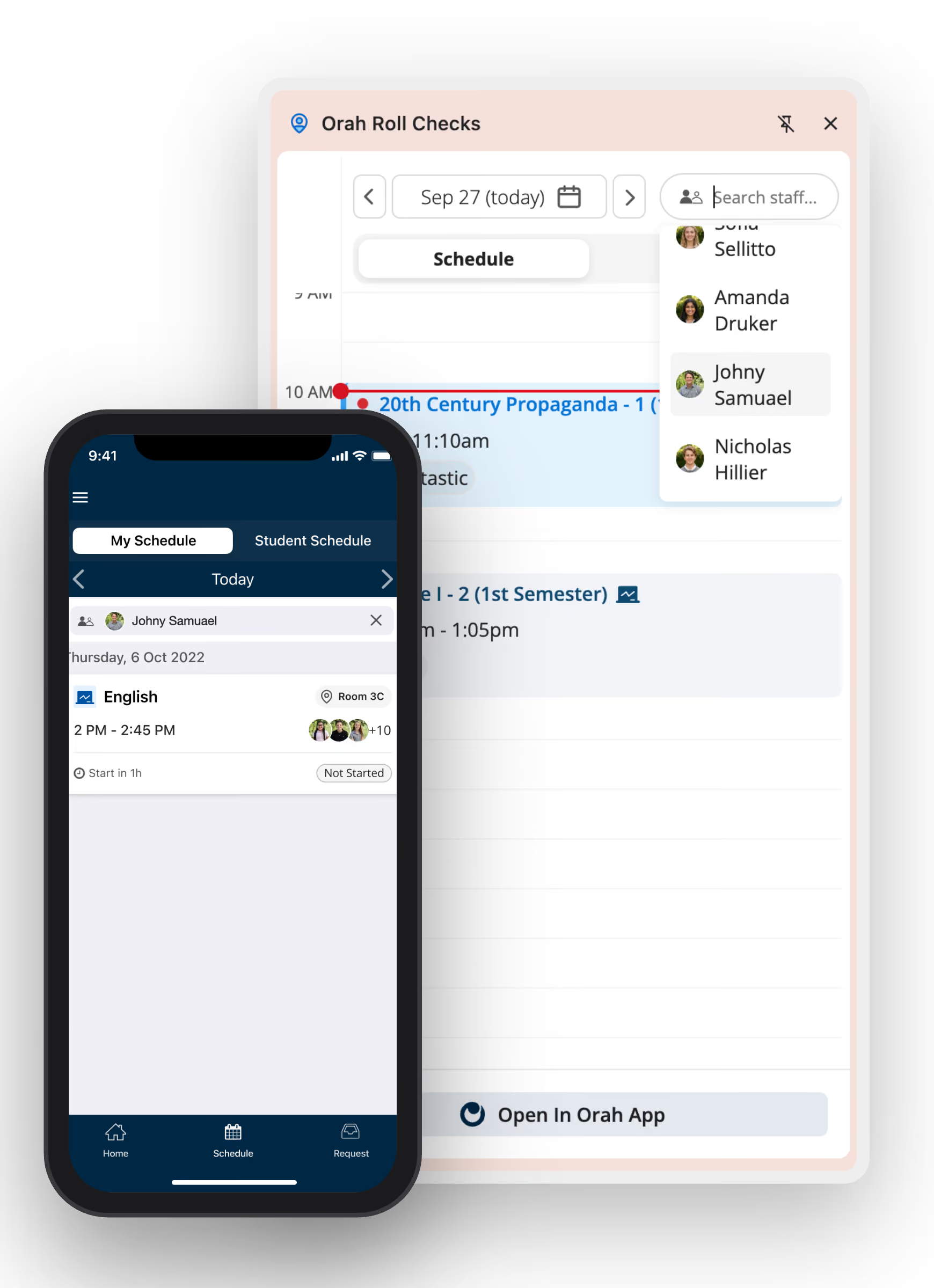
Substitute teachers and covering teachers mark the roll by selecting the teacher they're covering for, with no extra admin or manual data entry for admins.
Student-Led Attendance
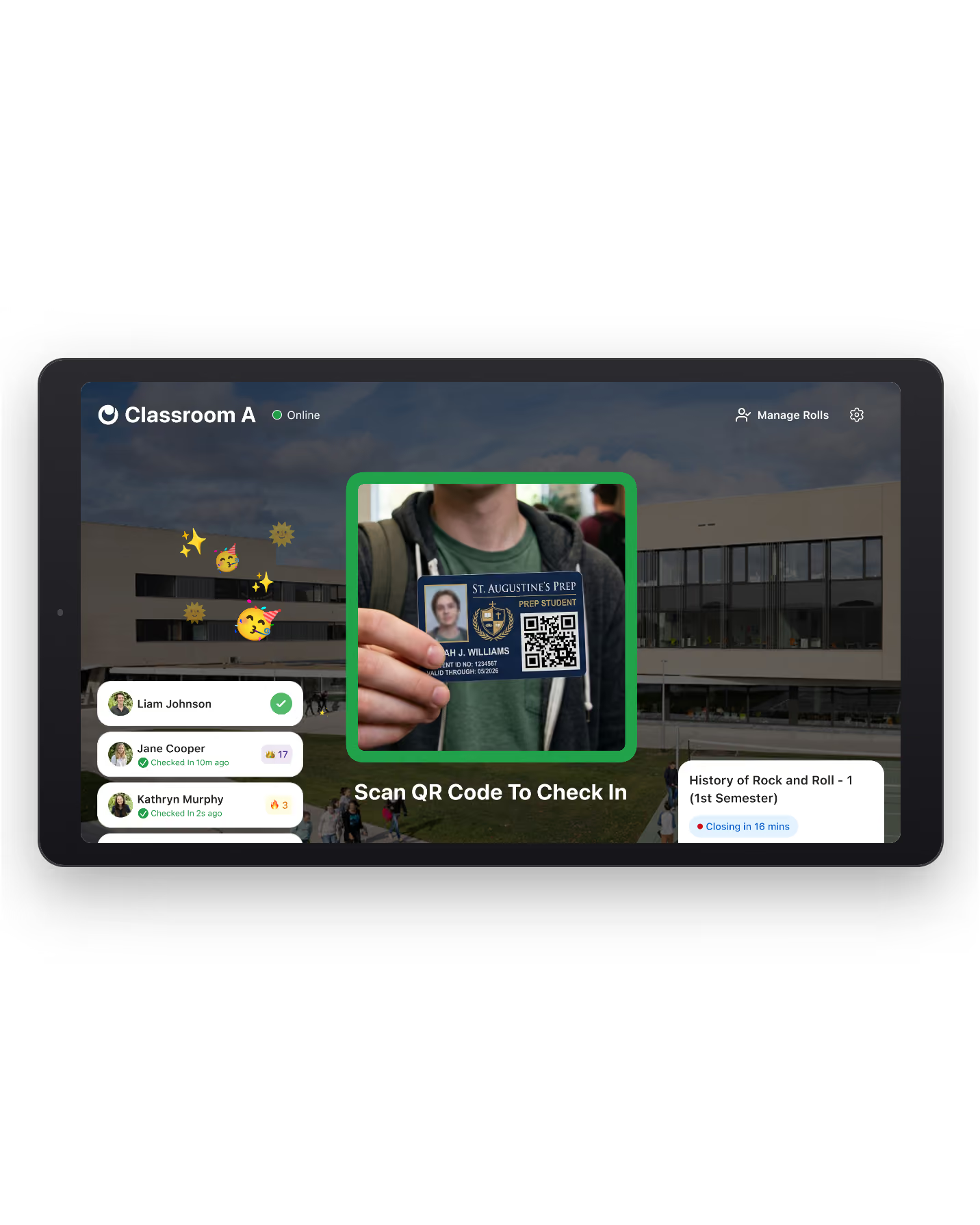
Students sign themselves in with a QR code, RFID card, or barcode. Teachers review before submitting, maintaining control while freeing up time to greet students.
Learn More About Automated AttendanceTake Attendance Anywhere
The roll goes with teachers even when they're not in the classroom. The mobile app enables you to take attendance on the sports field, on a field trip, or during an assembly.
Every pass changes where a student is expected to be
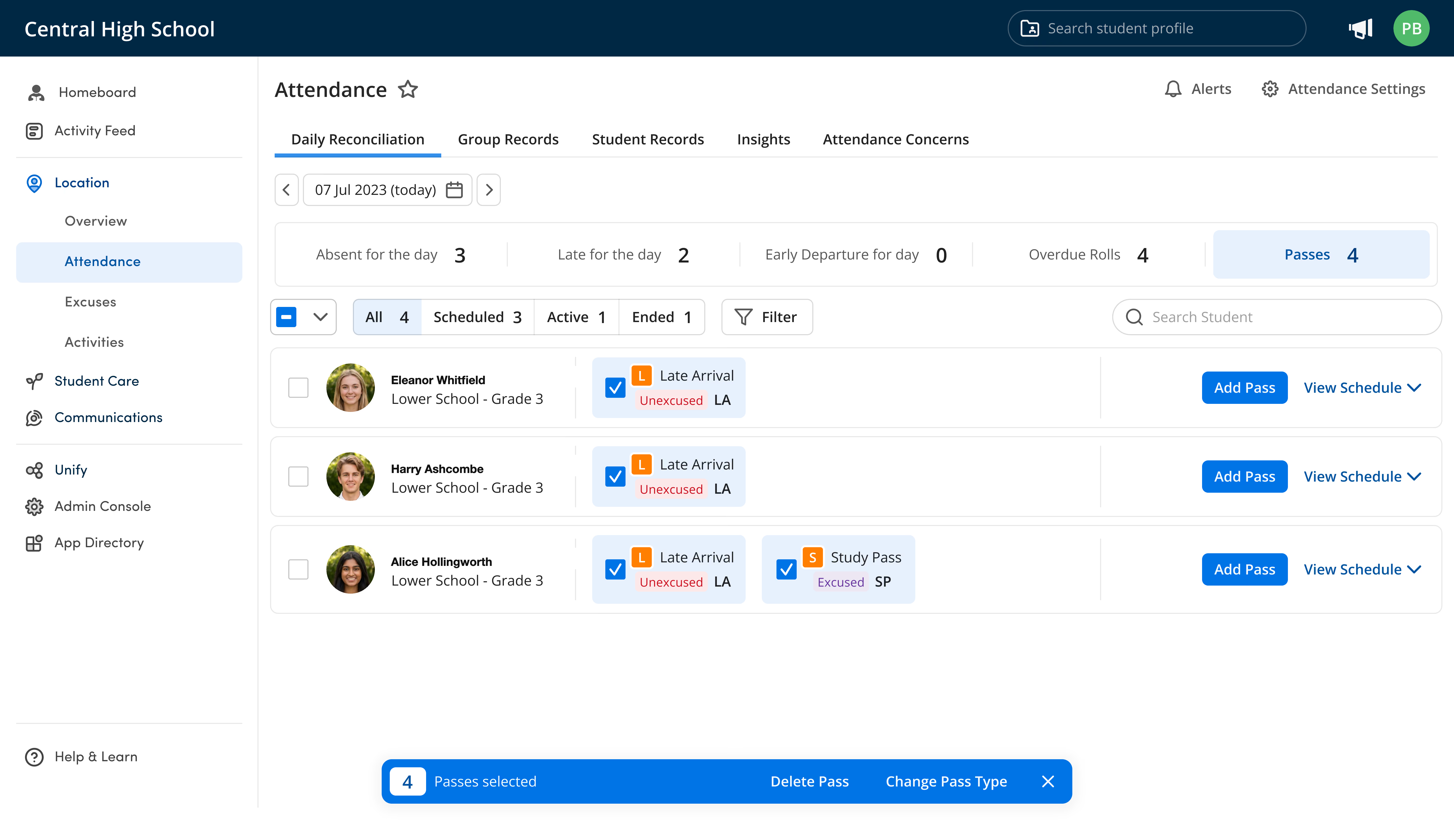
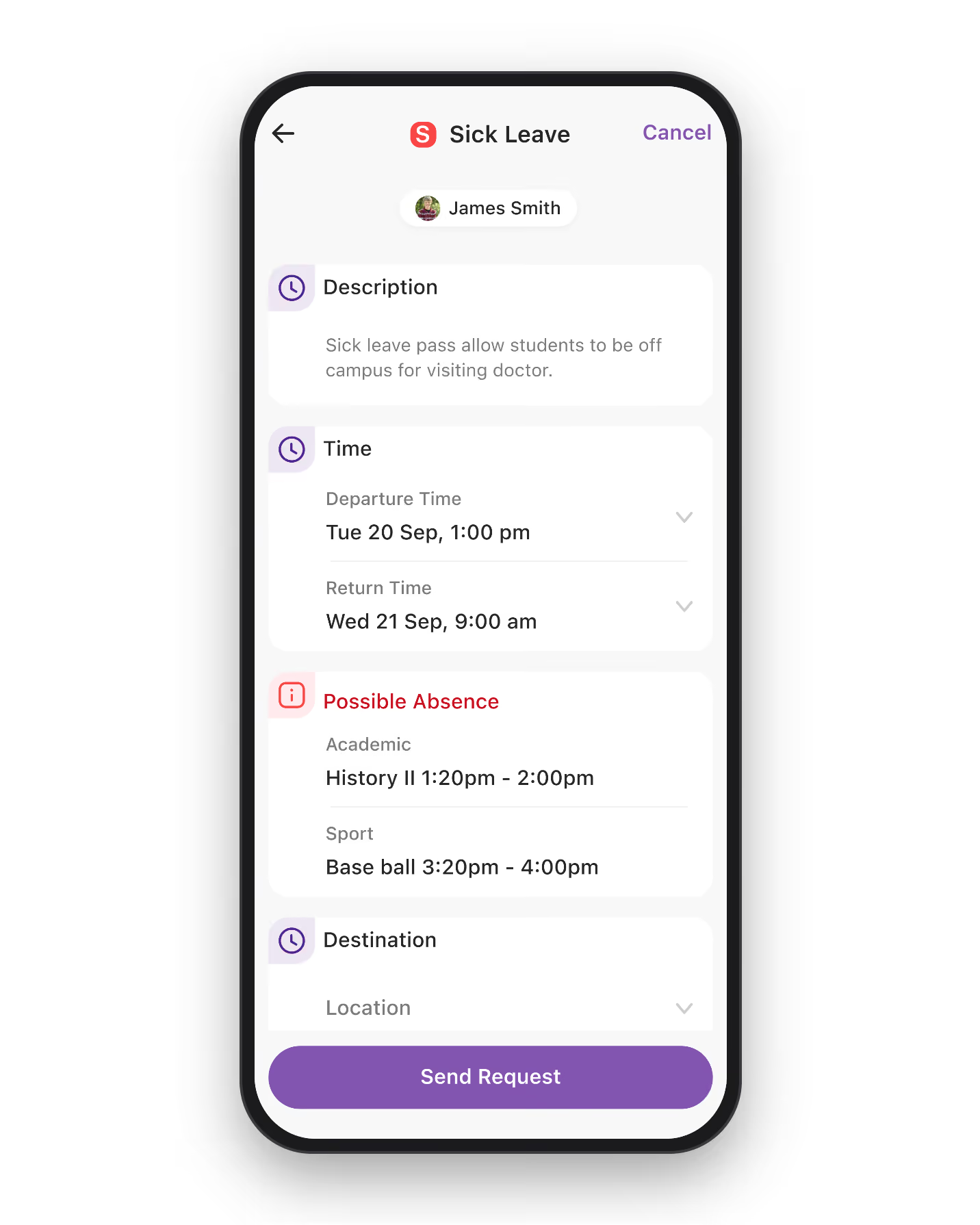
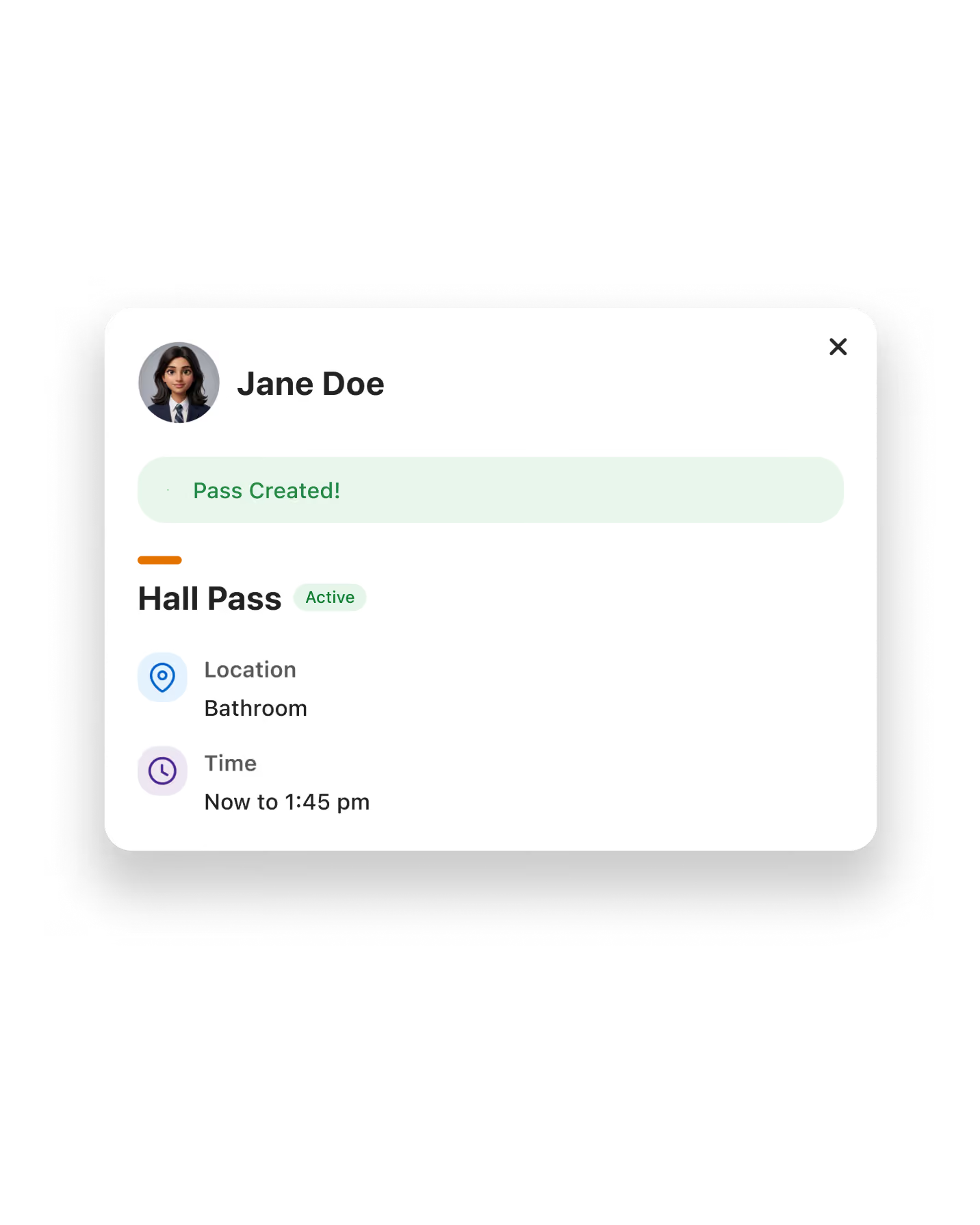
Hall passes, absences, field trips, late arrivals, early dismissals and boarding leave all update the same record. A student out on a pass shows as on a pass, not missing, on class rolls, dismissal lists and emergency rolls.
Explore Passes
Every Pass Automatically Appears on the Roll
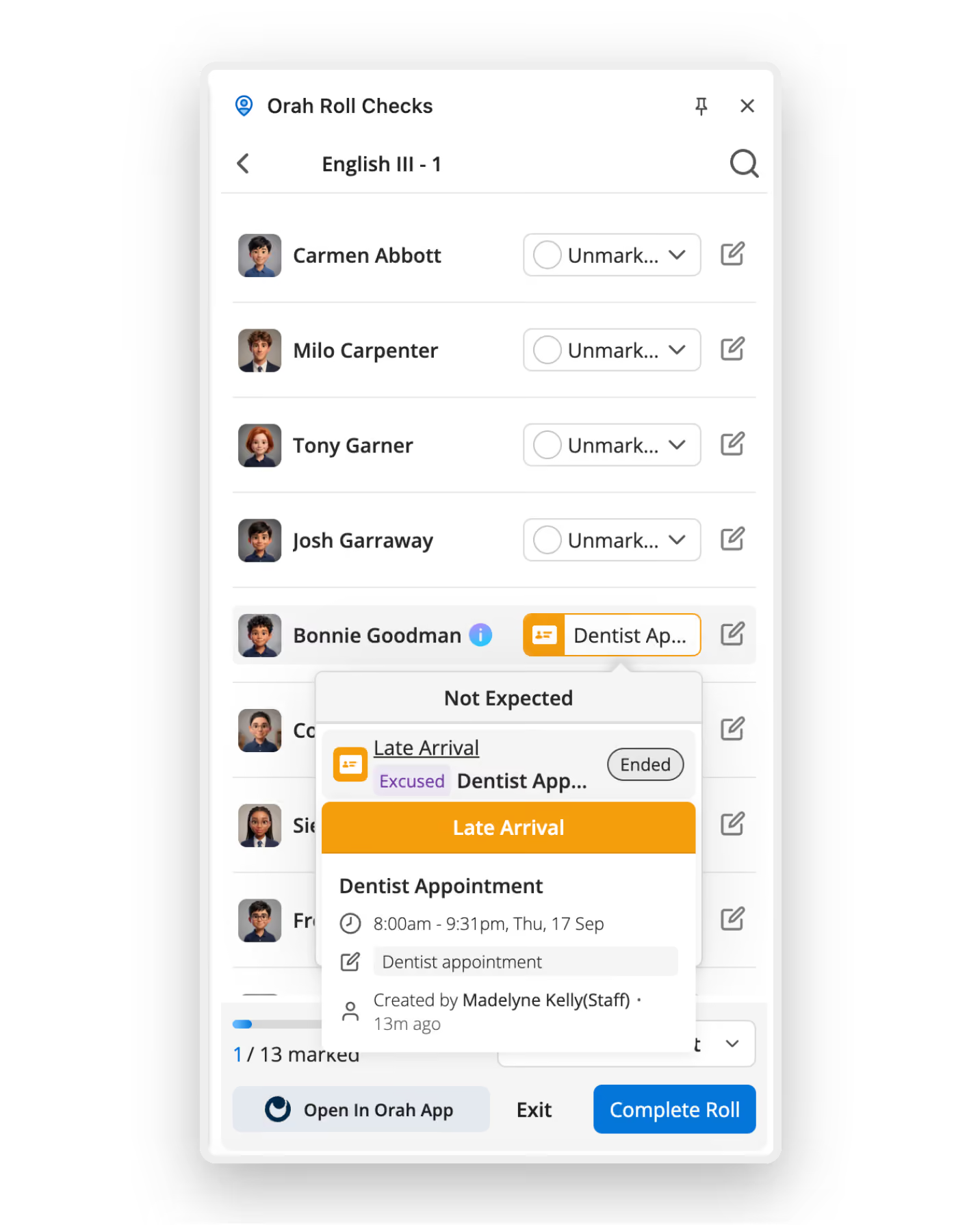
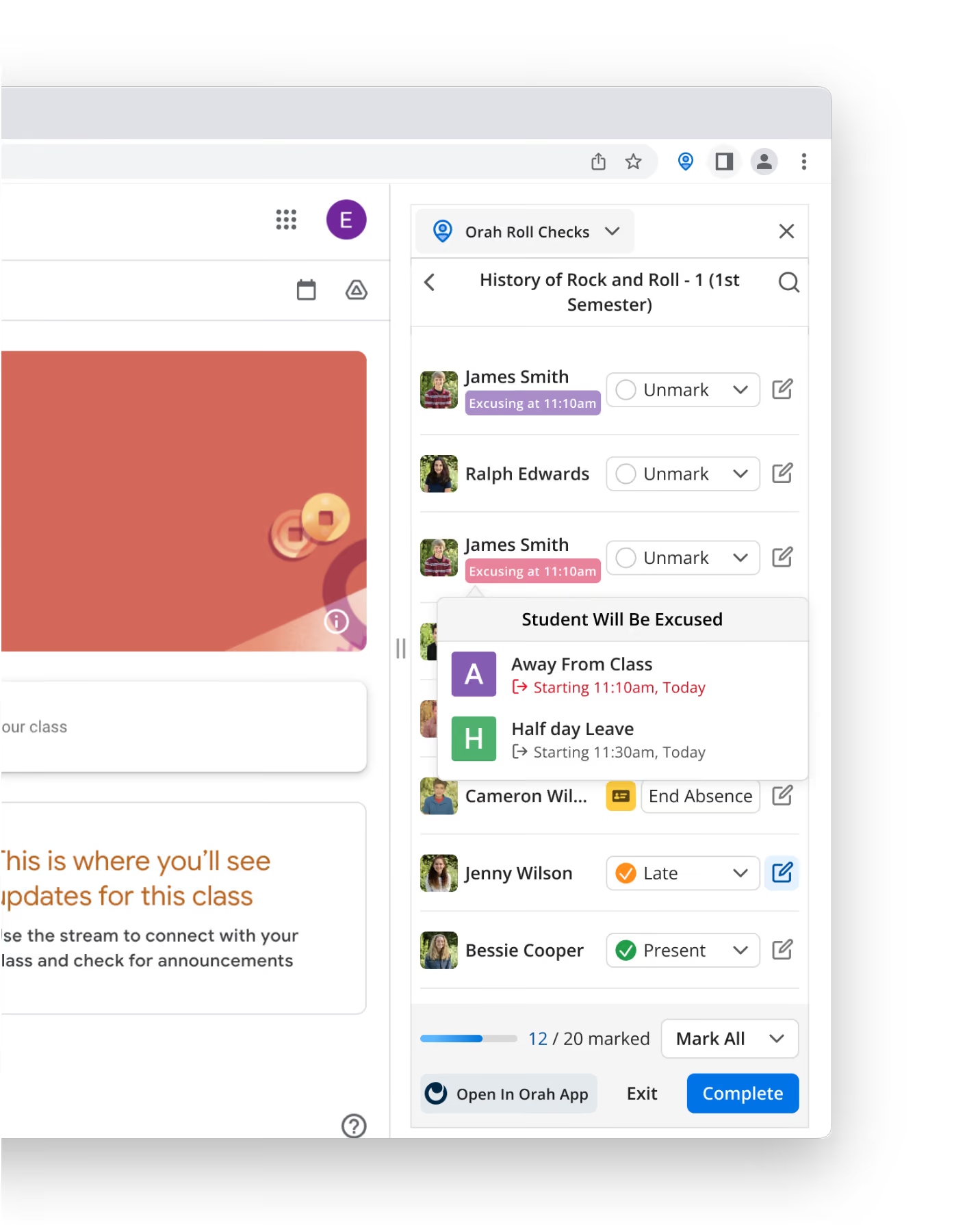
Teachers don't need to cross-check passes against a separate list because the roll already shows who's out, why, and when they're due back.
Learn More About PassesFlexible Time-Based Passes
Period-based passes don't tell you where a student is right now, while time-based passes track where they are in real time.
Parent-Logged Absences
Your front desk spends less time on absence calls and emails when families log absences in the Family app, based on your school's form and permissions.
Hall Passes
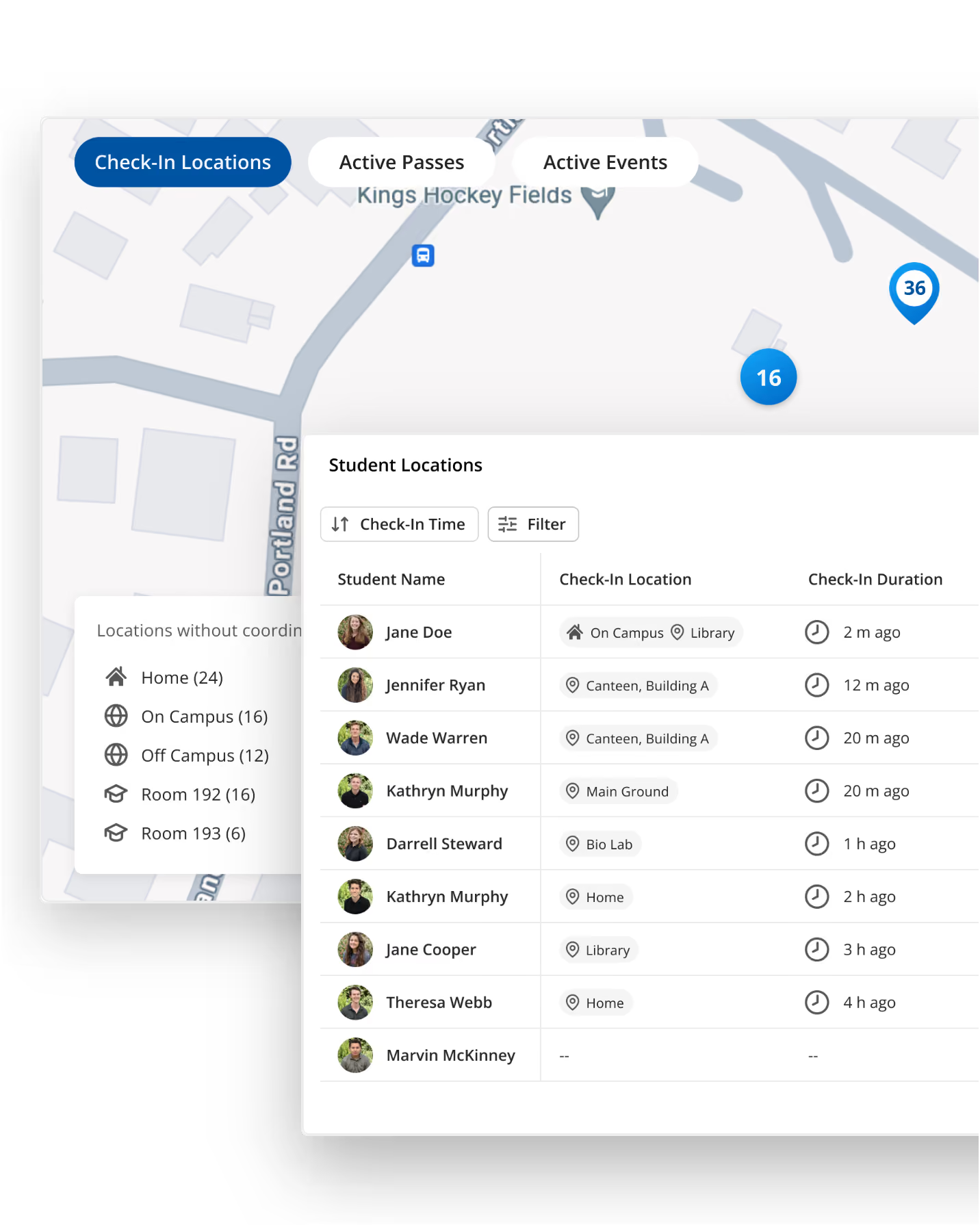
No need for the front office or teachers to guess where students are when their location updates automatically.
Learn More About Hall PassesReal-Time Location Updates
The front office and teachers see the same up-to-date location information with every roll, absence, and late arrival logged in the system.
Dismissals that know about the rest of the day
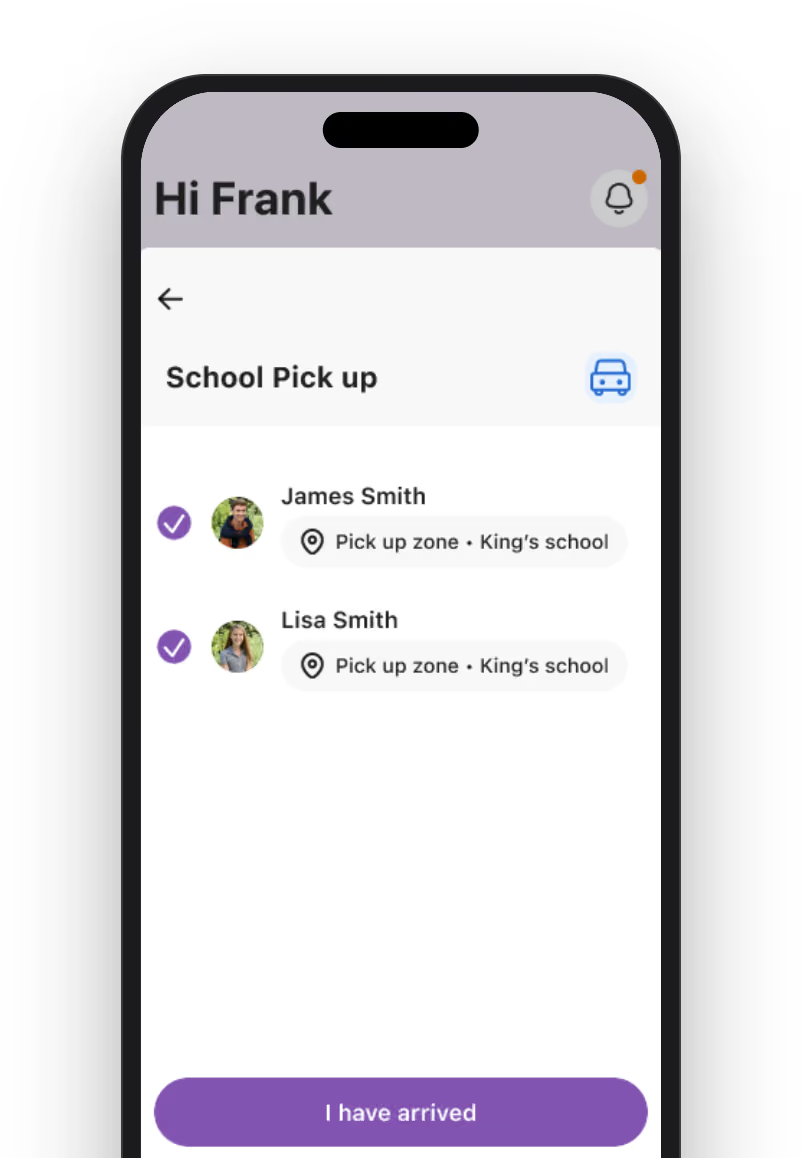

Smooth pickup via arrival notifications
Parents announce arrival from the Family App, or staff members log them with a QR scan or by hand. One arrival brings every sibling forward.
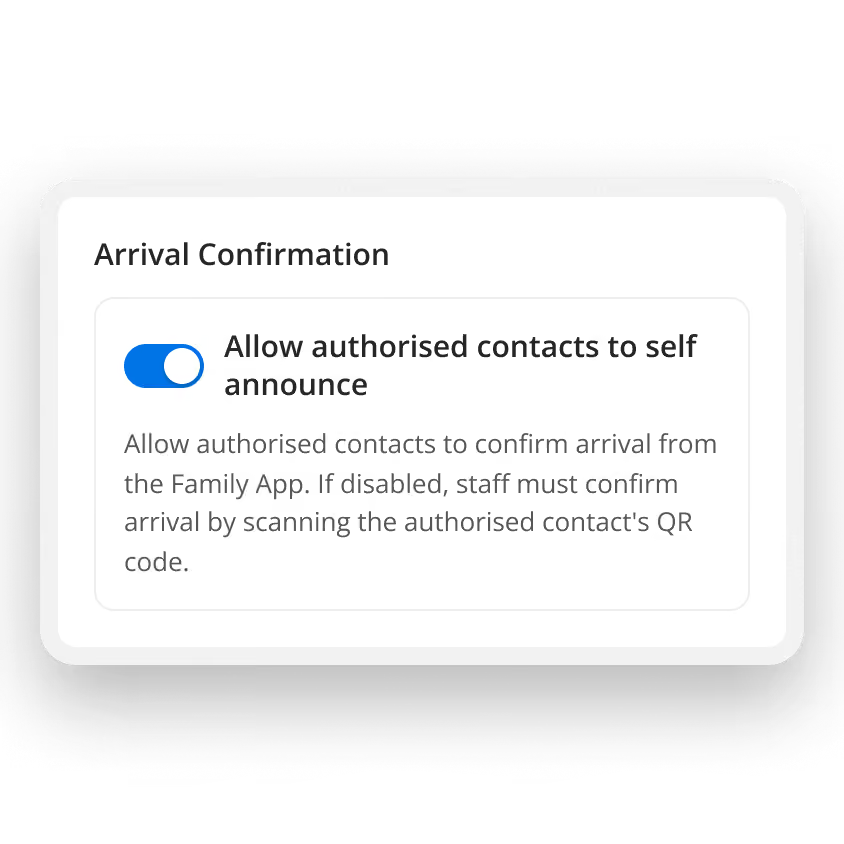
You control who can self-announce, and how
You can turn off self-announcing, limit it to authorized contacts, or tie it to QR scans. Choose the setting that suits your gate, so the line reflects who's really there.
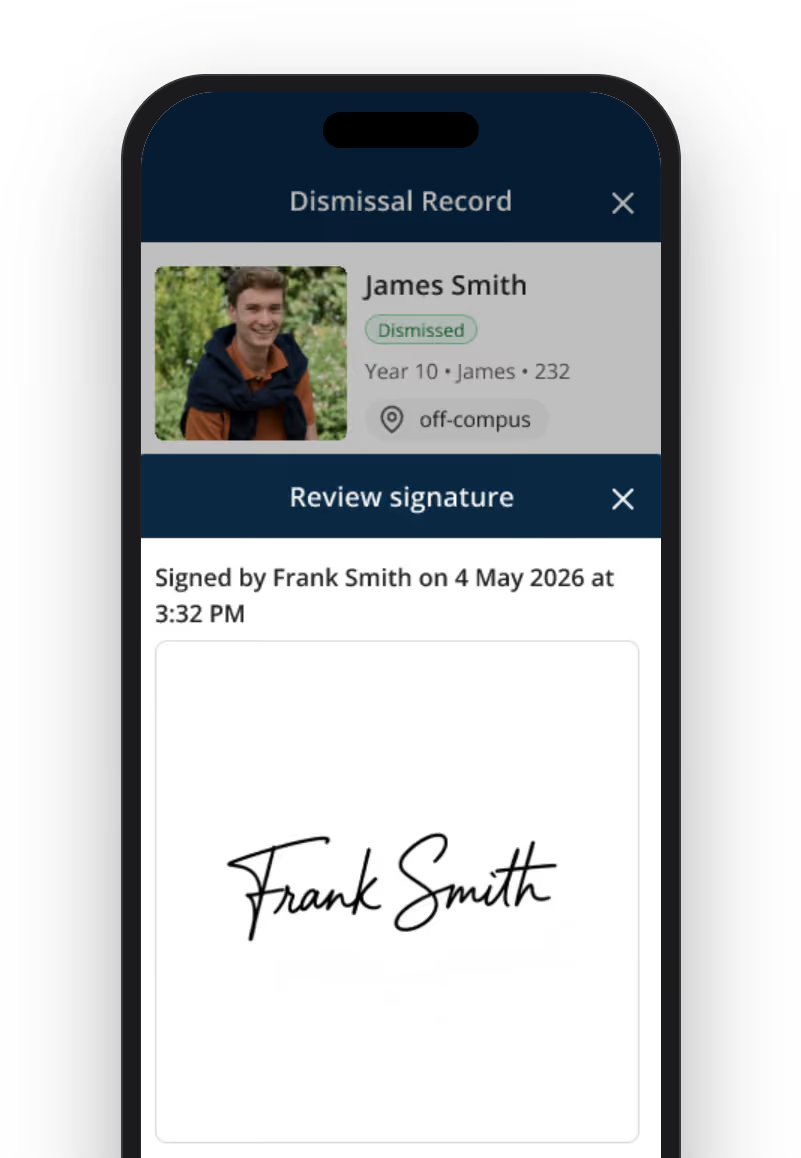
Require Pickup Signatures for higher security
For some regions, compliance requires signatures from the person picking up their child. You have the option to toggle this on for your dismissals.
Most platforms start by trying to locate your students. Orah already knows.
Emergency rolls launch from the same app staff use every day, with the live location record already loaded. Students on a pass, on a trip or already picked up are accounted for from the first tap.
Explore Emergencies


Real-time, accurate data of who's on campus right now
Your roll doesn't wait for a spreadsheet or for someone to reconcile lists. It's built from the record that period attendance, passes, and dismissals keep current, so you always start with an up-to-date emergency roll when you need it.
Know which students are off campus (and where)
A student who left at 2:00 for an away game shows as off campus, with an approved leave pass and their last known location. Nobody goes looking for them at the assembly area.
Real-time updates during emergency accountability
Using 'push architecture' your colleagues will see updates to students being accounted for in real-time. No 'sync for updates' or 'polling' it's there as soon as it's entered.
Account for everyone on campus
One roll covers students, staff, and visitors. A contractor who signed in through Visitor Management appears on the roster for that campus and is marked safe or unaccounted for, just like everyone else.
Part of one connected platform
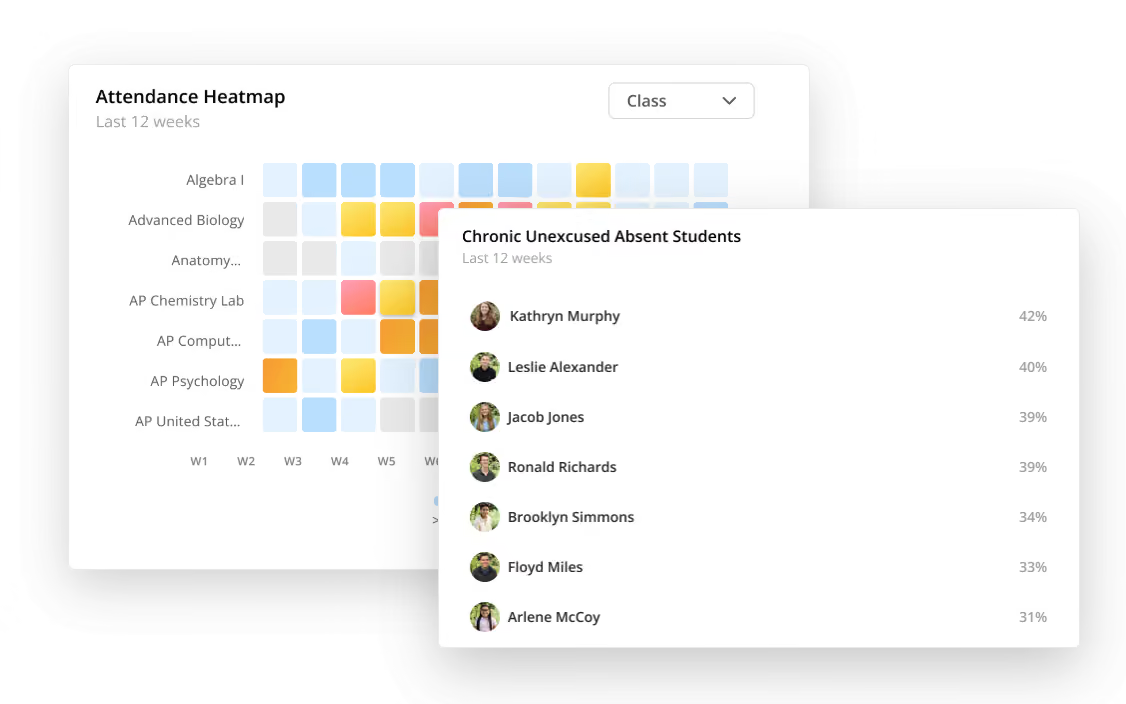


Attendance Insights
Create custom dashboards by user so each person can see the attendance information and trends they need without analyzing spreadsheets and reports.
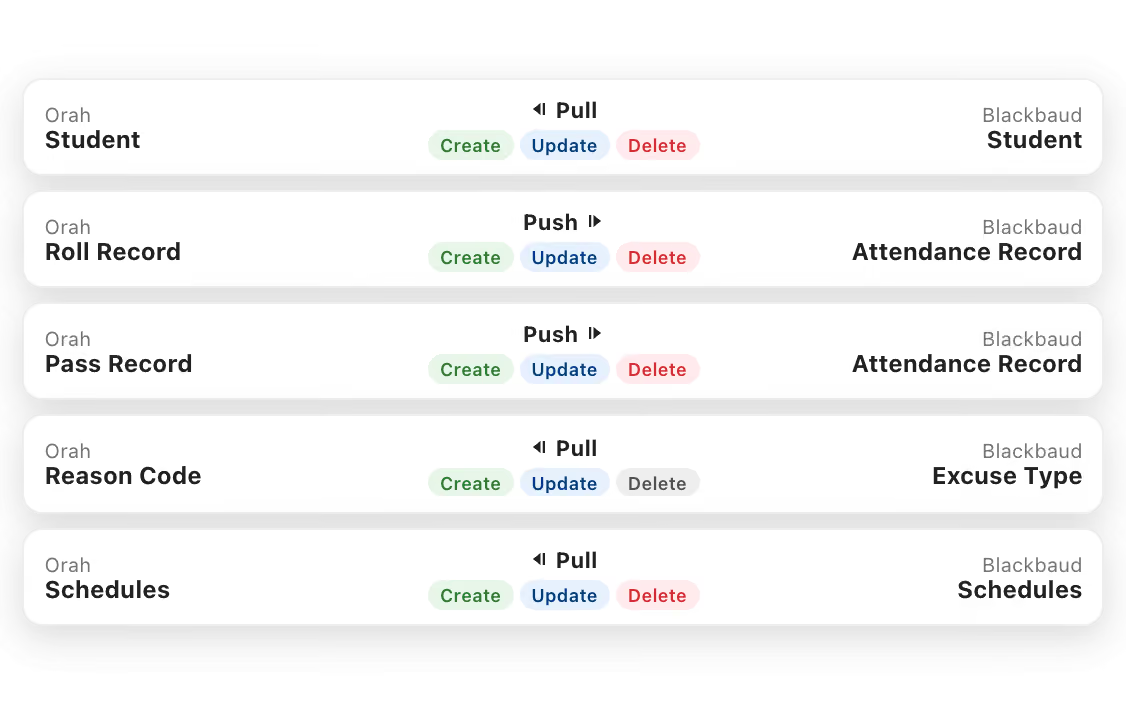

Two-Way SIS Integration
Orah and your SIS share the same schedule and attendance data, so your data is centralized and accurate.

"The teachers have told me that it works so quickly when the students come in that the teachers are actually able to greet the children, as opposed to standing there and hovering and making sure the attendance is being taken," Katz says. "The teachers said they now have more time to greet the children and welcome them into the classroom, which is a big bonus."
FAQs
What does student location mean in Orah?
It is the live record of where each student is expected to be throughout the day. Period attendance, hall passes, absences, late arrivals, early dismissals and pickups all update it, so every staff member sees the same picture.
Does Orah write attendance back into our SIS?
Yes. The integration is two-way, so schedules pull through from your SIS, while Orah writes attendance directly back to your SIS.
What happens when a pass and the dismissal plan disagree?
Nothing disagrees because an approved pass directly changes the dismissal plan. The student is removed from regular dismissal, and the pass documents the time and location.
Where does the emergency roster come from?
Emergency rosters come from the same student location record that period attendance, hall passes, early dismissals, late arrivals, and absences write to throughout the day, rather than the morning's static roster.
What if a student is absent that day?
Dismissal follows attendance, so a student marked absent in the morning doesn't appear on the dismissal list, so no one goes looking for them at 3:00.
See student location run on one record
A 30-minute walkthrough with someone who knows school attendance, dismissal and emergency operations.