


Give your teachers hours back every week with attendance driven by students
Self check-in for students, final approval for teachers, all added seamlessly to your SIS.
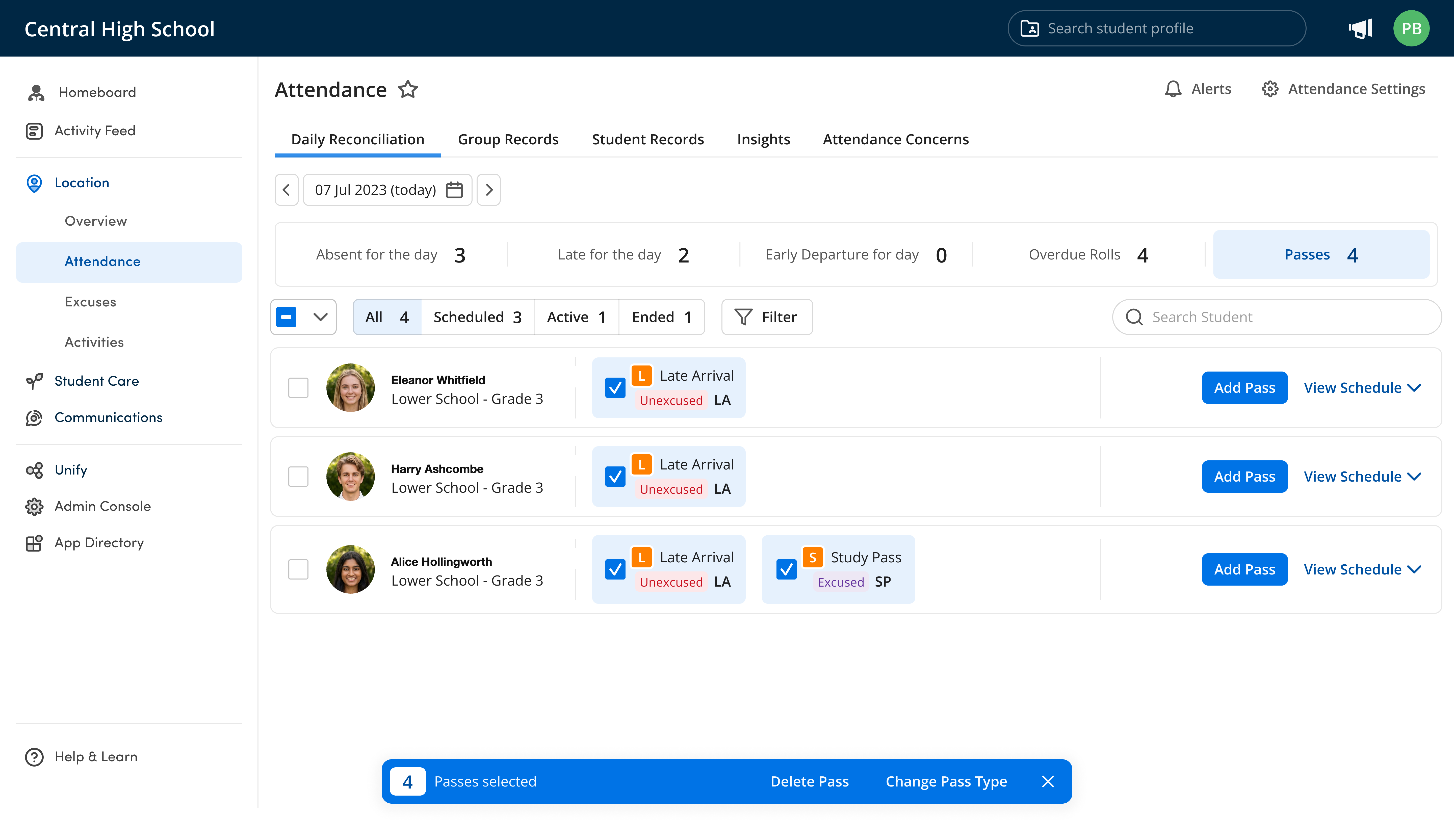
Discover how automated attendance creates a seamless roll call process for students and teachers
Trusted by 500+ top schools in 20 countries
















Save time, increase accuracy, boost security with what you have
Start Immediately
Our system works with your student ID cards, classroom iPad, or RFID reader plugged into a teacher's laptop or phone. Get started using your current hardware.
More Time for Teaching
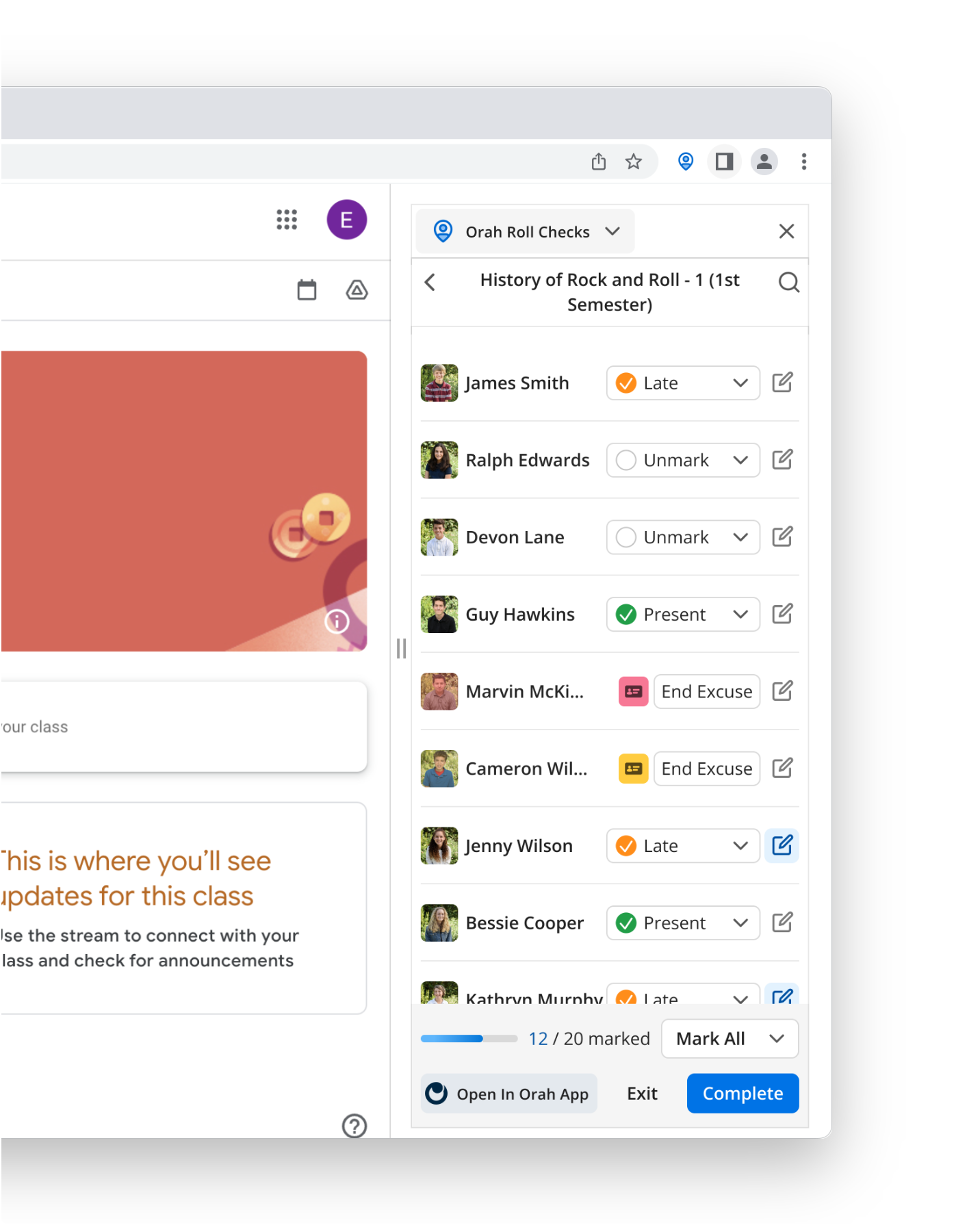
Students check themselves in as they enter the room, and the teacher reviews the populated roll rather than calling one from scratch.
Accurate as Manual Roll Call
Adding a PIN or badge check on sensitive sign-outs means a borrowed card is never enough on its own.
Multiple ways for students to check in
Whether you use QR codes, RFID cards, barcodes, NFC tiles or an access control system, they all run on the same kiosk, tablet or laptop, so you can start automated attendance with methods students already know.

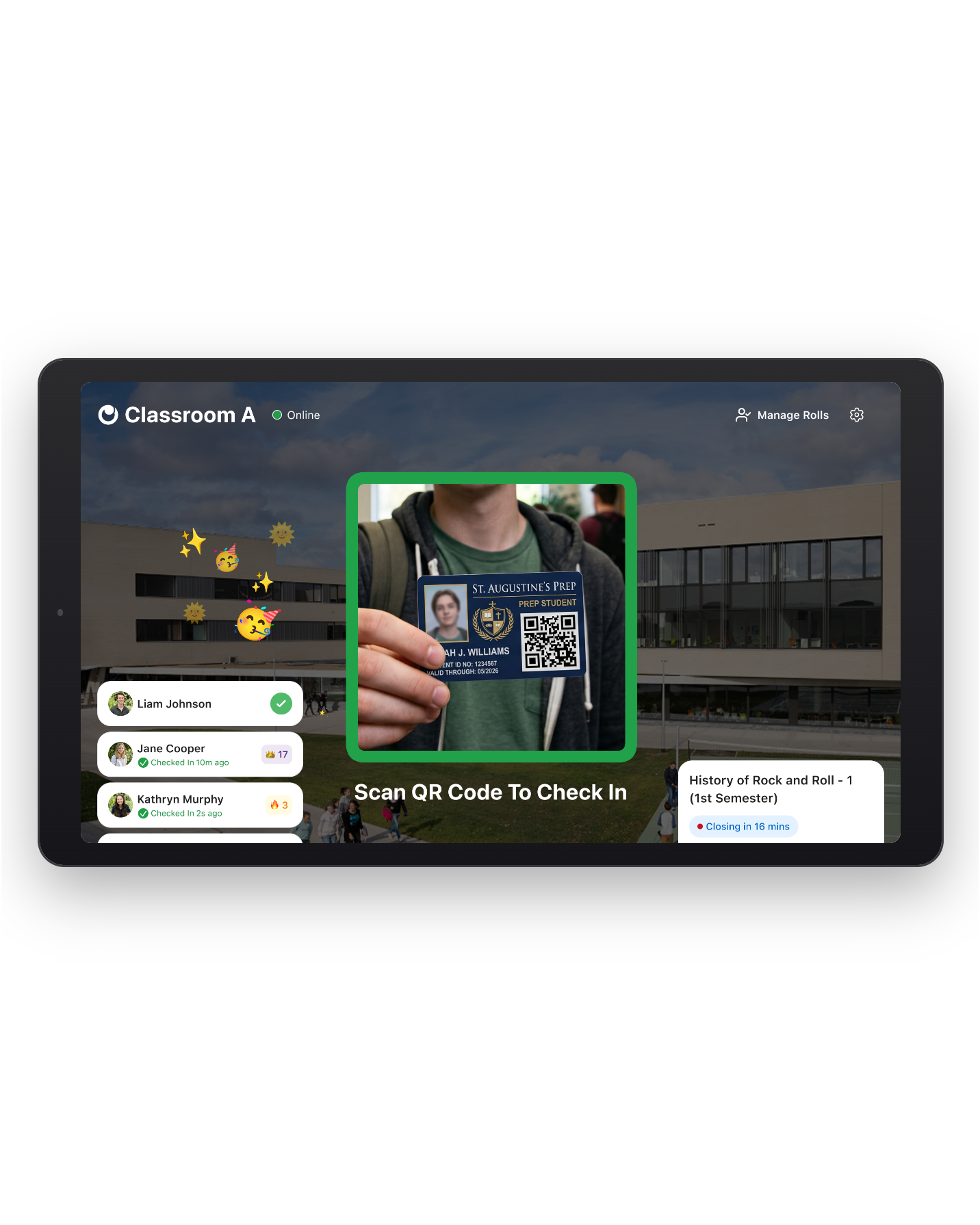
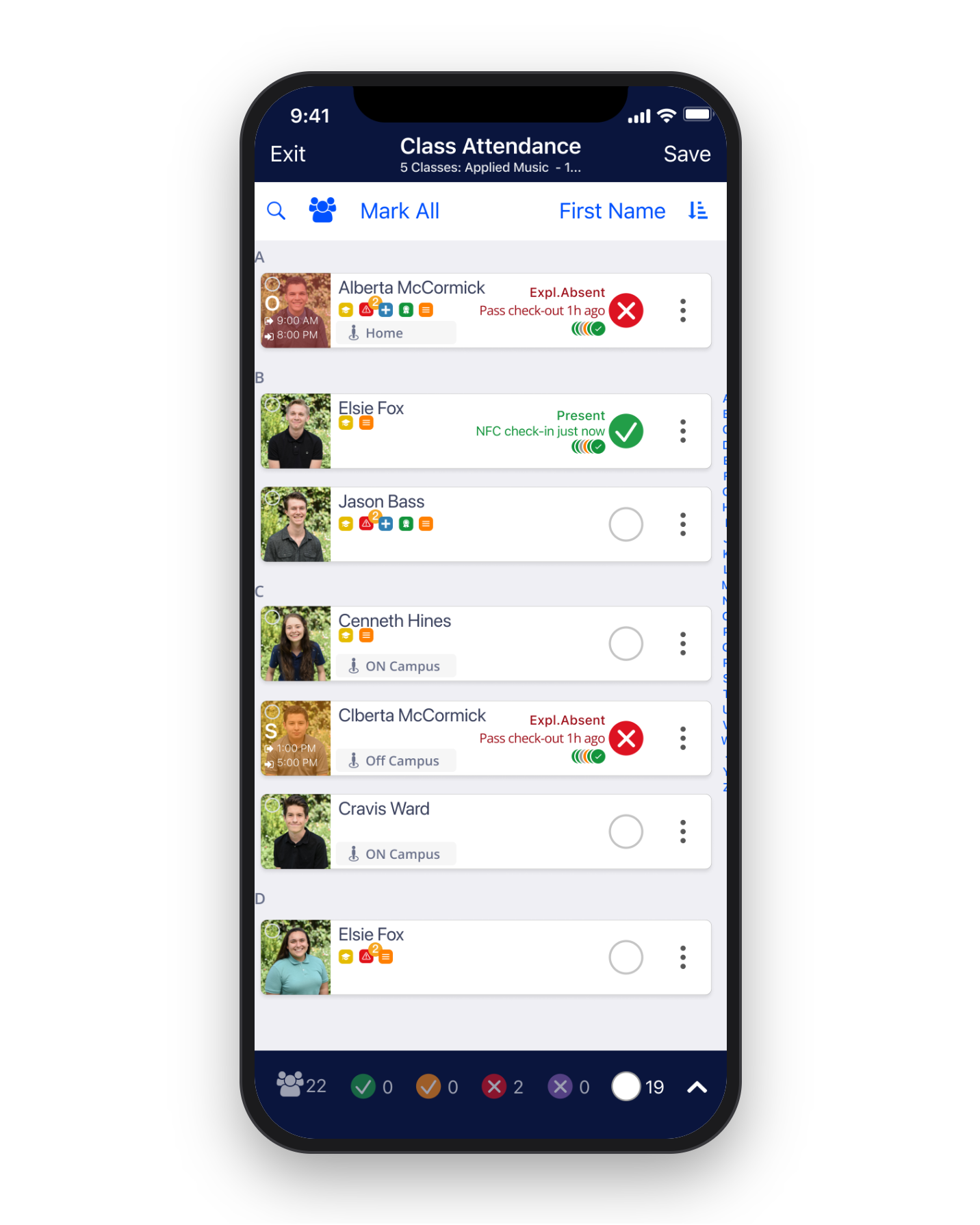
QR Code Check-In
Get started using the personal QR codes students already have. Students simply check in via a classroom iPad or Checkpoint kiosk.
RFID Card Check-In
Students tap the same RFID card or wristband they use for dorm or campus access to check into class, so there's nothing new to issue or carry.
Barcode Check-In
Orah reads standard barcode formats like Code 128 and Code 39, so students can scan the barcodes already on their student IDs.
NFC Tile Check-In
If you allow students to use phones, students can check in with a tap (no app to open) using an NFC tile mounted to the classroom door.
Connect your Access Control Systems
Connect access control systems like Verkada and SALTO via Orah's OpenAPI to easily mark attendance.
Automation that follows your processes, not the other way around
Orah works with your policies, not around them. Teachers own the roll, using existing codes with thresholds you set, and run attendance to align with the school division.

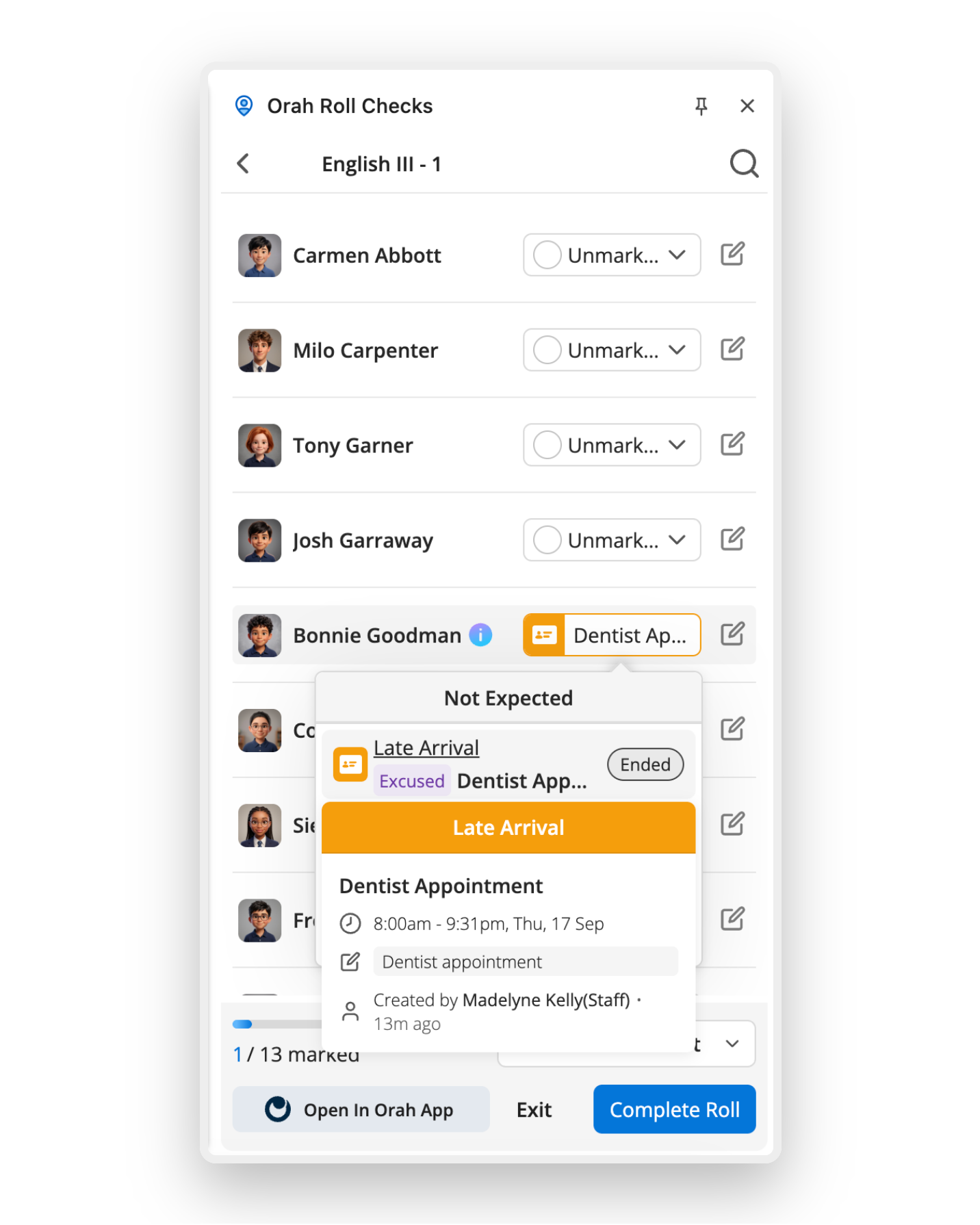
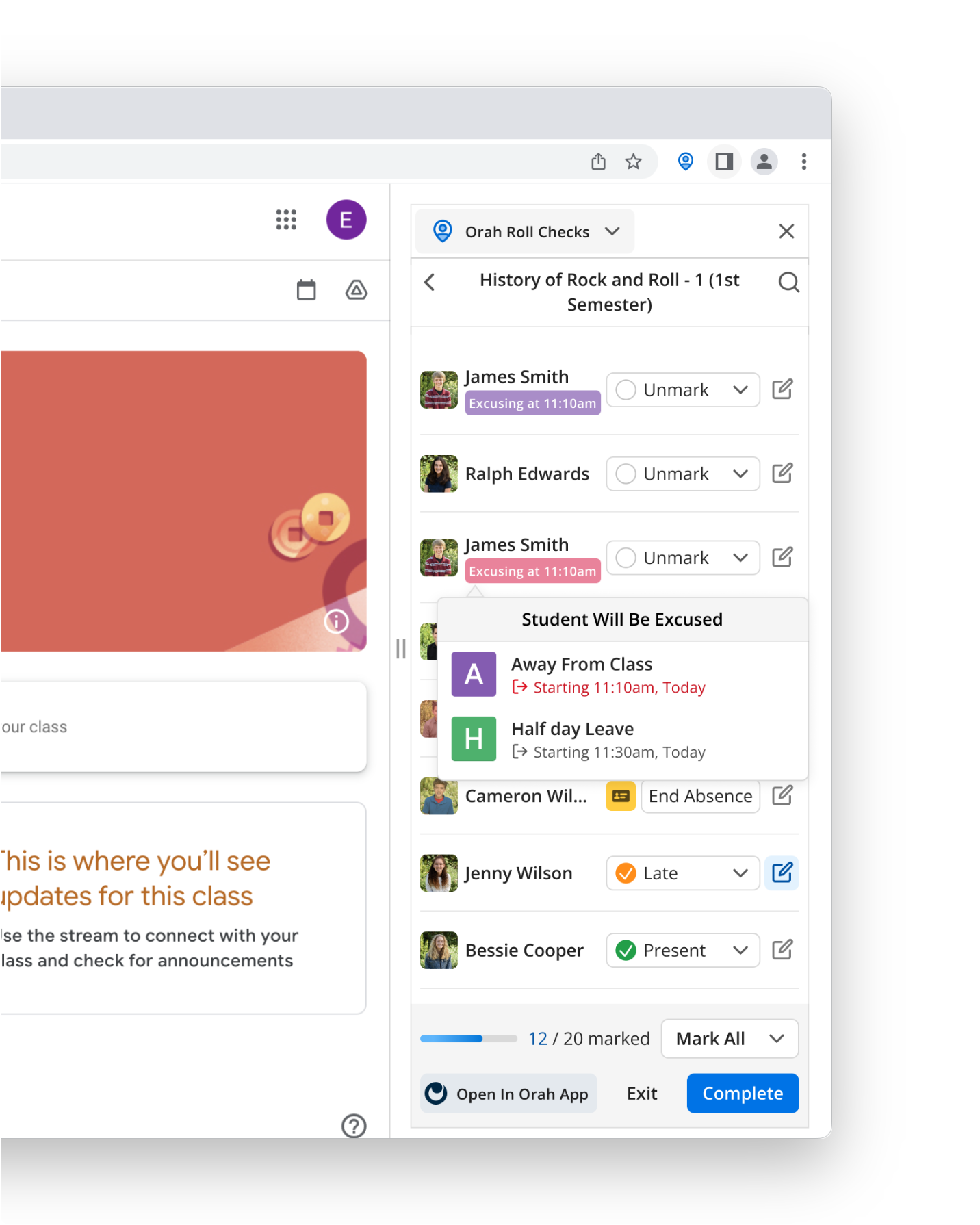
Teachers Still Sign Off on the Roll
Student check-ins fill the roll, but they don't submit it—teachers do. Teacher oversight ensures a passed card never becomes the record.
Your Attendance Codes, Not Ours
All your codes, reasons and scans write back into your SIS exactly as captured, not limited to two or three generic codes.
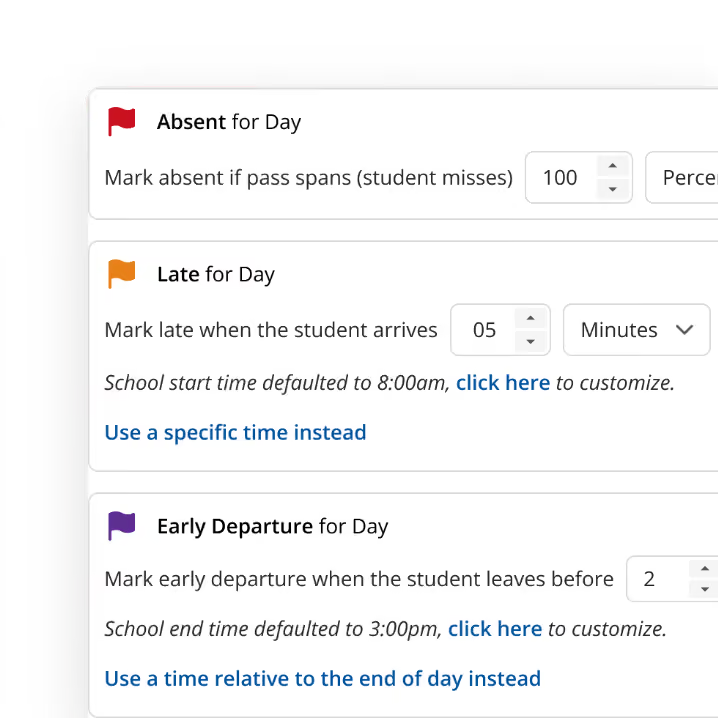
Customized to Your Attendance Policies
Set your own check-in windows, late and tardy thresholds, and reason codes, so automated attendance adapts to your policies rather than the other way round.
Tailor to Use with Lower, Middle, and Upper Schools
Run Automated Attendance daily, period by period, or both, depending on your school's needs.
What automated attendance looks like with Orah

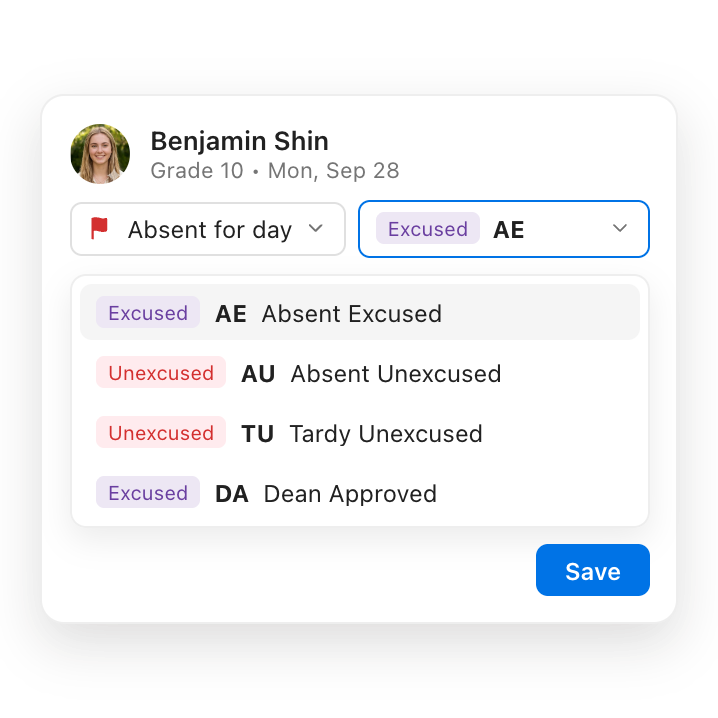
Check-ins only happen during actual class times
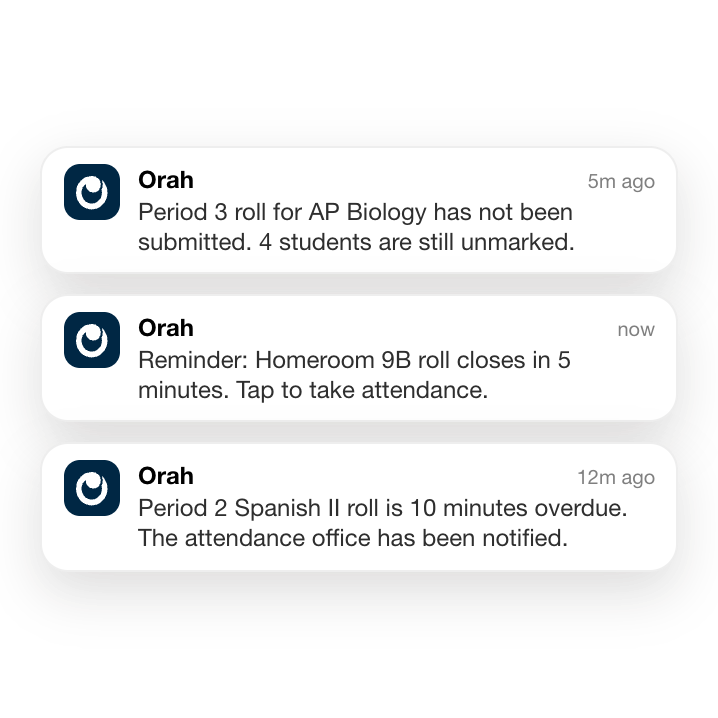
Each roll shows as Upcoming, Active or Completed on the kiosk, so check-ins only work during class time, and late students are marked automatically.
Combined and overlapping classes handled automatically
The kiosk merges classes into one roll when they share a time and place, and keeps classes with different start times separate until each is actually live.
No connection, no problem
The kiosk caches scans locally during an outage and syncs them the moment the connection returns, so a dropped signal never costs a school an accurate roll.
One source of truth throughout the Orah platform

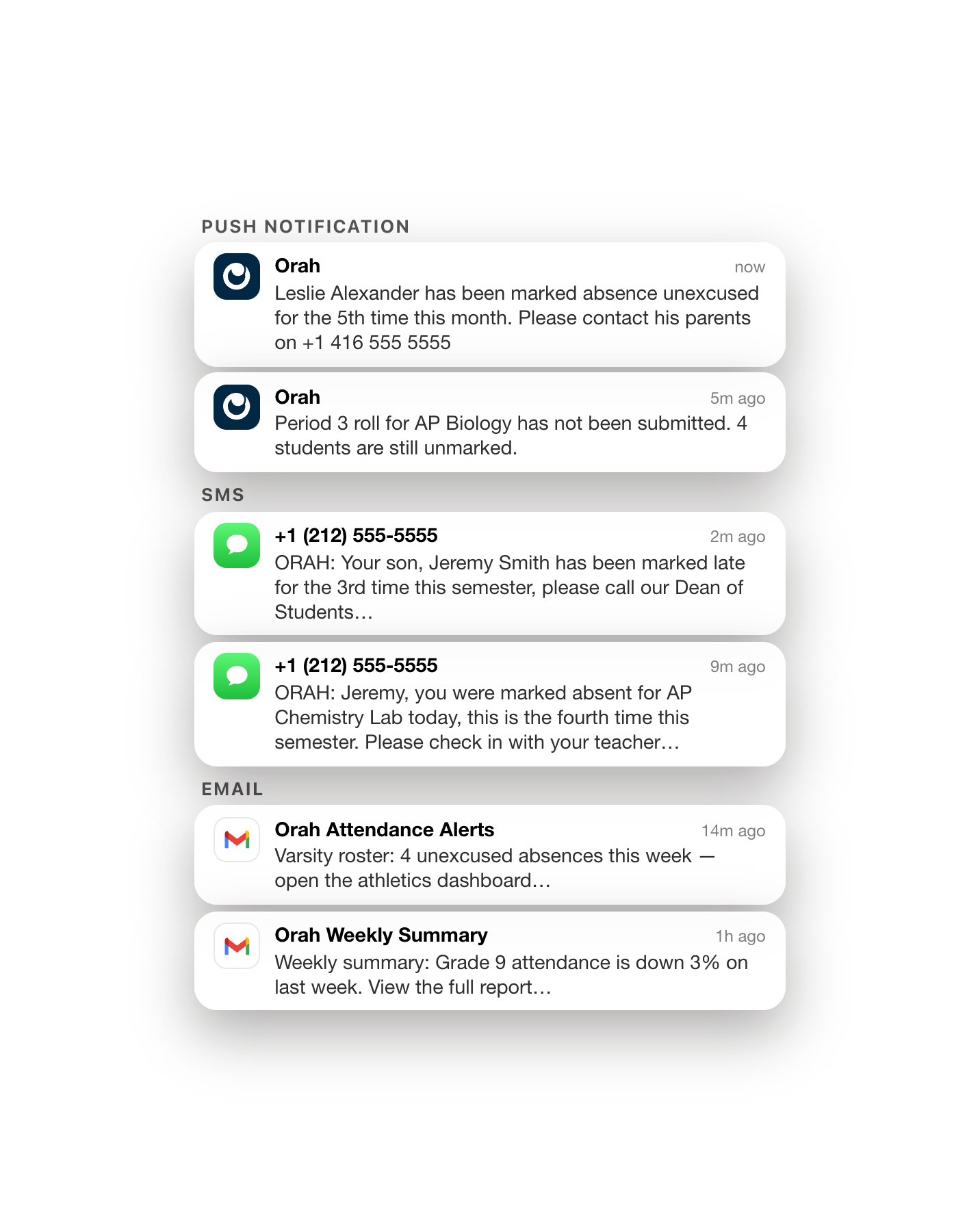
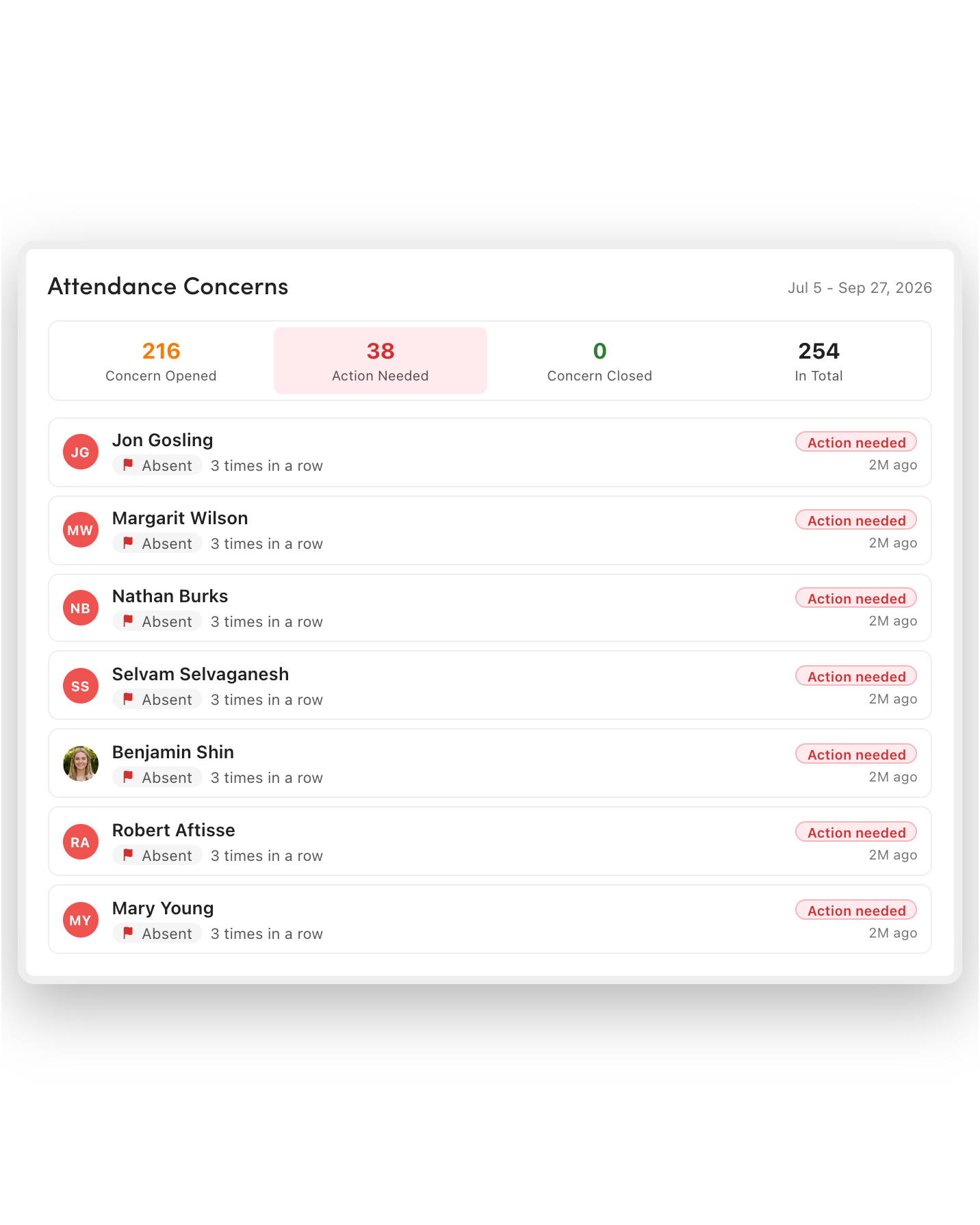
Hall Passes
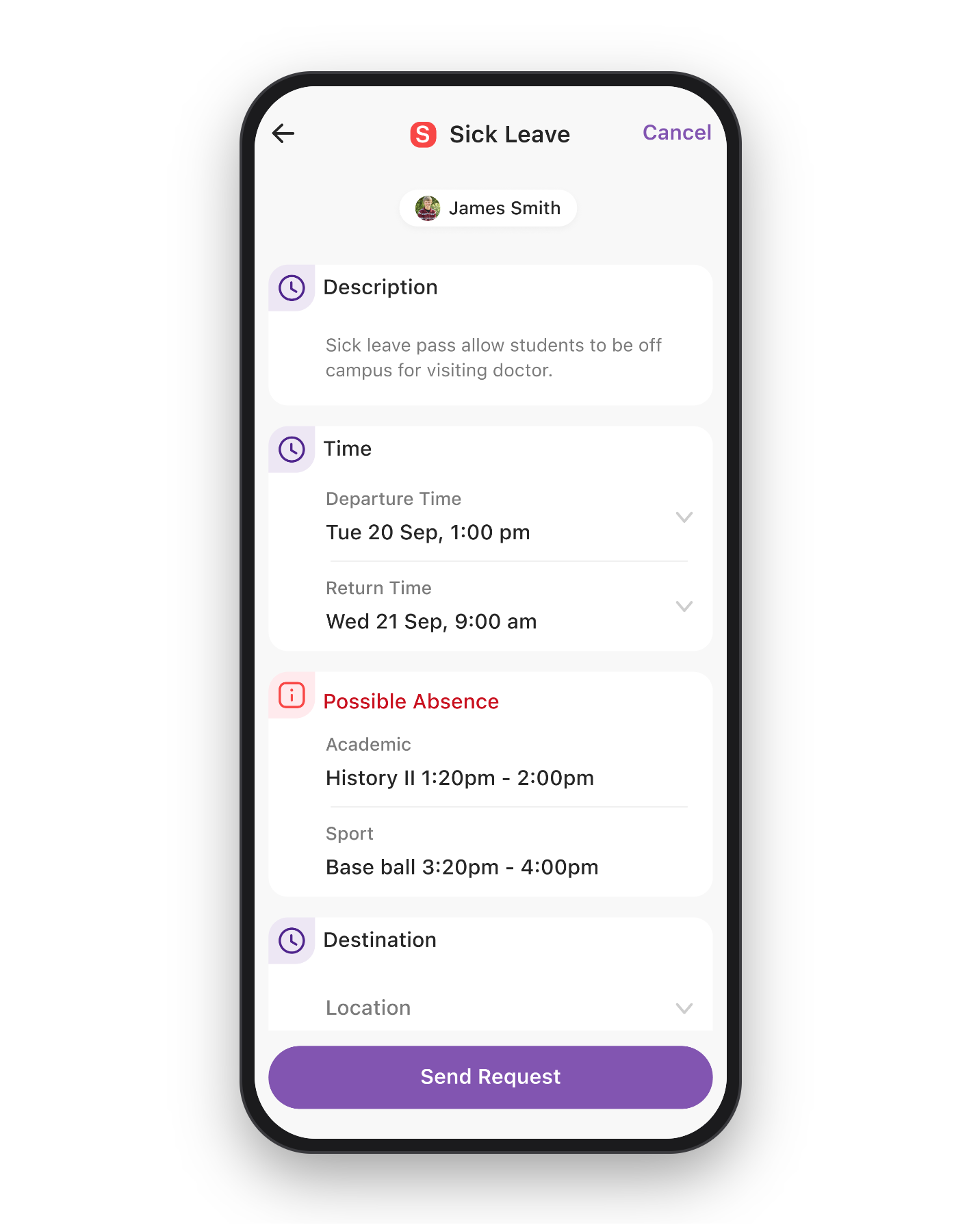
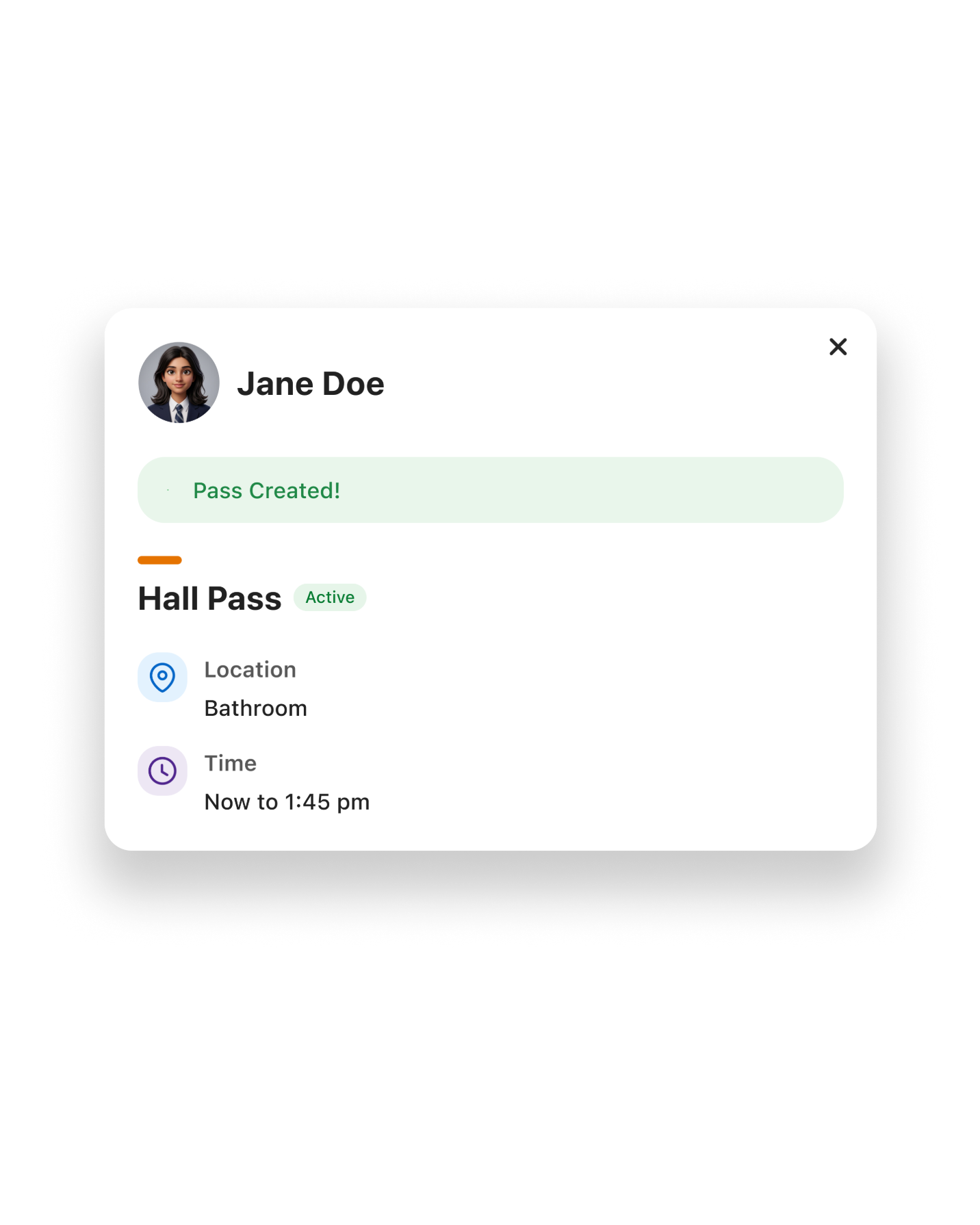
When a student is out on an approved pass, the roll shows the reason and expected return, and the pass writes its own code. Nothing gets marked twice.
Not Just for the Classroom
A parent-logged absence or an approved trip marks those students as not expected on every roll it overlaps, so you're never left waiting for a student who isn't coming.
Always Know Where Students Are
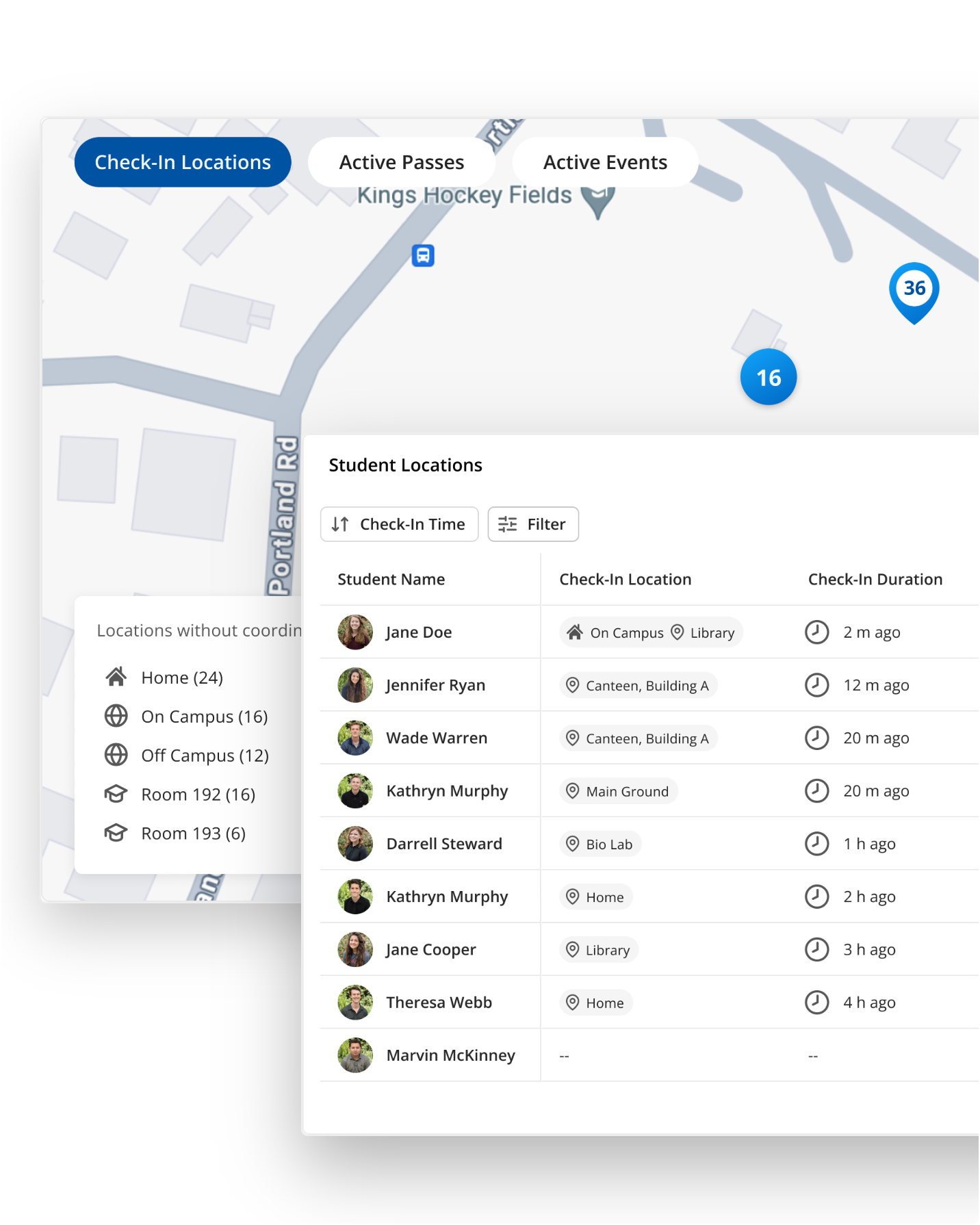
Every scan, pass, absence and dismissal writes to the same location record the moment it happens, so the front office and teachers see the same answer to where a student currently is.
Faster Headcounts When They Matter Most
With live attendance data from check-ins throughout the day, emergency roll starts with accurate data on who's on a pass or off site.
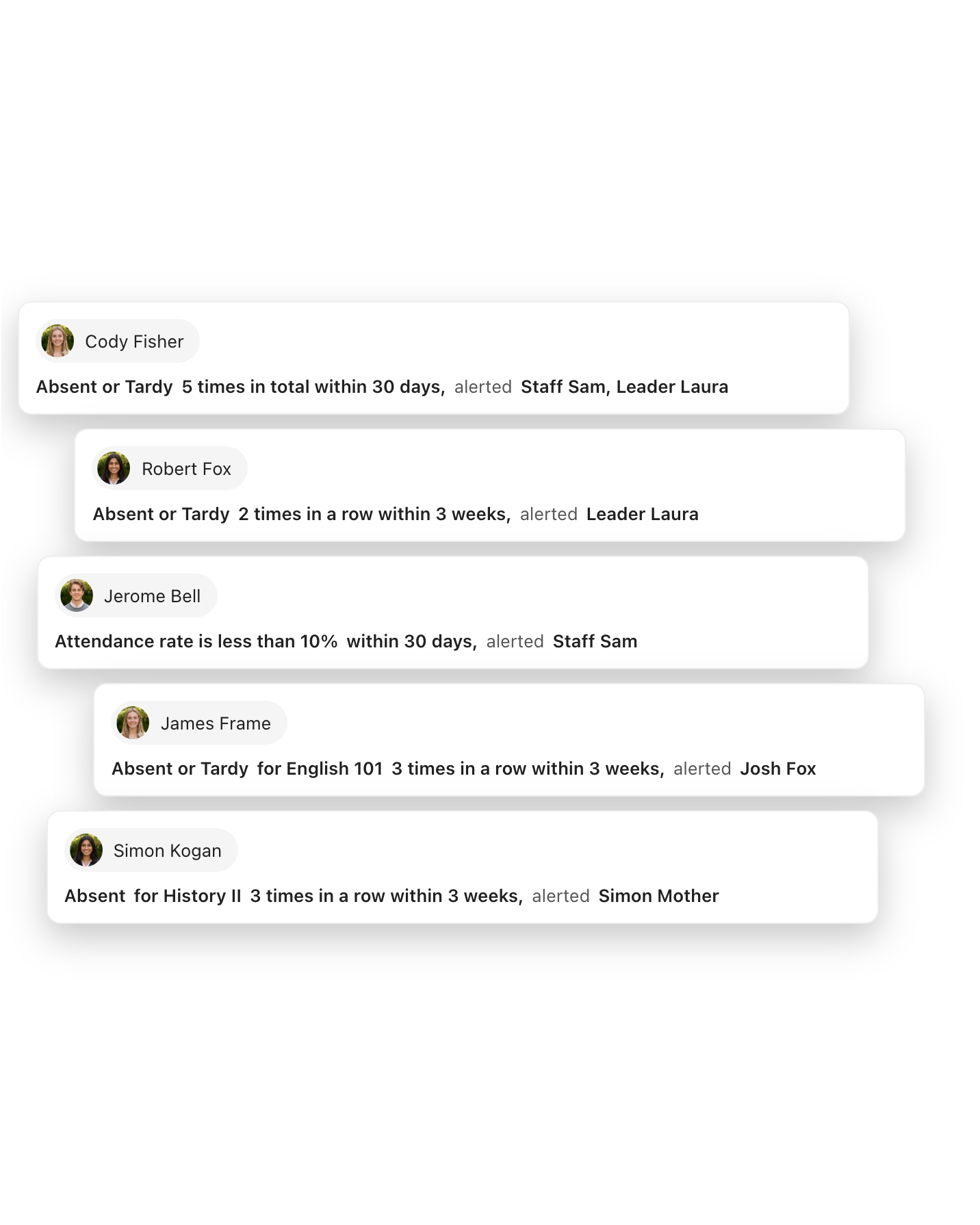
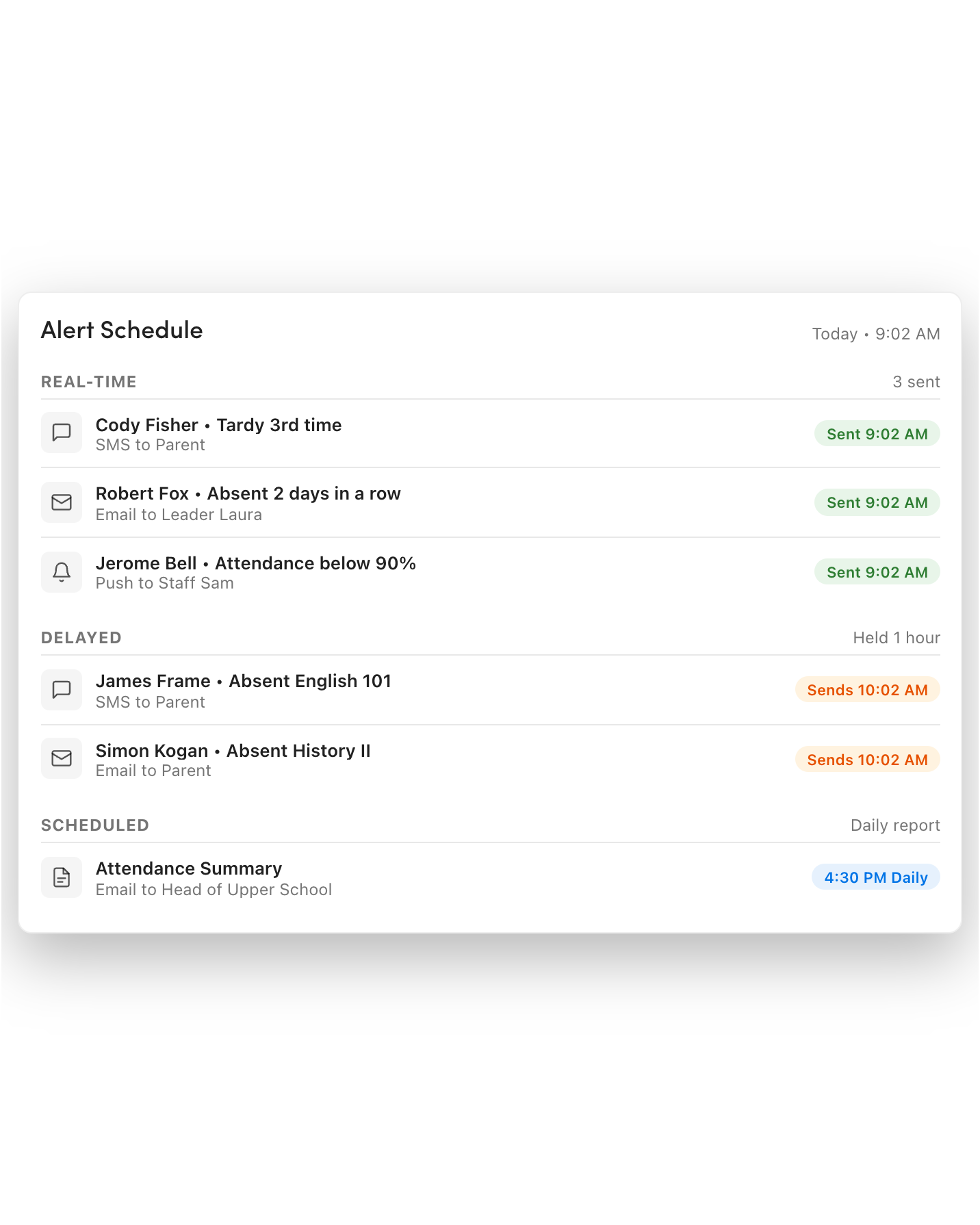
Alerts, Concerns and Insights Generated From the Same Source
You never need separate reporting, since automated check-ins feed the same reason codes and daily totals that drive attendance alerts, follow-up lists, and leadership dashboards.
Data leadership can act on, stored where it belongs
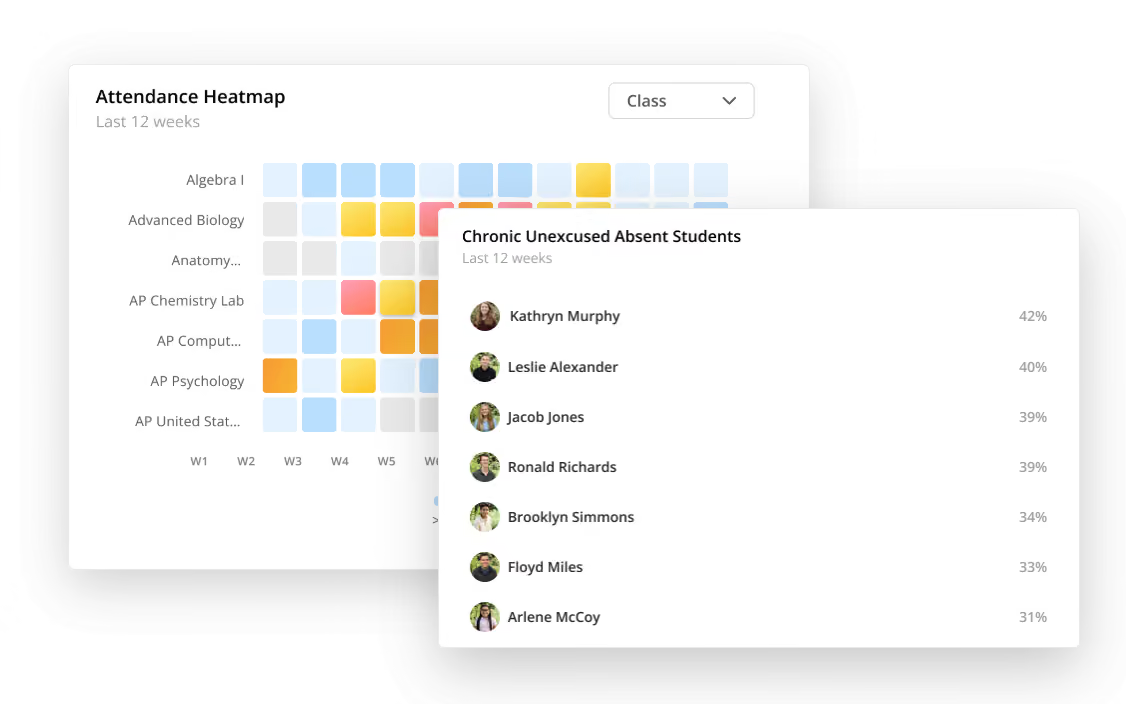


Attendance Insights Leadership Actually Needs
No more analyzing spreadsheets looking for trends. Customizable, self-serve dashboards present attendance trends quickly and clearly to leadership.
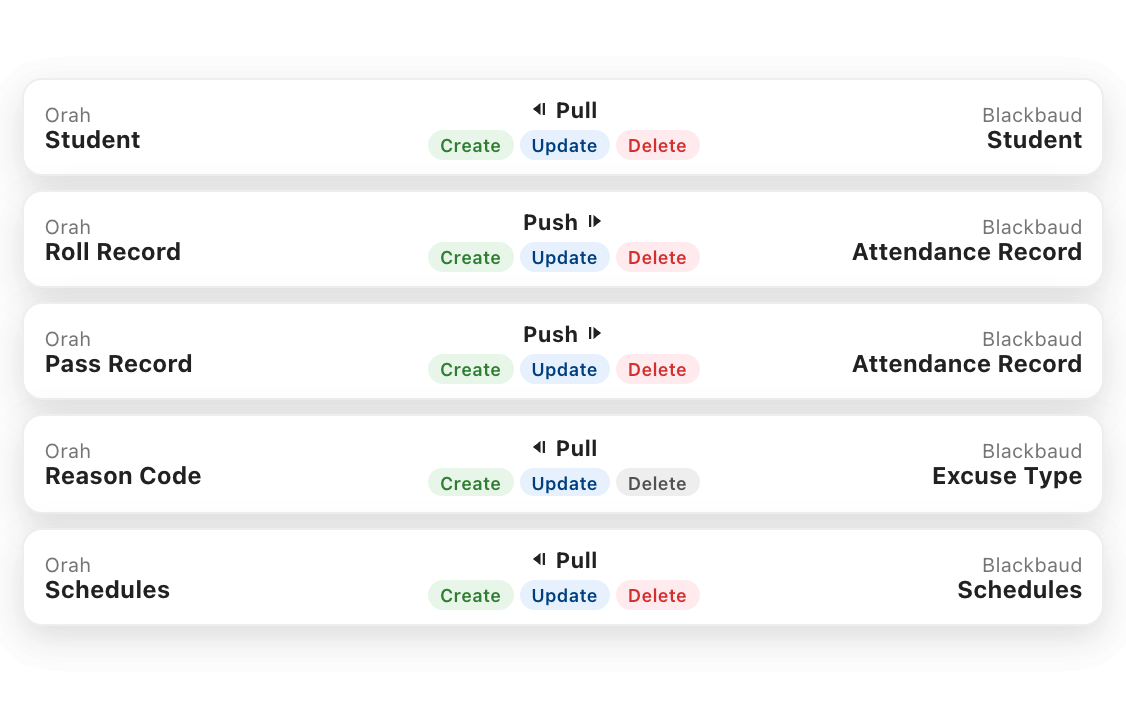

Two-Way SIS Integration
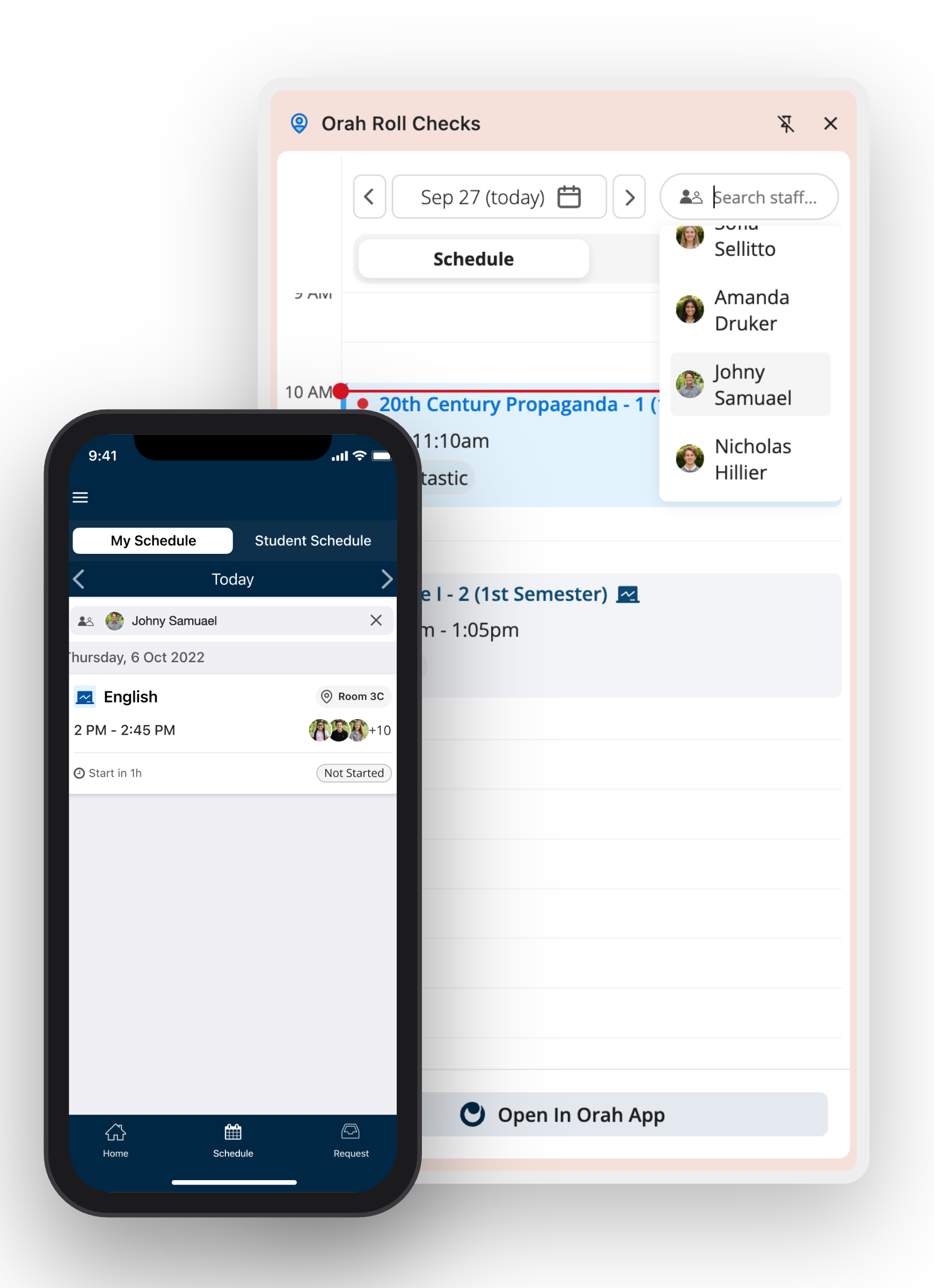
Schedules flow in from your SIS, and attendance taken in Orah flows straight back out, keeping every record in one place.

"The teachers have told me that it works so quickly when the students come in that the teacher's actually able to greet the children, as opposed to standing there and hovering and making sure the attendance is being taken," Katz says. "The teachers said they now have more time to greet the children and welcome them into the classroom, which is a big bonus."
FAQs
How can I be certain students aren't just passing their card around?
Because the scan does not finish the roll—the teacher does. Each scan is validated against the students expected in that class and shows the student's name and photo on the kiosk as it lands. A second scan on the same roll is ignored, and the teacher reviews the populated roll and submits it from the staff app or browser extension. Teachers can correct or challenge any entry before submission.
Can we have automated attendance for one division but teachers still taking attendance in another?
Absolutely. Automated attendance is turned on by roll type and location, so only the classes you choose show up for student check-in. Every other class stays with teachers marking the roll as they always have, all writing to the same record. That's how Donna Klein Jewish Academy rolled it out, starting in Lower School only.
How fast does it read the student's card? We don't want a long lines.
Less than a second per student. A QR code or barcode reads as the card is held up, and an RFID card registers when it's tapped. The confirmation appears on screen, and the next student is ready to check in. The roll opens a few minutes before tclass starts, so students check in as they arrive rather than waiting for the start of class. It stays open into the period so late arrivals are still marked correctly.
What happens if a student loses their ID?
The teacher just checks them in. The roll is the same, so the teacher can mark a student without their card present with a tap, and nobody is held up at the door.
Can students use the same method for hall passes?
Yes. The same tablet or station handles hall passes and attendance. Trips to the bathroom, health center, library or front office are all scanned out and back in as students pass by.
See automated attendance running in a real school day
A 30-minute walkthrough with someone who knows school attendance operations.


